Windows 10 reached EOS (end of support) on October 14, 2025. For more information, see this article.

Tìm kiếm hỗ trợ

Tránh các lừa đảo về hỗ trợ. Chúng tôi sẽ không bao giờ yêu cầu bạn gọi hoặc nhắn tin đến số điện thoại hoặc chia sẻ thông tin cá nhân. Vui lòng báo cáo hoạt động đáng ngờ bằng cách sử dụng tùy chọn "Báo cáo lạm dụng".

Tìm hiểu thêm

Sidebar bookmark in use is now 'highlighted in BRIGHT blue'

  • 4 trả lời
  • 1 gặp vấn đề này
  • 78 lượt xem
  • Trả lời mới nhất được viết bởi Denys

tuỳ chọn khác

I'm using W11 & Firefox/Mozilla 'Version 146.0 (64-bit)' in ‘Dark Theme’ - my sidebar bookmark in use is now 'highlighted in BRIGHT blue' which is VERY ANNOYING - can I get rid of this feature? Is there a way to adjust the highlight color/intensity? Please let me know. If there is no adjustment possible, please take care of this in your next version. Thanks, John
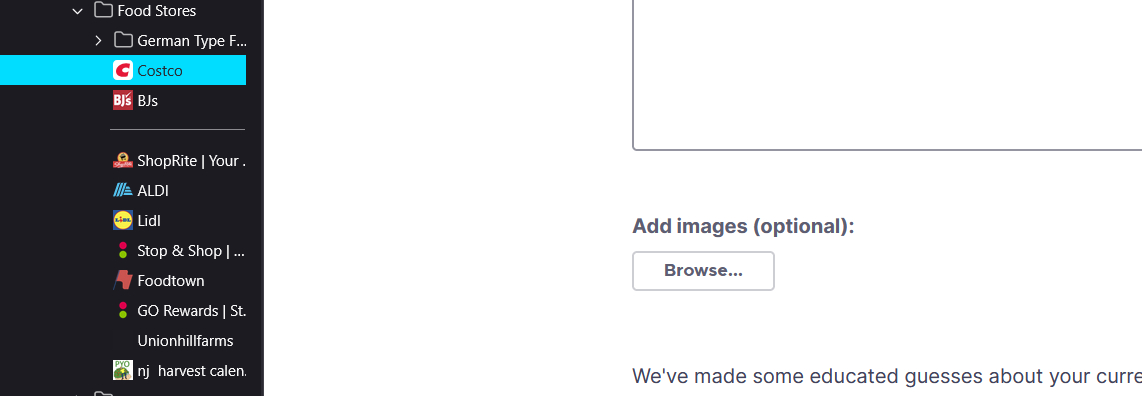
I'm using W11 & Firefox/Mozilla 'Version 146.0 (64-bit)' in ‘Dark Theme’ - my sidebar bookmark in use is now 'highlighted in BRIGHT blue' which is VERY ANNOYING - can I get rid of this feature? Is there a way to adjust the highlight color/intensity? Please let me know. If there is no adjustment possible, please take care of this in your next version. Thanks, John
Đính kèm ảnh chụp màn hình

Tất cả các câu trả lời (4)

tuỳ chọn khác

Hello

For information purposes.

Firefox advanced customization and configuration options. https://support.mozilla.org/en-US/kb/firefox-advanced-customization-and-configuration

Colors. https://www.w3schools.com/colors/default.asp

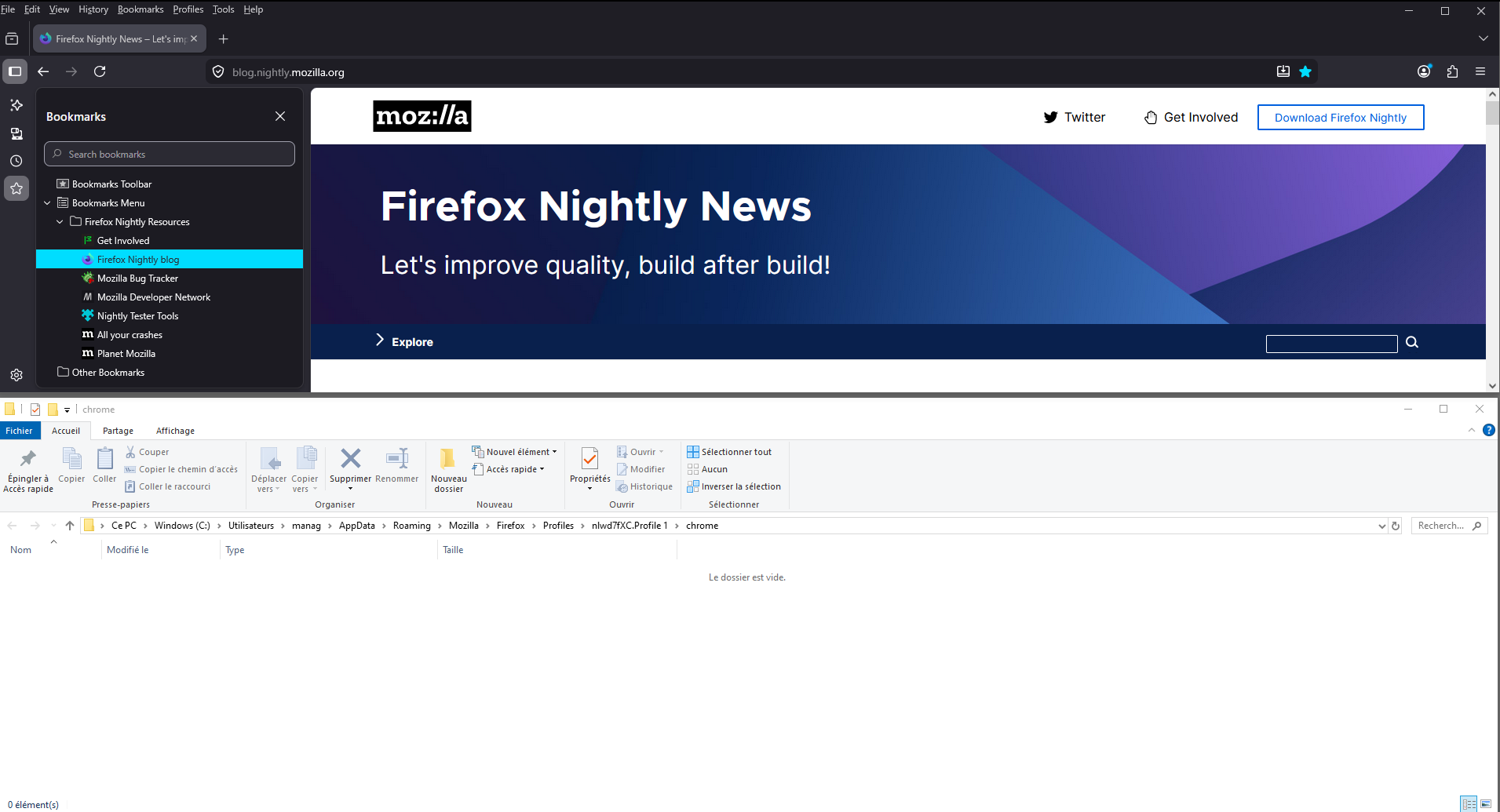
Community. https://www.reddit.com/r/FirefoxCSS/comments/1pjbo8l/how_to_get_rid_of_this_blue_highlight_that You can perform tests userChrome.css and restart Firefox.

A test, userChrome.css, at the right.
tuỳ chọn khác

Hi John,

Thank you for reaching out! This issue is tracked under bug 2005430. Currently, the plan is to switch to a softer color.

tuỳ chọn khác

Should be already fixed in 146.0.1.

tuỳ chọn khác

TyDraniu is wrong, the fix will not land before v147 at least.

Đặt một câu hỏi

Bạn phải đăng nhập vào tài khoản của bạn để trả lời bài viết. Vui lòng bắt đầu một câu hỏi mới, nếu bạn chưa có tài khoản.