


firefox is killing my laptop battery

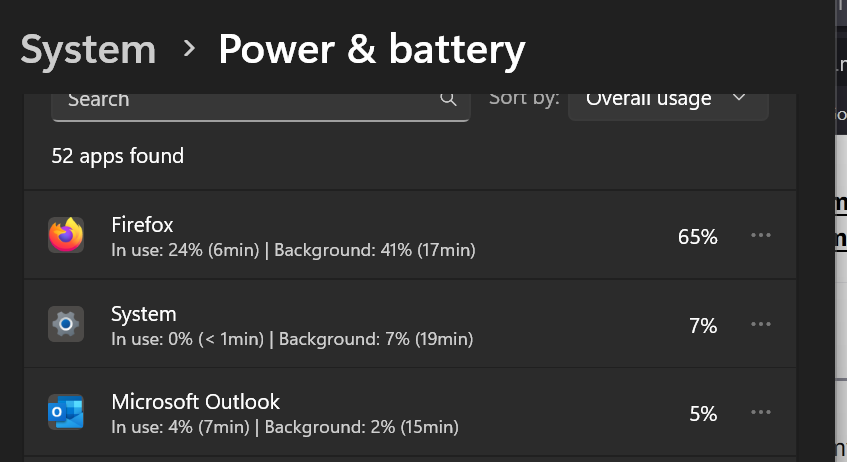
Even with just 1 tab open, Firefox is killing my laptop battery.
Win 11 PC laptop.
In background, it is using 40% to 50% of the laptop battery. I need much better performance from it. I have already turned off any settings I can find regarding Firefox's background functions. When I quit Firefox I want it completely off.
How can I do that?
Tất cả các câu trả lời (2)

labtop battery's never really die. they go to battery heaven where they live in safety and security forever and ever.
now, if you quit firefox - ctrl-alt-delete and make sure there isnt any firefox process running. there shouldnt be.
if you mean while running, i dont believe there is any way to control the CPU scheduling (other than setting priority with a right click in the ctrl-alt-del menu).

My problem may not be from the same cause, but I'm experiencing the same issue. Ever since my MacBook M3 Max updated to Tahoe, Firefox has been draining my battery incredibly fast. Before Tahoe, I could count on 8-9 hours of constant work with mixed use of higher processing work. Now, I'm lucky to get 4 hours of light browsing. Before I totally blame Apple, has anyone else experienced a recent shift?

