


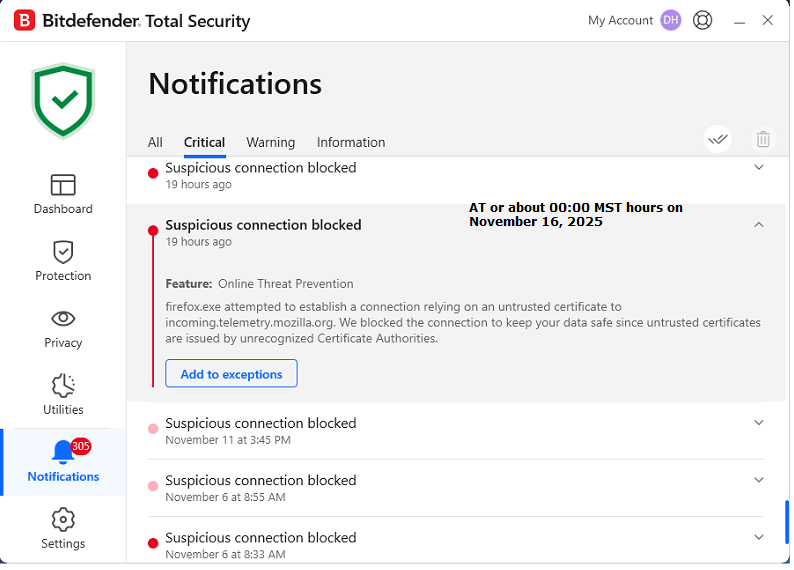
untrusted certificate to incoming.telemetry.mozilla.org

Bitdefender security software Online Threat Prevention "Notifications" are blowing up stating the following: "firefox.exe attempted to establish a connection relying on an untrusted certificate to incoming.telemetry.mozilla.org"
The issue began approximately 17:00 UTC November 16, 2025
Please investigate & update the certificate or we may need to move to a different browser.
Screenshot submitted.
D.
Tất cả các câu trả lời (2)
Hi there,
Thank you for reaching out! I've filed a bug report on that.
Meanwhile, I believe you can safely add the certificate/domain to exceptions. Another workaround may be temporarily turning off technical and interaction data collection.
Hi there,
I heard back from our developers, and here's what they suggested. Please go directly to https://incoming.telemetry.mozilla.org/ and check if you see any error messages. Normally, a blank page will load, but if there is a problem with the certificate, you'll see a warning (and the page will not load). If a warning is displayed, please click Advanced and then View Certificate, copy the certificate info and post it here. This will really help us in determining the root cause of the issue.
Also:
- Please check the same URL in a different browser (such as Edge or Chrome).
- Try temporarily disabling Bitdefender and loading the mentioned URL both in Firefox and another browser.
Looking forward to your update!