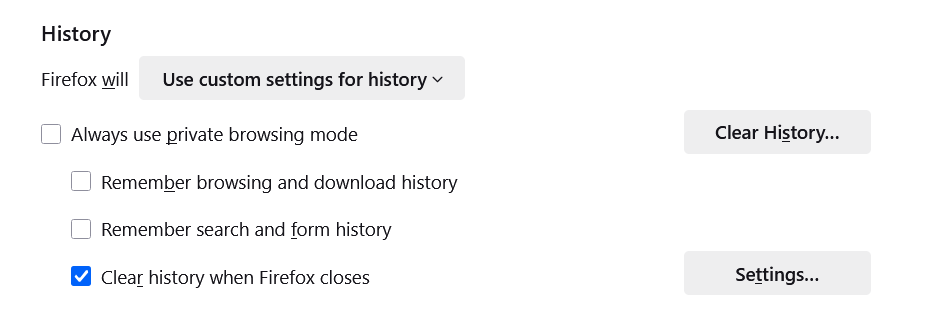
clear history automatically

I have clear search history when browser is closed checked, and it still has a months worth of history and I have closed and reopened the browser countless times, why doesn't the history clear?
Tất cả các câu trả lời (5)
Hi, please check the following settings:
1. Go to Settings ▸ Privacy & Security ▸ History. 2. Make sure Firefox will: Use custom settings for history is selected. 3. Then enable Clear history when Firefox closes, and click Settings… next to it. 4. In that dialog, make sure Browsing & Download History is checked as well — not only cookies or cache.
Also note that Firefox sometimes keeps form or search entries if they are saved under “Saved Form and Search History.” You can clear those manually via History ▸ Clear Recent History ▸ Everything ▸ Form & Search History.
If it still doesn’t clear automatically, try testing with a new Firefox profile (type `about:profiles` in the address bar). Sometimes an extension interferes with the cleanup process.
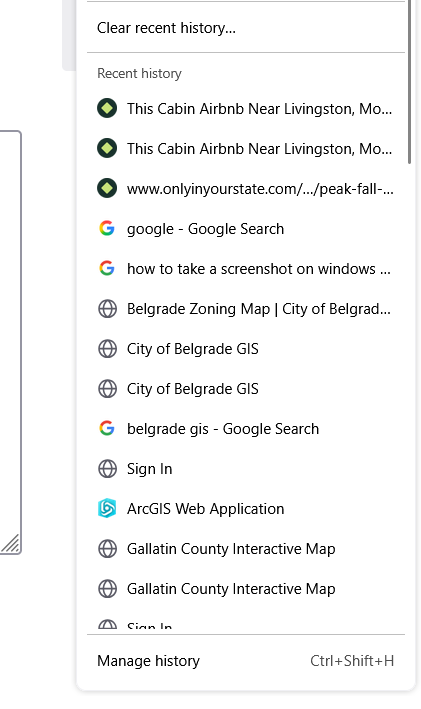
If "Remember browsing & download history" it not checked (not enabled), then I don't think Firefox should be accumulating any new history. How old is the Recent history? If you open the Library window using "Manage history", you can check (or add) the Most Recent Visit column to see when that was stored.
Thank you for both of your replies! It was old history that it was keeping, so I was able to manually delete that. In the process of this, I lost all my saved shortcuts on the opening tab and I can't get them back. How can I get shortcuts back? Thank you!
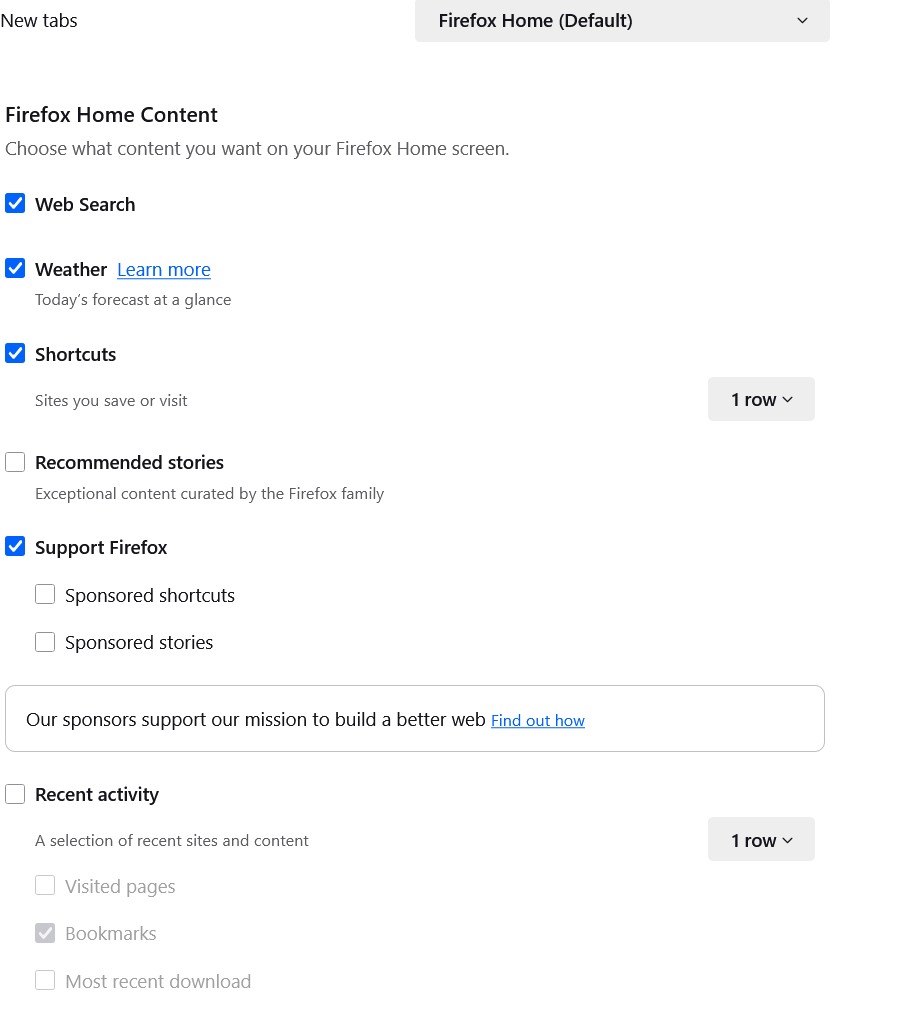

The Logo on the new tab page seems quite low. Are Shortcuts set to appear at all? If you click the gear button, there should be a checkbox for that.
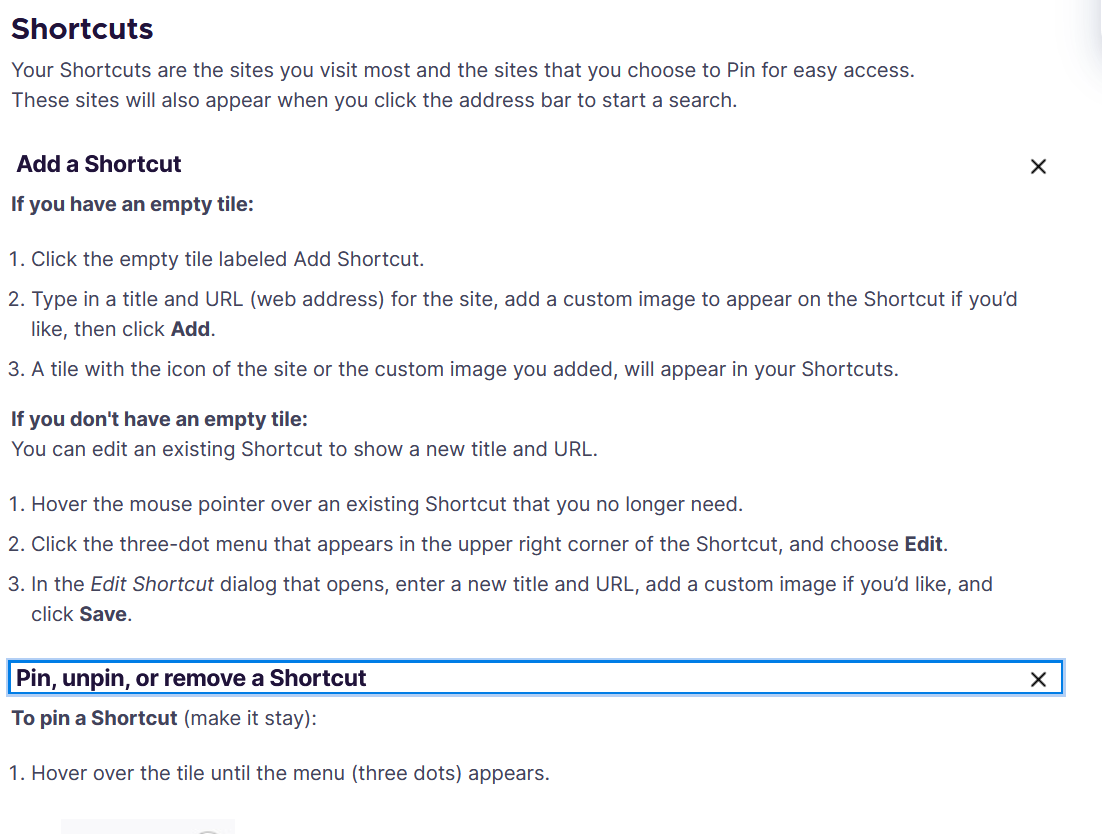
More generally, I think you need to pin the Shortcuts you care about so that they don't depend on history. See: Customize items on your Firefox New Tab page.
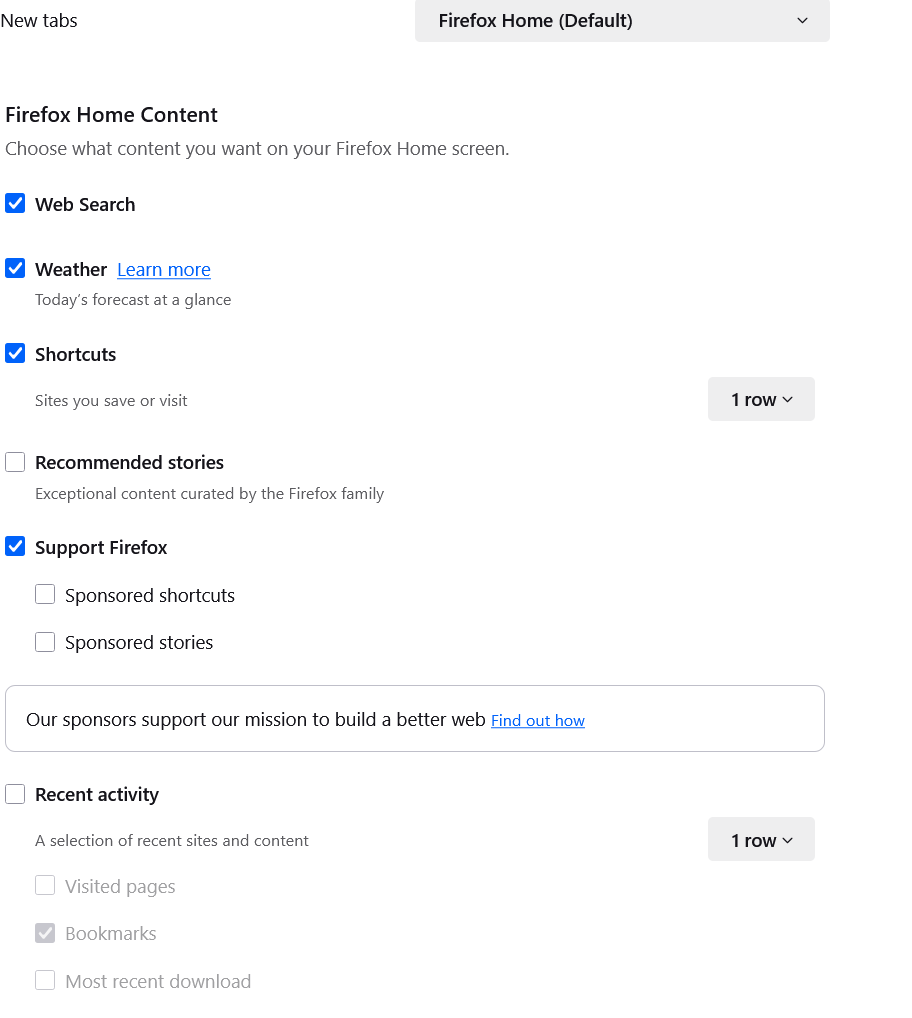
Thank you for the reply! Shortcuts are checked to be one row, see screenshots below. The link to the article isn't any help because the article tells you how to assign shortcuts to the tiles. I don't have any tiles to assign shortcuts to and turning a row on only moves the Firefox logo down the page. How do you get blank tiles to appear?