


Windows 10 reached EOS (end of support) on October 14, 2025. If you are on Windows 10, see this article.

Tìm kiếm hỗ trợ

Tránh các lừa đảo về hỗ trợ. Chúng tôi sẽ không bao giờ yêu cầu bạn gọi hoặc nhắn tin đến số điện thoại hoặc chia sẻ thông tin cá nhân. Vui lòng báo cáo hoạt động đáng ngờ bằng cách sử dụng tùy chọn "Báo cáo lạm dụng".

Tìm hiểu thêm

Memory hog

  • 5 trả lời
  • 4 gặp vấn đề này
  • 62 lượt xem
  • Trả lời mới nhất được viết bởi DEUser

Hello, I used to use FireFox consistently. Then I noticed a downgrade in performance. I checked Task Master and saw this FireFox with 45 entries. With few CPU entries, but over 3 Gigabytes of Memory usage. Why would that be, and what can I do to correct it and still be able to use FireFox?
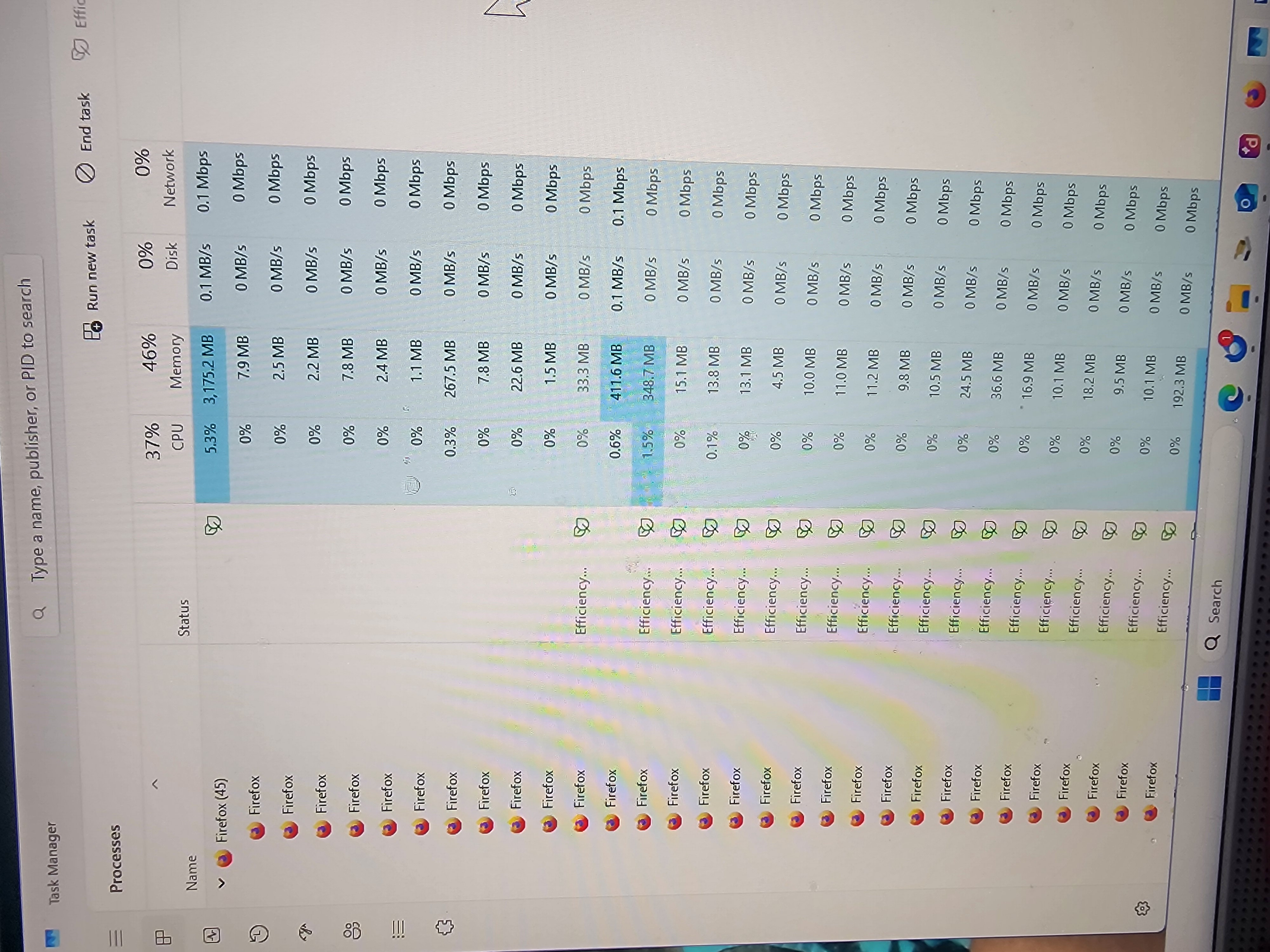
Hello, I used to use FireFox consistently. Then I noticed a downgrade in performance. I checked Task Master and saw this FireFox with 45 entries. With few CPU entries, but over 3 Gigabytes of Memory usage. Why would that be, and what can I do to correct it and still be able to use FireFox?
Đính kèm ảnh chụp màn hình

Tất cả các câu trả lời (5)

Hi

Do you have many tabs open and several add-ons installed in Firefox?

This occurs with only 1 tab open and I have no add-on's...

Hi! High memory usage like that can happen if you have many tabs open or extensions running in the background. Try disabling extensions one by one, and also consider using Firefox’s Task Manager (Shift+Esc) to see which tabs or add-ons are consuming the most memory.

As I mentioned above, it occurs as soon as I launch FF, and there are no extensions or add-on's...

It often starts with 10-14 entries, and then climbs up to as many as 45+ entries on Task Manager...

Đặt một câu hỏi

Bạn phải đăng nhập vào tài khoản của bạn để trả lời bài viết. Vui lòng bắt đầu một câu hỏi mới, nếu bạn chưa có tài khoản.