


Hidden browser settings.

Здравствуйте! Я попробую описать проблему на английском и на русском, надеюсь получить ответ и решение как исправить то что я хочу.
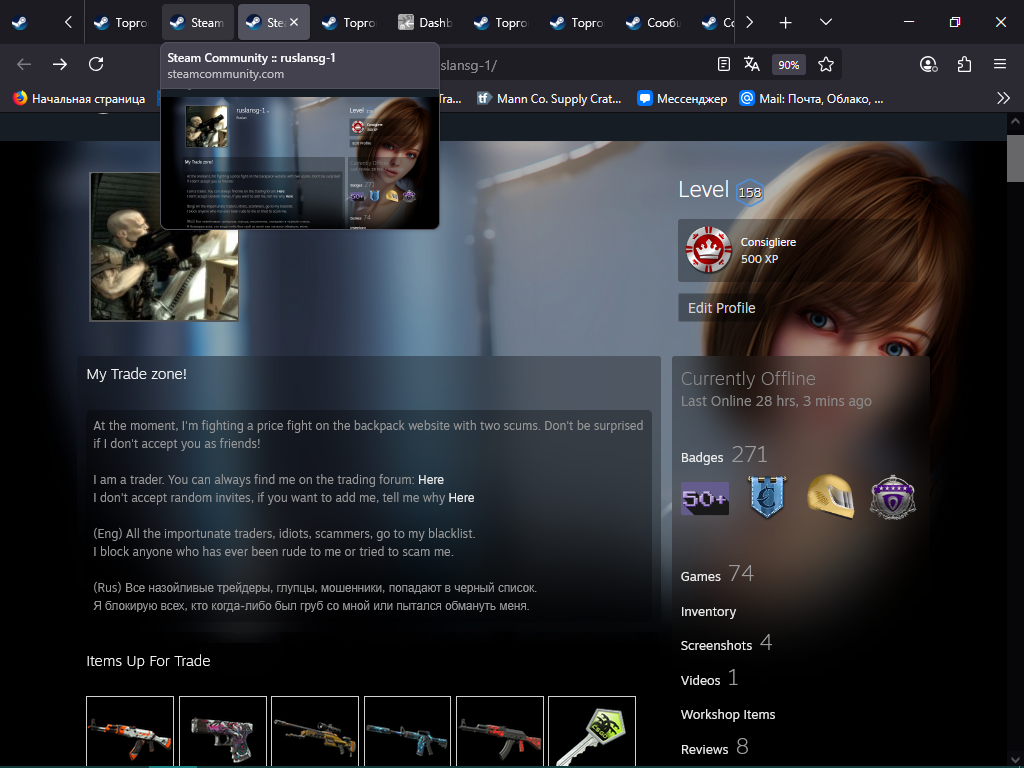
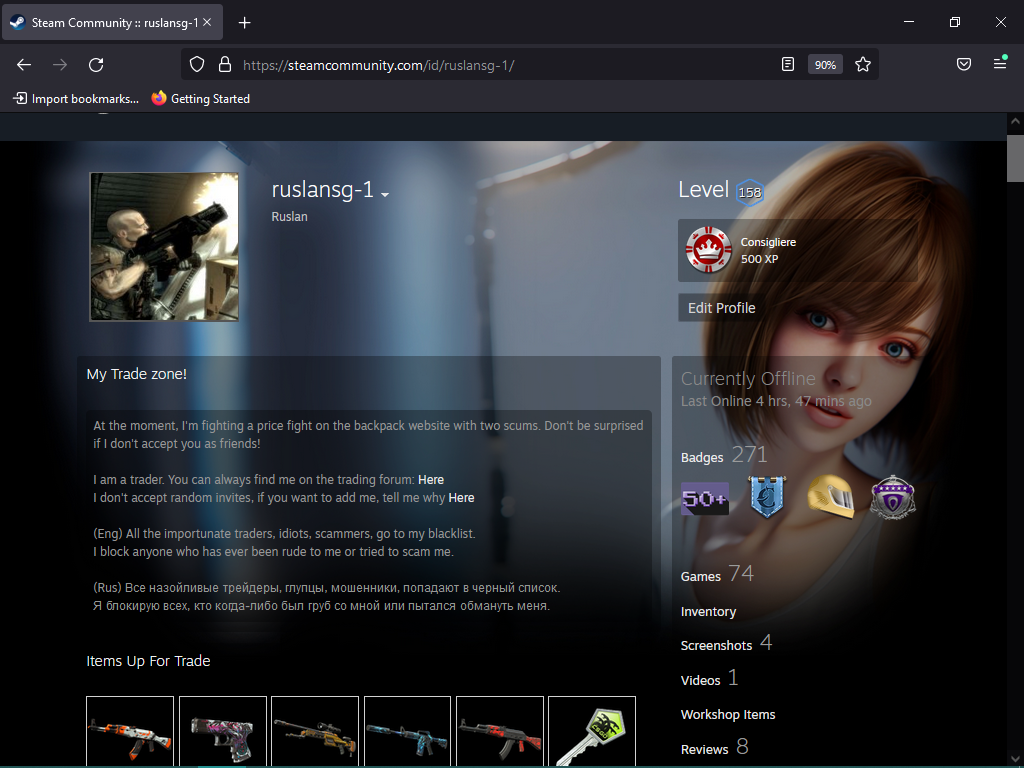
В версии браузера Mozilla Firefox 68.0 или Firefox 68.12.0esr прозрачность как в предпросмотре при наведении курсора на вкладку, однако в Mozilla Firefox версии 142.0 или 142.0.1 открыв вкладку, вы увидите замыленность или мутное изображение.
Ссылка на Steam профиль. https://steamcommunity.com/id/ruslansg-1/ Скрин. https://imgur.com/a/XIT3CBe
Как видите, на предпросмотре лицо девушки нормальное, прозрачность хорошая, но когда я открываю вкладку, лицо девушки становится мутным. Как сделать прозрачным? как убрать эту мутность?
Hello! I will try to describe the problem in English and in Russian, I hope to get an answer and a solution on how to fix what I want. In Mozilla Firefox 68.0 or Firefox 68.12.0esr browser version, transparency is as in the preview when you hover over the tab, however, in Mozilla Firefox 142.0 or 142.0.1 when you open the tab, you will see a blurred or cloudy image.
The link to the Steam profile. https://steamcommunity.com/id/ruslansg-1/ Screenshot. https://imgur.com/a/XIT3CBe
As you can see, the girl's face is normal in the preview, the transparency is good, but when I open the tab, the girl's face becomes cloudy. How to make it transparent? how to remove this turbidity in Mozilla Firefox 142.0 or 142.0.1?
I posted 2 files. Blurry is Mozilla Firefox 142.0 or 142.0.1 Where it's transparent, it's old version Mozilla Firefox 68.0
Được chỉnh sửa bởi ruslansg-1 vào
Tất cả các câu trả lời (1)
Giải pháp được chọn
The right column overlapping the face has this style rule:
backdrop-filter: blur(20px);
Firefox versions earlier than 103 didn't support this CSS property (MDN), so browsers like Firefox 68 ignored it. If the page author wanted a blurred background effect, they had to use a different approach.
If you want to disable this property globally, there is a preference available (I don't know whether it is intended to be available permanently or just until it is fully debugged):
(1) In a new tab, type or paste about:config in the address bar and press Enter/Return. Click the button accepting the risk.
More info on about:config: Configuration Editor for Firefox. The moderators would like us to remind you that changes made through this back door aren't fully supported and aren't guaranteed to continue working in the future.
(2) In the search box in the page, type or paste layout.css.backdrop-filter.enabled and pause while the list is filtered
(3) Double-click the preference to switch the value from true to false