


Windows 10 reached EOS (end of support) on October 14, 2025. If you are on Windows 10, see this article.

Tìm kiếm hỗ trợ

Tránh các lừa đảo về hỗ trợ. Chúng tôi sẽ không bao giờ yêu cầu bạn gọi hoặc nhắn tin đến số điện thoại hoặc chia sẻ thông tin cá nhân. Vui lòng báo cáo hoạt động đáng ngờ bằng cách sử dụng tùy chọn "Báo cáo lạm dụng".

Tìm hiểu thêm

Chinese hanzi instead of Japanese kanji are rendered on websites

  • 1 trả lời
  • 0 gặp vấn đề này
  • 465 lượt xem
  • Trả lời mới nhất được viết bởi heunisch
  • Đã giải quyết

Hello,

I'm a bit out of ideas how I can get Firefox to display the correct characters. For reference: https://learnjapanese.moe/font/

Windows: I only have german and japanese locale installed, i even changed in intl.cpl the language to japanese. I have installed the japanese language pack / fonts and it's showing correctly in any windows editor.

Firefox: Second language set to japanese, disabled all addons, tried it on private mode to no success.

Any ideas how I get the characters to display?

Edit: I made it work by changing in about:config the font.cjk_pref_fallback_order-string to have ja as first.
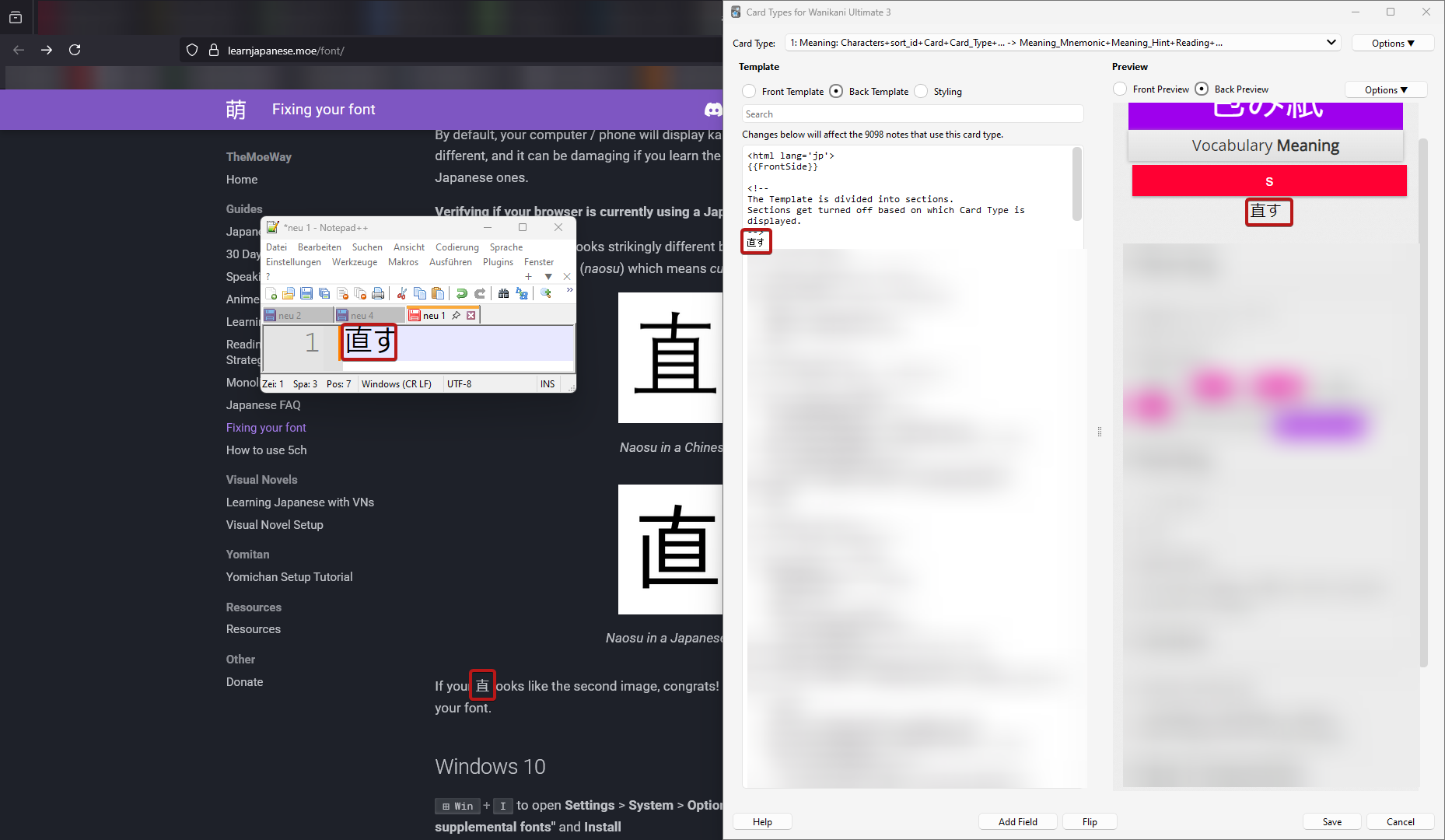
Hello, I'm a bit out of ideas how I can get Firefox to display the correct characters. For reference: [https://learnjapanese.moe/font/ https://learnjapanese.moe/font/] Windows: I only have german and japanese locale installed, i even changed in intl.cpl the language to japanese. I have installed the japanese language pack / fonts and it's showing correctly in any windows editor. Firefox: Second language set to japanese, disabled all addons, tried it on private mode to no success. Any ideas how I get the characters to display? Edit: I made it work by changing in about:config the font.cjk_pref_fallback_order-string to have ja as first.
Đính kèm ảnh chụp màn hình

Được chỉnh sửa bởi heunisch vào

Giải pháp được chọn

After some further testing: Switching firefox into safe mode fixes the problem, so I did an uninstall and removing anything left over with Revo uninstall. After the clean install, I promptly tried again without logging in, syncing or installing any plugin, but the problem persists in the same matter.

Actually, the resolution was already on the website, I just overlooked it: https://learnjapanese.moe/font/#firefox in about:config, font.cjk_pref_fallback_order had to be changed to have ja as first value.

Đọc câu trả lời này trong ngữ cảnh 👍 1

Tất cả các câu trả lời (1)

Giải pháp được chọn

After some further testing: Switching firefox into safe mode fixes the problem, so I did an uninstall and removing anything left over with Revo uninstall. After the clean install, I promptly tried again without logging in, syncing or installing any plugin, but the problem persists in the same matter.

Actually, the resolution was already on the website, I just overlooked it: https://learnjapanese.moe/font/#firefox in about:config, font.cjk_pref_fallback_order had to be changed to have ja as first value.

Được chỉnh sửa bởi heunisch vào