


Logs out of email (gmail) after restarting the browser

Logs out of email (gmail) after restarting the browser. I reinstalled windows and downloaded a browser, connected my account, and now when I go to gmail.com and register my mail, everything is fine, it works, but when I exit the browser and go back to gmail.com, there is nothing.
Giải pháp được chọn
Solution. All this time, I was logging into my email without entering my password because I didn't remember it. In Firefox, the password was not saved, so I was constantly going through confirmation from my phone. The problem disappeared only after I tried to enter the password manually and save it - after that, everything works smoothly.
Tất cả các câu trả lời (3)

What do you have Firefox set to do when you close the browser? see screenshots I have it deleting everything except history so i can keep all my tabs and windows when it reopens.
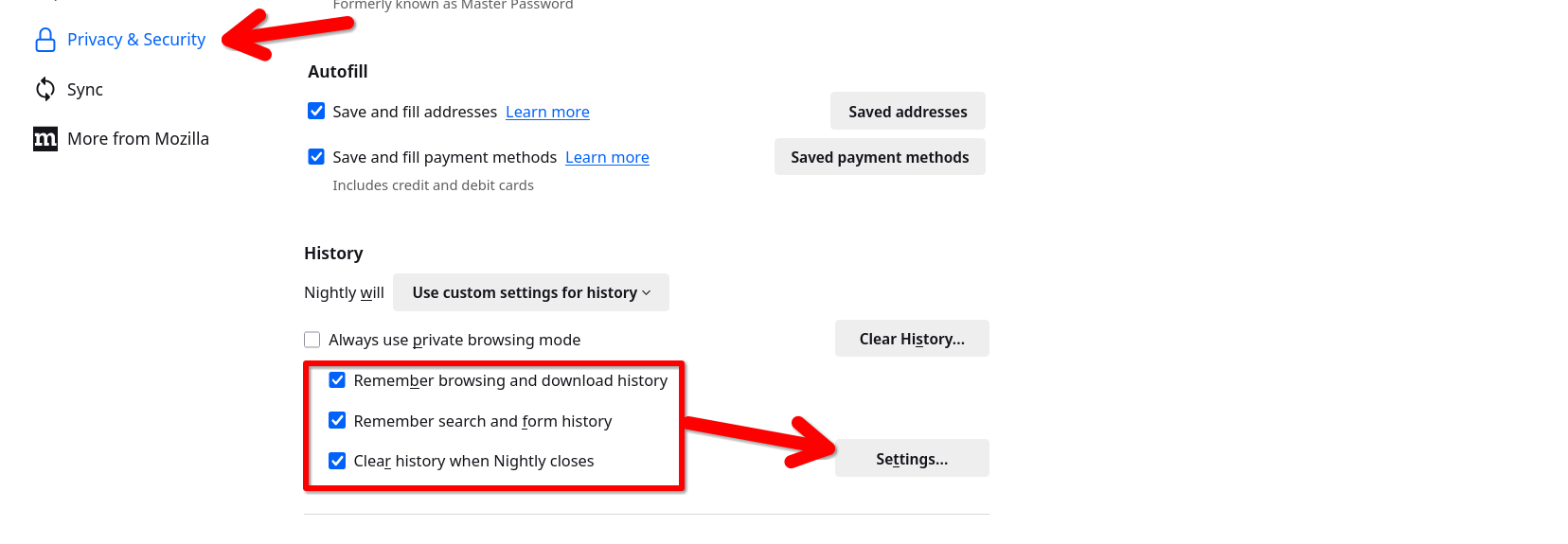
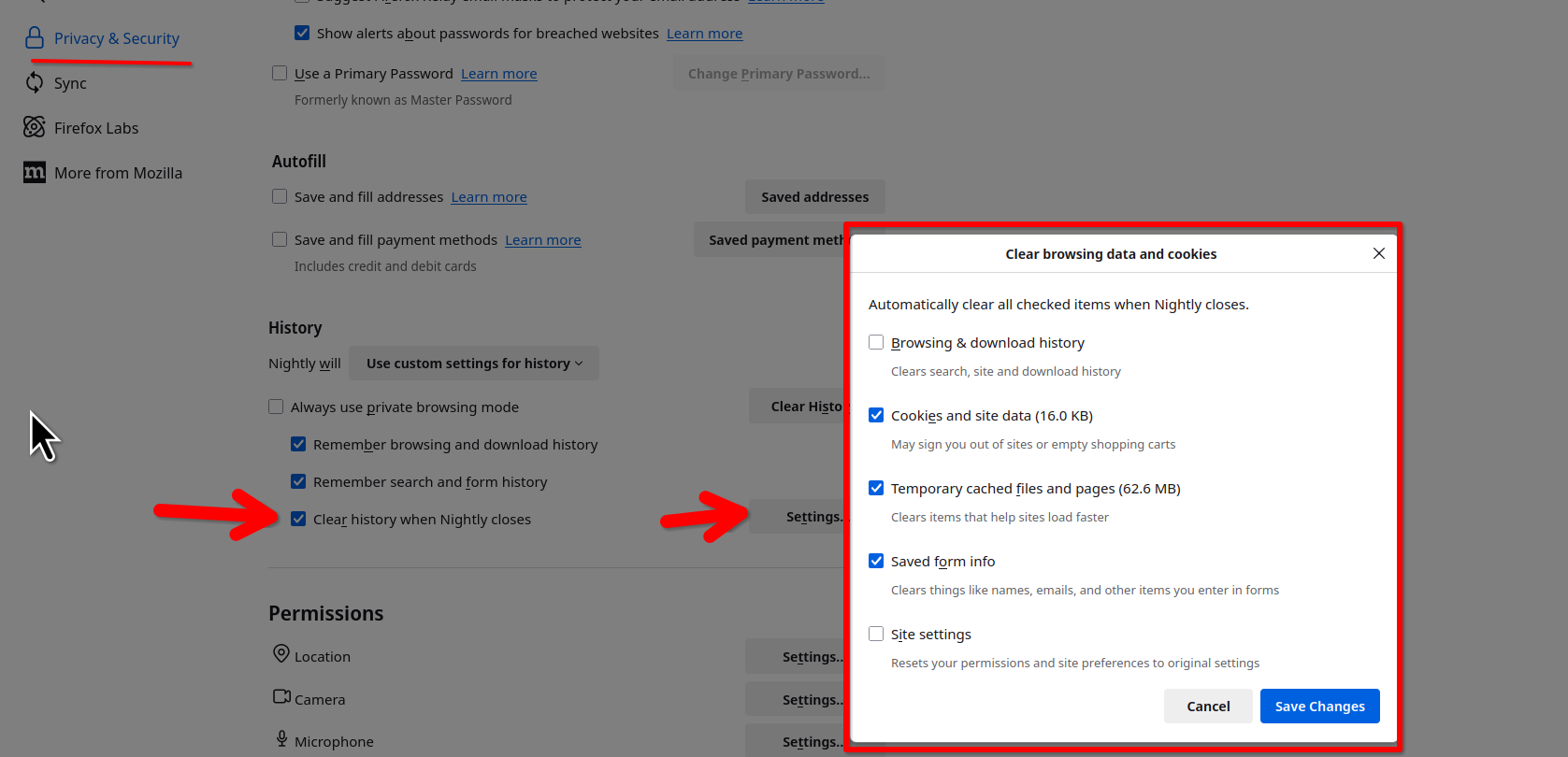
It was like that, but even when I set it as you did, I still went to the email, restarted the browser and it was empty again

Giải pháp được chọn
Solution. All this time, I was logging into my email without entering my password because I didn't remember it. In Firefox, the password was not saved, so I was constantly going through confirmation from my phone. The problem disappeared only after I tried to enter the password manually and save it - after that, everything works smoothly.