


Lost tabs

After upgrading Mozilla, all the open tabs I had disappeared by themselves and I couldn't get them back through the logbook, what should I do?

Giải pháp được chọn
Go up to the profile folder and see what's there. Firefox sometimes creates new profiles for some unknown reason.
Tất cả các câu trả lời (7)
See if this helps. https://support.mozilla.org/en-US/questions/1477659#answer-1713872 What OS? What version of Firefox?
Web version on windows.
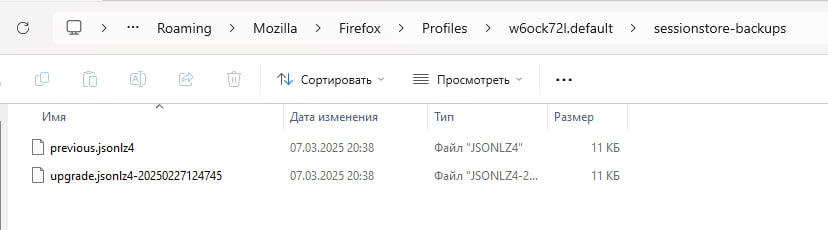
Ive got only this in backups.
Giải pháp được chọn
Go up to the profile folder and see what's there. Firefox sometimes creates new profiles for some unknown reason.
@ jonzn4SUSE thanks a lot, i realy appreciate your help. It worked! All best wishes too you.
Glad to hear the issue is resolved, but would love to know what worked? ;-)) Also, mark this as resolved.
I found file i need on the other profile folder. Then i renamed it and moved it into up folder. And that worked.