


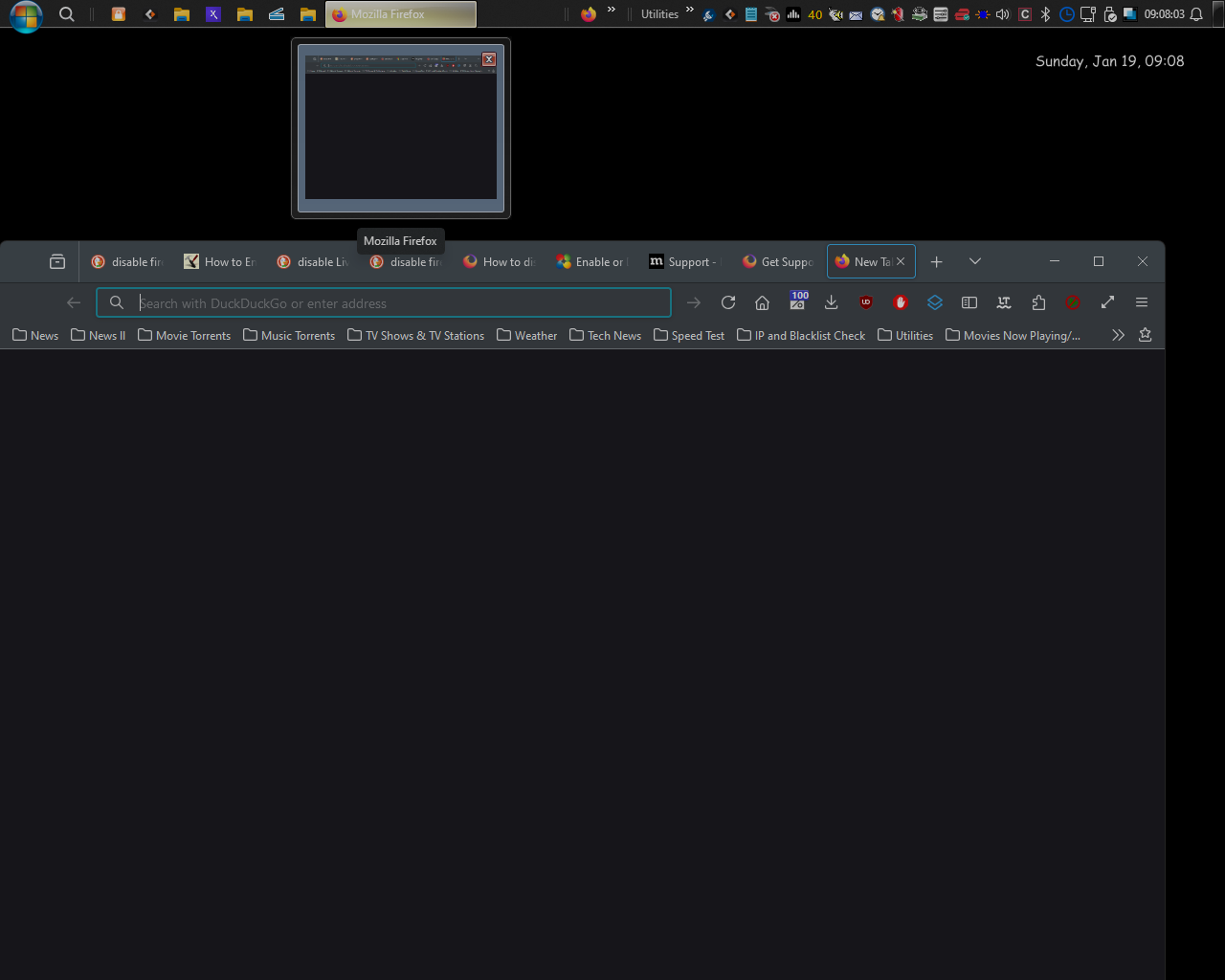
Firefox drop down thumbnail preview image of the webpage on taskbar

You haven't provided an off switch for this "thumbnail preview image of the webpage" on my taskbar? I don't want anything dropping down from my task bar on hovering over it.
This is a new thing, that Firefox for some reason thought was a good idea. Mouse hovering on my taskbar, and have a drop down thumbnail preview image of the webpage?
Thank you all in advance... :)
Tất cả các câu trả lời (4)

UPDATED: What OS? What version of Firefox? I have Win11. Let me boot it up and I'll post a screenshot
Được chỉnh sửa bởi jonzn4SUSE vào
Hello Jonzn, At the risk of sounding like I know everything, this thumbnail preview image was added by Firefox, in an update about three months ago. That thumbnail preview in my taskbar has never been there before, or I should say it never dropped down a thumbnail before
I'm using Windows 11 Pro. Version H2 (OS Build 22631, 4751. Computer is an HP Slimline Desktop - 290-p0056 --- It's about 2.5 yrs old.
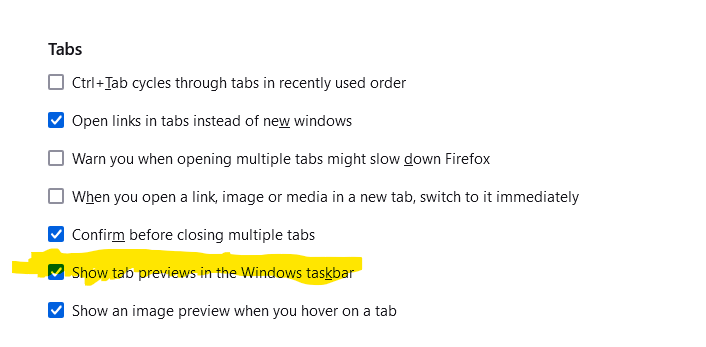
Yeah, Jonzn, I've already been there, that doesn't work. "Show an image preview is "unchecked"
As far as I know, Windows has always generated thumbnail images for an application's open windows. I see this for Acrobat, Word, Outlook, etc., not just Firefox. But if I have too many windows open (a chronic condition), then I get a tall list of active tab titles instead of a row of images.
I don't know whether Firefox has a setting to avoid this. (The checkbox "Show tab previews in the Windows taskbar" is for choosing between just showing the active tab in each window, or EVERY tab in every window.)
If you don't want thumbnails for open windows, maybe there is a Windows 11 setting for that?
Hello jscher2000,
Yes, there is a Windows 11 tweak through the registry, to "delay" the drop down of the Firefox URL that sits in the taskbar when, moving my mouse to this URL in the taskbar, it drops down a good size thumbnail, which makes me crazy. But like I said you can "delay" this window thumbnail from dropping down for about thirty seconds, which works for me. I'm pretty sure you can input 10,000 in the registry tweak and it would keep that thumbnail from dropping permanently, but I used 9,000 and I'm not going back in as it's good enough for me as is. The weirdest thing about this, is that Firefox in the taskbar never did this before, until installing a major update by Firefox. The very last Firefox update I believe. In, in any case this is what I did ti fix it, or actually delay the thumbnail drop down------------>
Disable Taskbar Thumbnail Previews on Windows 11 using the registry---
Go to Registry, go to the following below
Computer\HKEY_CURRENT_USER\Software\Microsoft\Windows\CurrentVersion\Explorer
right click a blank area to the right, choose DWORD (32-bit) Value, name it EnableUIHoverTime tic Decimal, and enter 9000 to delay thumbnail from dropping down.
Again, I think putting in 10,000 would stop the thumbnail from dropping down at all. Haven't tried it though. Here's the URL, in case I missed something in the instructions for altering the registry.
Cheers