


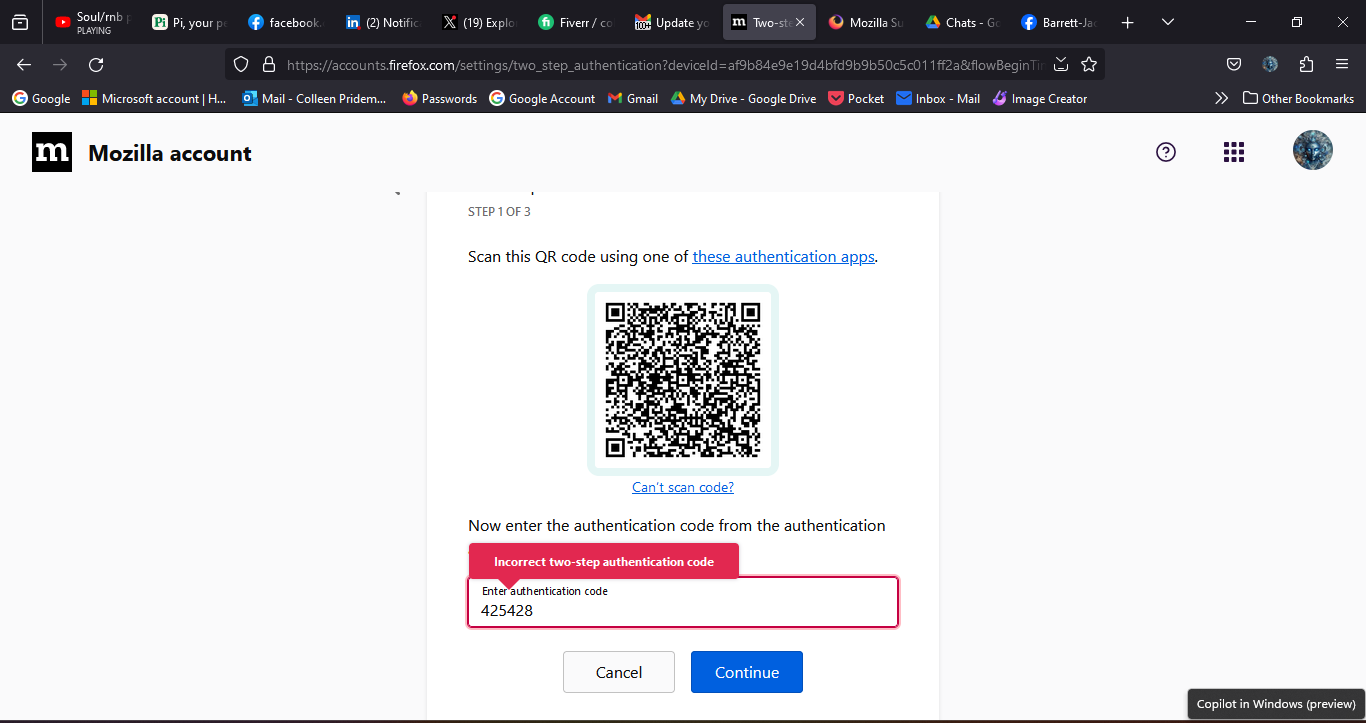
two-factor support incorrect two-step authorization code from Googel auth error
I can't set up two-factor authorization I get the error stated in the Subject line. Any help would be greatly appreciated
I can't set up two-factor authorization I get the error stated in the Subject line. Any help would be greatly appreciated
Tất cả các câu trả lời (2)
Two-Factor authentication (2FA) works with a 6-digit time-based code (TOTP:Time-based One-Time Password) that is valid only for thirty seconds, so make sure that time and timezone are correct on all devices especially on the mobile device with the Authenticator App that generates the TOTP code. More info:

I have the same problem, 2FA code from google authentication is invalid. i've delete 2FA and sync the timezone and re-add the 2FA. now its work properly.
cor-el said
Two-Factor authentication (2FA) works with a 6-digit time-based code (TOTP:Time-based One-Time Password) that is valid only for thirty seconds, so make sure that time and timezone are correct on all devices especially on the mobile device with the Authenticator App that generates the TOTP code. More info:
Được chỉnh sửa bởi Ady vào