

Chủ đề này đã được lưu trữ.
Vui lòng hỏi một câu hỏi mới nếu bạn cần giúp đỡ.

Đã giải quyết
Đã lưu trữ
Multiple password request popups
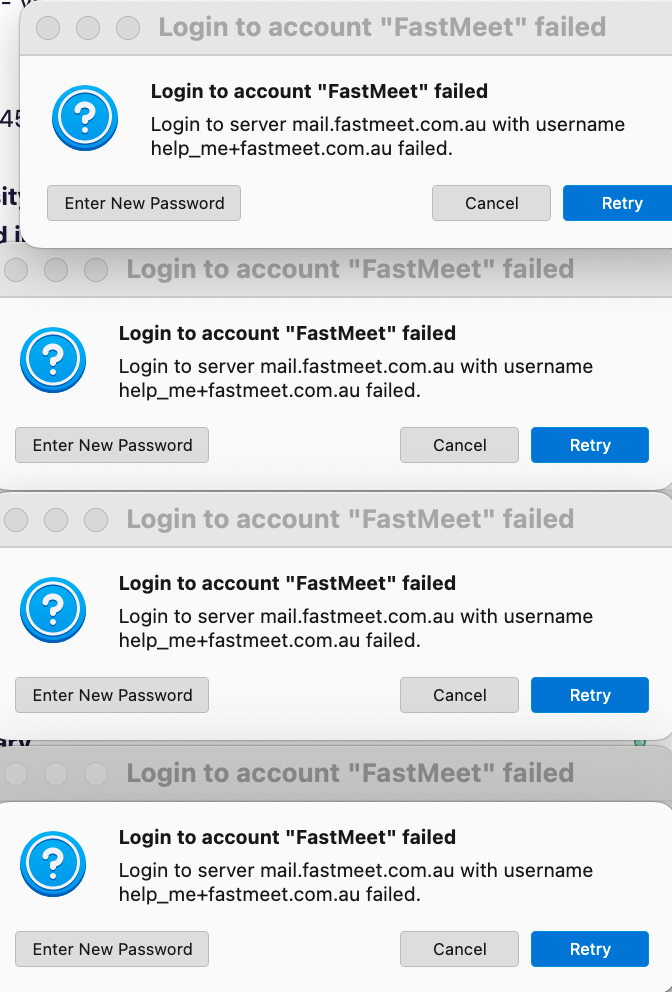
There is an account in my Thunderbird settings for which I have forgotten the Password, and a popup informs me of this. However when I click Cancel, the popup pops up again and again every minute or two, till if if left alone, the plethora of popups fills the screen. How can I make it request the password only once, and not keep opening popups? It may be some days before I can retrieve the password.
There is an account in my Thunderbird settings for which I have forgotten the Password, and a popup informs me of this. However when I click Cancel, the popup pops up again and again every minute or two, till if if left alone, the plethora of popups fills the screen. How can I make it request the password only once, and not keep opening popups? It may be some days before I can retrieve the password.
Tất cả các câu trả lời (1)
Giải pháp được chọn
You might try changing the account settings to not check for mail at startup and not to check for mail periodically. That's no guarantee, as Thunerbird is trying to be helpful in accessing the account.