Windows 10 reached EOS (end of support) on October 14, 2025. If you are on Windows 10, see this article.

Tìm kiếm hỗ trợ

Tránh các lừa đảo về hỗ trợ. Chúng tôi sẽ không bao giờ yêu cầu bạn gọi hoặc nhắn tin đến số điện thoại hoặc chia sẻ thông tin cá nhân. Vui lòng báo cáo hoạt động đáng ngờ bằng cách sử dụng tùy chọn "Báo cáo lạm dụng".

Tìm hiểu thêm
Đã giải quyết Đã lưu trữ

Default fonts not showing correctly

Jonatan

I have defined custom fonts for some languages, but they're not appearing as I defined them. Instead, the OS default fonts are showing up.

This is happening after I reinstalled Firefox in my device. Before that, the fonts were appearing as defined.

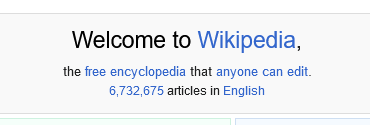
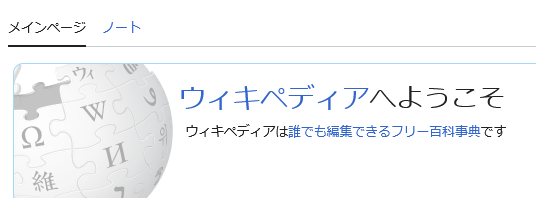
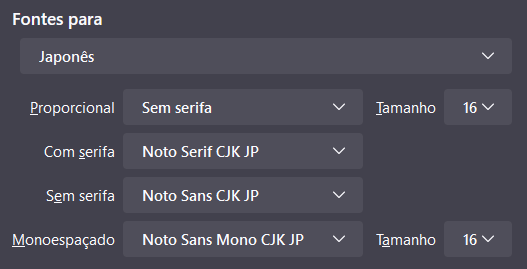
For example: English text is using Arial instead of Noto Sans, and Japanese text is using Meiryo instead of Noto Sans CJK JP.

For the Japanese font, it does show up correctly in the address bar, but not in the page itself.
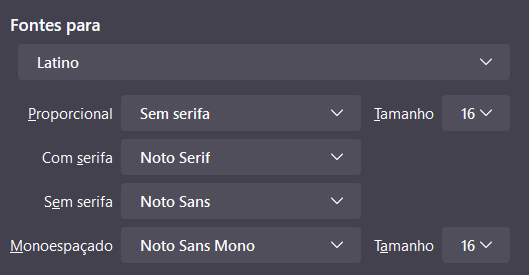
I have defined custom fonts for some languages, but they're not appearing as I defined them. Instead, the OS default fonts are showing up. This is happening after I reinstalled Firefox in my device. Before that, the fonts were appearing as defined. For example: English text is using Arial instead of Noto Sans, and Japanese text is using Meiryo instead of Noto Sans CJK JP. For the Japanese font, it does show up correctly in the address bar, but not in the page itself.
Đính kèm ảnh chụp màn hình

Tất cả các câu trả lời (2)

Giải pháp được chọn

I tried to reinstall with the new version (119) and the problem was fixed.

Fingerprinting protection has been added to Strict Tracking Protection which uses a hard-coded list of visible fonts. You can switch to Custom mode and disable "Suspected fingerprinters" if fonts are more of a priority.