


Black text on all sites with dark themes in Firefox 105

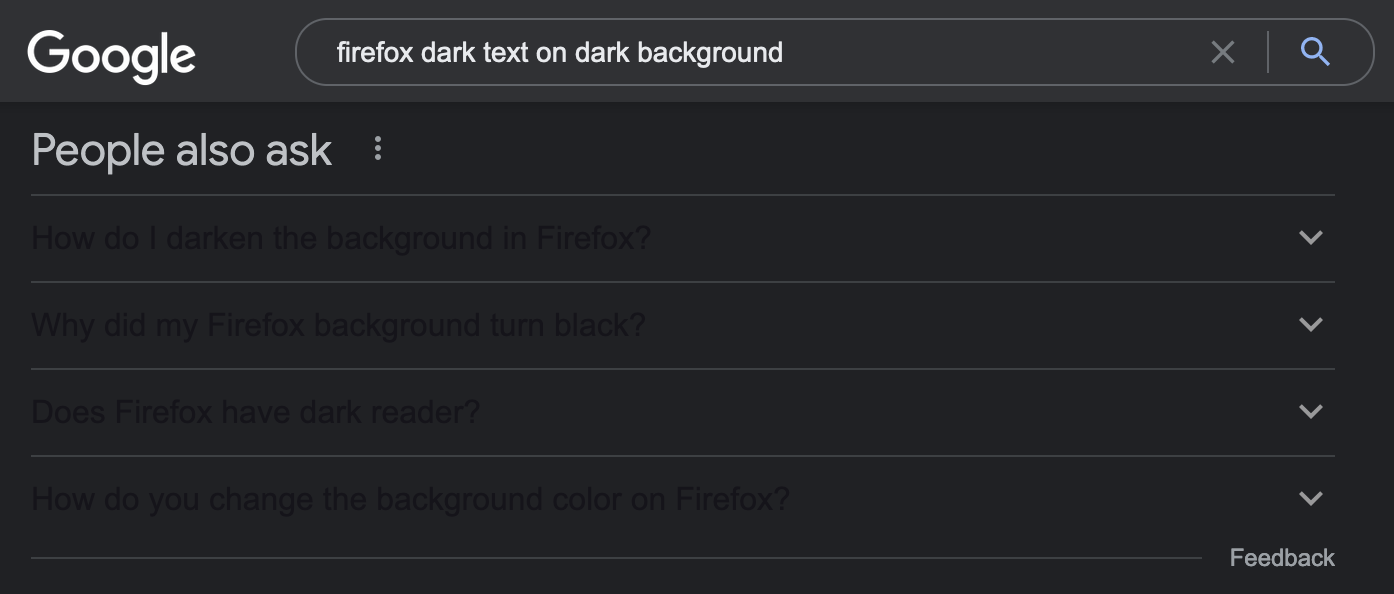
As of today, I'm seeing black text on the black background of every site with a dark theme, including Google Search and Github
I'm running Firefox Developer Edition 105.0b8 on macOS 12.5.1. My macOS Appearance is set to Dark
Switching the Website Appearance config setting between Firefox Theme, System Theme, Dark, or even Light does not change the colour of the text

Giải pháp được chọn
The settings didn't change the black text. However, it looks like it's the fault of Mozilla's Facebook Container extension. There already is an issue for this on GitHub (#866).
The fix: either uninstall and then reinstall the extension or use the 'check for updates' button to update the extension to a patched version.
Tất cả các câu trả lời (5)
Can confirm, I have the problem since today with Firefox 104.0.1 on Windows 11.

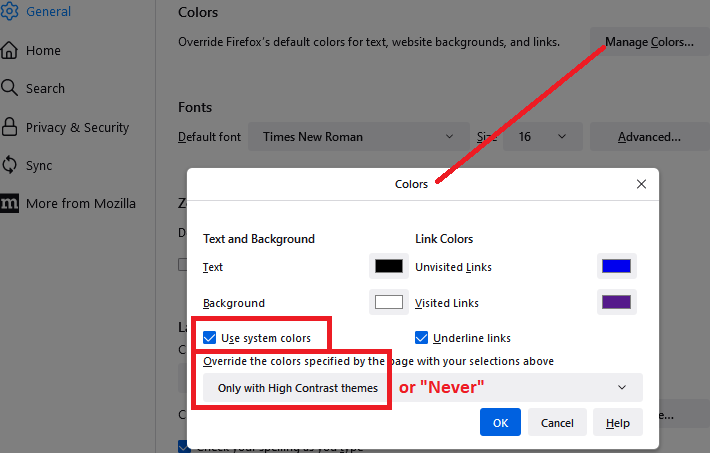
As a starting point, could you check whether these two settings are relevant (on the Settings/Preferences page):
- "Use system colors" -- this is on by default, so you can test with this on and off
- "Override the colors specified by the page with your selections above" -- this is set to "Only with High Contrast themes" by default, so could test with that or with "Never"

The settings didn't change the black text. However, it looks like it's the fault of Mozilla's Facebook Container extension. There already is an issue for this on GitHub (#867).
The fix: either uninstall and then reinstall the extension or use the 'check for updates' button to update the extension to a patched version (see GitHub)

Giải pháp được chọn
The settings didn't change the black text. However, it looks like it's the fault of Mozilla's Facebook Container extension. There already is an issue for this on GitHub (#866).
The fix: either uninstall and then reinstall the extension or use the 'check for updates' button to update the extension to a patched version.
Hi Tristan, your later posts contained links to non-Mozilla sites, so they are in the spam moderation queue and should appear after review.
But to steal your thunder:
There is a bug in version 2.3.3 of the Facebook Container extension that causes font color problems. An update (version 2.3.4) was released a few hours ago which should fix it. Firefox should find it on a routine check at some point, but to speed that up:
Open the Add-ons page. Either:
- Ctrl+Shift+a (Mac: Command+Shift+a)
- "3-bar" menu button (or Tools menu) > Add-ons
- type or paste about:addons in the address bar and press Enter/Return
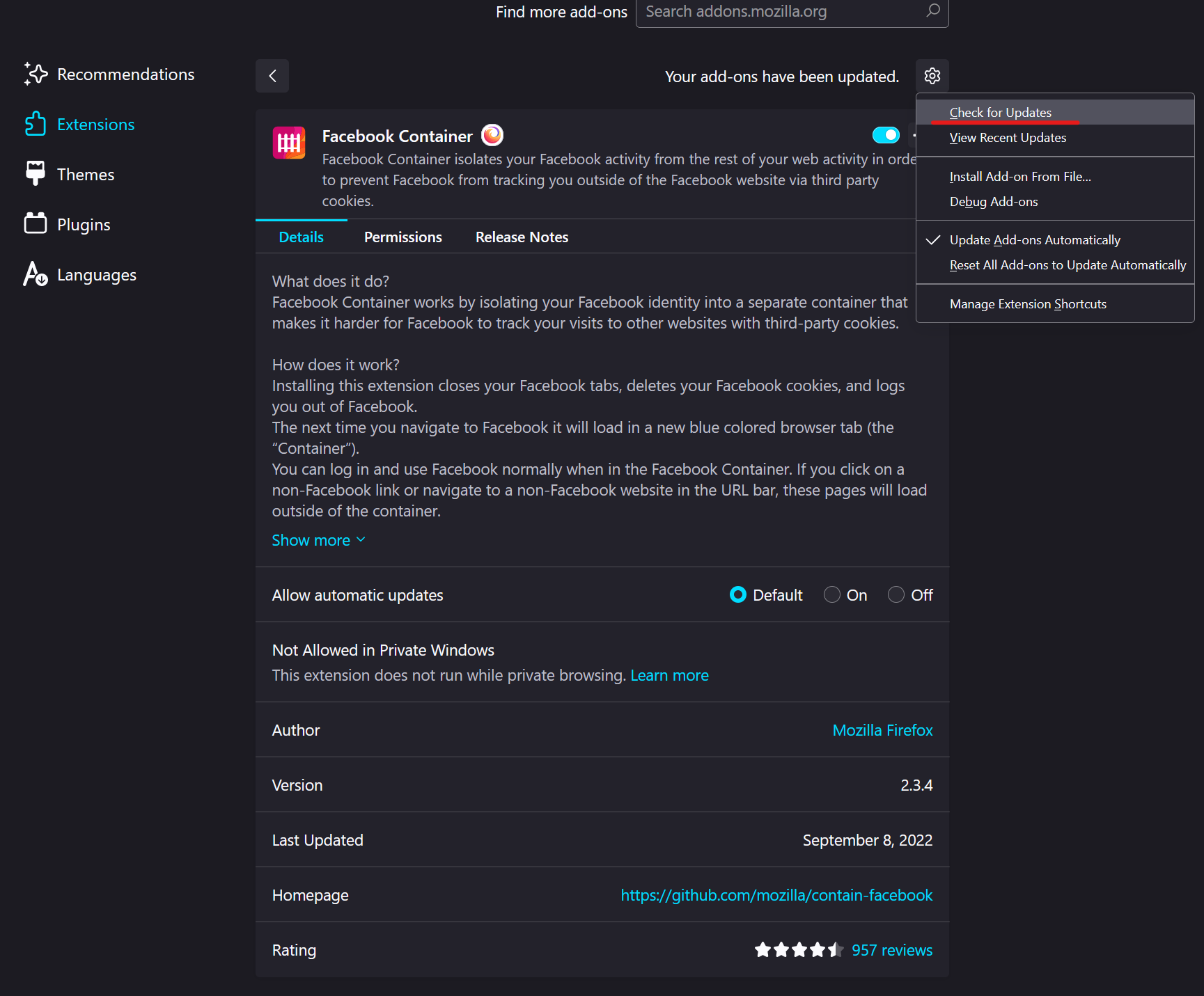
In the right side, below the search box, there is a gear/wheel icon. Click that icon to drop the menu and then click "Check for Updates" to trigger an update.
Alternately, click Facebook Container to show its Details panel, scroll down below the description, and click "Check for Updates".