


Bookmark folders

How do I create a new bookmarks folder?
How do I move all of the bookmarks in other bookmark folders into the new bookmark folder?
How do I arrange the bookmarks in the new folder into my desired order?
How do I delete all of the old bookmark folders?
How do I prevent "Recent Bookmarks" from being displayed?
Giải pháp được chọn
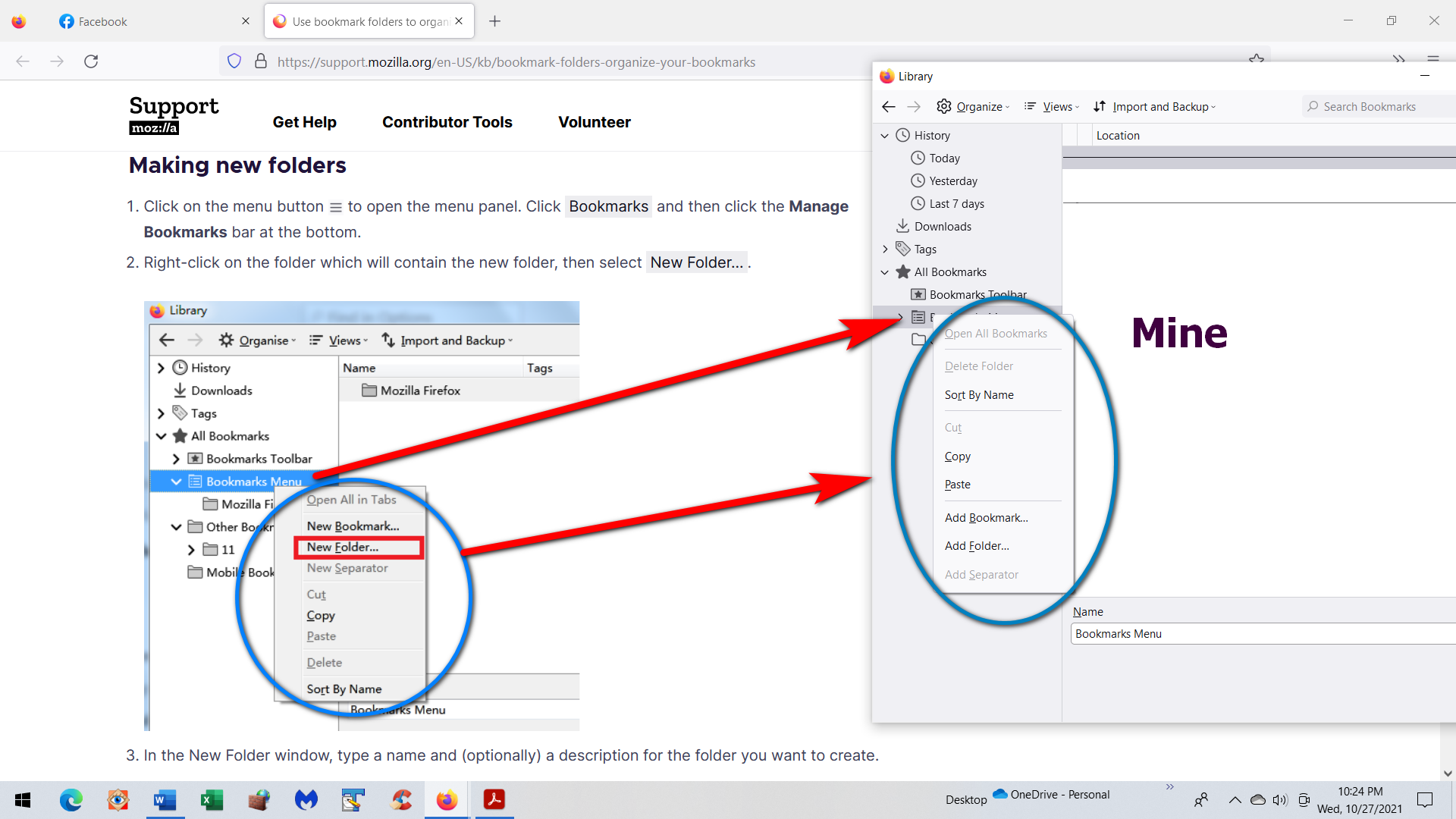
The context menu items have been renamed and no longer start with 'New', but start with 'Add', so you can click "Add Folder" to create a new folder and "Add Bookmark" to create a new bookmark. The items in the context menu are also in a different order than before.
Tất cả các câu trả lời (5)
See: https://support.mozilla.org/en-US/kb/bookmark-folders-organize-your-bookmarks
You can do a Cut & Paste in the Bookmarks Manager (Library) to move the bookmarks from the Other Bookmarks to the new folder. You can drag the bookmarks in any order in the right panel in the Library or sort them by name via the right-click context menu.
I clicked the three horizontal lines then clicked on Bookmarks then clicked on Manage Bookmarks.
I then right-click on Bookmark Menu but my drop-down box contains different selections than on the "Making New Folders" page.
(see attached).
Giải pháp được chọn
The context menu items have been renamed and no longer start with 'New', but start with 'Add', so you can click "Add Folder" to create a new folder and "Add Bookmark" to create a new bookmark. The items in the context menu are also in a different order than before.
I've added a new Gary's Bookmarks folder under Bookmarks Menu and copied the bookmarks from all the other folder into that new folder.
Now, when I click the three horizontal lines to open the application window then click Bookmarks, how can I go directly to the Gary's Bookmark folder?
In Recent Bookmarks, can icon is displayed for each bookmark. Can the icons displayed for the bookmarks in the Gary's Bookmarks folder?
How do I delete the list of Recent Bookmarks?
.
There is no way to select a specific folder automatically when you open the bookmarks. You can open the list and need to navigate to the desired folder each time you open this list.
You can't delete the list of recent bookmarks. A 'recent' type list is populated with the results of a database query and this query will always bring up results as long as there is at least one bookmark. You can use other ways to inspect the bookmarks if you do not want to see this list like in the sidebar or via the Bookmarks menu button (star on a tray) that you can add to the toolbar via customize mode.