


Video problem
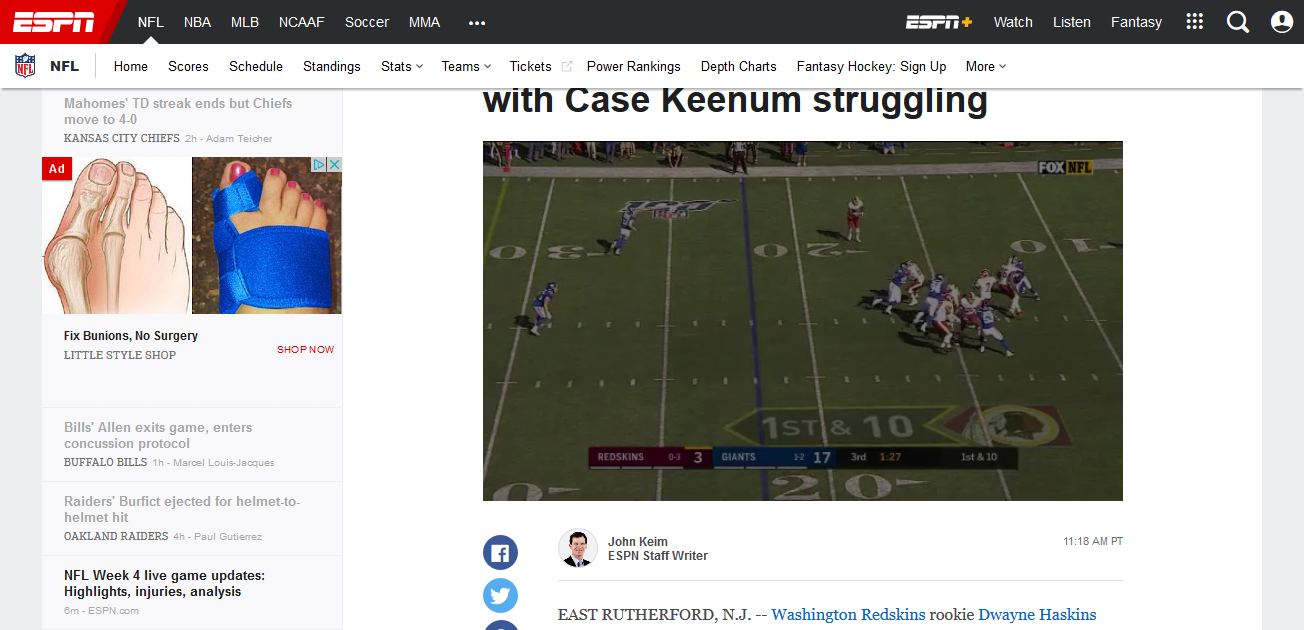
Just installed latest FIrefox on my fresh Windows 10 Pro 1903. The video doesn't work correctly even though Flash is updated. Video is fine in Edge though. Funny thing is when I try to take a screenshot it doesn't even capture the problem so I had to use my phone to take a picture. All my display drivers are up to date and correct... Thanks for all your help (Pic with the green column is from my phone and the other is the screenshot I tried to capture)

Tất cả các câu trả lời (3)
Giải pháp được chọn
It is likely that the HTML5 media player is used and not a Shockwave Flash plugin based media player.
You can try to set this media.wmf.dxva pref to false on the about:config page.
- media.wmf.dxva.d3d11.enable = false
There is also media.wmf.dxva.enabled that you can try.
You can open the about:config page via the location/address bar. You can accept the warning and click "I accept the risk!" to continue.
This worked. Thank you very much my friends
Thank you!!!