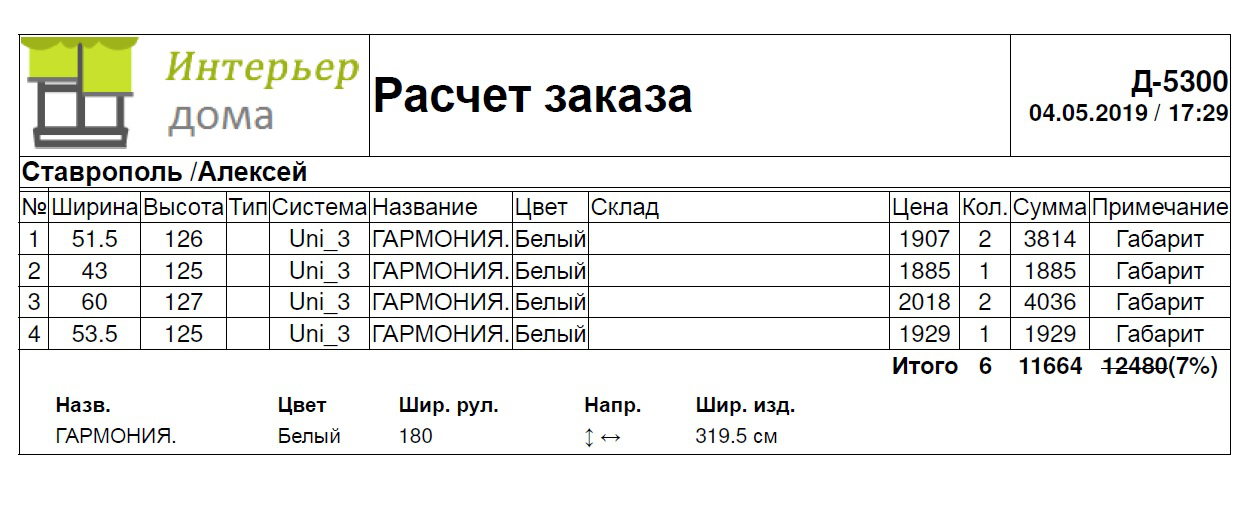
I solved it this method:
function CallPrint(strid,cstatus) {
var formData = new FormData();
formData.append("id", strid);
formData.append("getprint", true);
var xhr = new XMLHttpRequest();
xhr.open("POST", "getprintord.php"); // async=true
xhr.onload = function (e) {
if (xhr.readyState == 4 && xhr.status == 200) {
var html = JSON.parse(xhr.responseText)
//var prtCSS = '<link rel="stylesheet" href="css/print.css" type="text/css">';
var WinPrint = window.open(,,'left=50,top=50,width=800,height=640,toolbar=0,scrollbars=1,status=0');
WinPrint.document.write('');
WinPrint.document.write('');
WinPrint.document.write('
');
//WinPrint.document.write(prtCSS);
WinPrint.document.write(html);
WinPrint.document.write('
');
WinPrint.document.write('');
WinPrint.document.close();
WinPrint.focus();
WinPrint.print();
WinPrint.close();
}
};
xhr.send(formData);
I solved it this method:
function CallPrint(strid,cstatus) {
var formData = new FormData();
formData.append("id", strid);
formData.append("getprint", true);
var xhr = new XMLHttpRequest();
xhr.open("POST", "getprintord.php"); // async=true
xhr.onload = function (e) {
if (xhr.readyState == 4 && xhr.status == 200) {
var html = JSON.parse(xhr.responseText)
//var prtCSS = '<link rel="stylesheet" href="css/print.css" type="text/css">';
var WinPrint = window.open('','','left=50,top=50,width=800,height=640,toolbar=0,scrollbars=1,status=0');
WinPrint.document.write('<!DOCTYPE html><html lang="ru">');
WinPrint.document.write('<head><style type="text/css">');
WinPrint.document.write('.td1Capt,.td2Capt,.td3Capt,.td4Capt{border-style:solid;text-align:center}.td1Capt{width:70px;font-weight:700}.td2Capt{width:80px;font-weight:700}.td3Capt{width:100px;font-weight:700}.td4Capt{width:120px;font-weight:700}.tCol{background:#fff}.tdBord2{border-style:none}.tdBord3{border-style:solid}.tdPad{padding:2px}html{font-family:sans-serif;-webkit-text-size-adjust:100%;-ms-text-size-adjust:100%}body{margin:0}h1{margin:.67em 0;font-size:2em}img{border:0}pre{overflow:auto;font-family:monospace,monospace;font-size:1em}table{border-spacing:0;border-collapse:collapse}td,th{padding:0}@media print{*,:after,:before{color:#000!important;text-shadow:none!important;background:0 0!important;-webkit-box-shadow:none!important;box-shadow:none!important}pre{border:1px solid #999;page-break-inside:avoid}thead{display:table-header-group}img,tr{page-break-inside:avoid}img{max-width:100%!important}}@font-face{font-family:"Glyphicons Halflings";src:url(../fonts/glyphicons-halflings-regular.eot);src:url(../fonts/glyphicons-halflings-regular.eot?#iefix) format("embedded-opentype"),url(../fonts/glyphicons-halflings-regular.woff2) format("woff2"),url(../fonts/glyphicons-halflings-regular.woff) format("woff"),url(../fonts/glyphicons-halflings-regular.ttf) format("truetype"),url(../fonts/glyphicons-halflings-regular.svg#glyphicons_halflingsregular) format("svg")}*{-webkit-box-sizing:border-box;-moz-box-sizing:border-box;box-sizing:border-box}:after,:before{-webkit-box-sizing:border-box;-moz-box-sizing:border-box;box-sizing:border-box}html{font-size:10px;-webkit-tap-highlight-color:rgba(0,0,0,0)}body{font-family:"Helvetica Neue",Helvetica,Arial,sans-serif;font-size:14px;line-height:1.42857143;color:#333;background-color:#fff}img{vertical-align:middle}h1{font-family:inherit;font-weight:500;line-height:1.1;color:inherit;margin-top:20px;margin-bottom:10px;font-size:36px}.text-left{text-align:left}pre{font-family:Menlo,Monaco,Consolas,"Courier New",monospace;display:block;padding:9.5px;margin:0 0 10px;font-size:13px;line-height:1.42857143;color:#333;word-break:break-all;word-wrap:break-word;background-color:#f5f5f5;border:1px solid #ccc;border-radius:4px}table{background-color:transparent}th{text-align:left}');
WinPrint.document.write('</style></head>');
WinPrint.document.write('<div id="print" class="contentpane">');
//WinPrint.document.write(prtCSS);
WinPrint.document.write(html);
WinPrint.document.write('</div>');
WinPrint.document.write('</html>');
WinPrint.document.close();
WinPrint.focus();
WinPrint.print();
WinPrint.close();
}
};
xhr.send(formData);