Search options broken

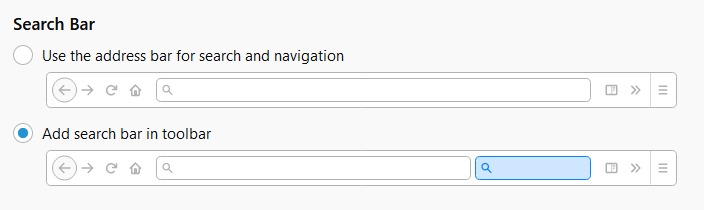
I have my options set to not use the address bar to search with, because that would be stupid and uselessly redundant with a search box right next to the address bar, but since updating last night it's broken and keeps trying to search from the address bar even though it's specifically set not to.
Giải pháp được chọn
Here's the screenshot I posted with the question that didn't go through.
I found a solution already, going into the about:config options and turning off everything related to the url bar. For reasons God only knows some jackoff must have renamed the options related to the built-in-bugs called the "awesome bar" in the latest update.
Đọc câu trả lời này trong ngữ cảnh 👍 0Tất cả các câu trả lời (2)
Screenshot of the options settings your referring to?
Giải pháp được chọn
Here's the screenshot I posted with the question that didn't go through.
I found a solution already, going into the about:config options and turning off everything related to the url bar. For reasons God only knows some jackoff must have renamed the options related to the built-in-bugs called the "awesome bar" in the latest update.