


cannot install thunderbird

I've used Thunderbird for years. computer crashed and I'm trying to install Thunderbird on my new PC. Thunderbird cannot find account. I've checked with my provider several times and all settings are correct. Any ideas? I've also downloaded installed and uninstalled 5 times today with the same result.
All Replies (9)

Sounds like you have successfully installed Thunderbird, it's setting up your email account that's a problem. Sounds pedantic, but it's in important distinction. Reinstalling the program in a case like this is unlikely to help. We need to know some basic information to try to troubleshoot:
- What version of Thunderbird?
- What is your operating system?
- Who is your email provider?
- Is this an IMAP account or POP3?
- What error messages do you see? Please quote them precisely and in full. Screen shots would suffice.
- Your preferences, saved emails, and account information is all stored in your "Profile". Its location depends on your OS (for example, in Windows, it's usually located at "C:\Users\<your Windows user account>\AppData\Roaming\Thunderbird" . If you have an intact copy of the Profile, it may make recovery much easier. Do you know if your Profile is still accessible?
Correct, I was able to install. Setting up email account the problem. 152.0.1 windows 11 Sonic.net IMAP I'll check on profile & error message
This is the exact message. 'Mozilla Thunderbird failed to find the settings for your email account'
I believe that error message happens when Thunderbird queries the server for setup parameters but is unable to get a result. It could be that Sonic is having server problems, or its settings database is unreachable. You could try again tomorrow, or try setting it up manually rather than letting Thunderbird guess the server settings.
From what I find on Sonic's help page ( https://help.sonic.com/hc/en-us/articles/235251487-General-IMAP-POP3-Settings ), the settings should be:
Incoming Server Type: IMAP Incoming Server Name: imap.sonic.net Port: 993 User Name: <usually your email address> Connection Security: SSL/TLS Authentication method: Normal password
SMTP Server Name: mail.sonic.net SMTP Port: 465 Connection Security: SSL/TLS Authentication method: Normal password User Name: <usually your email address>
When you start to Add a New email account, once you fill in your name and address, a link appears that says "Configure Manually". When you click that, you will have a chance to enter all the configuration manually. Then click the "Re-test" button, and hopefully you'll get the green "The following settings were found by probing the given server" banner. If so, click the Done button and things should be working.
Another possibility is that your Anti=-Virus is blocking communication with the server. But try the above, and if that doesn't work, we can work on the second possibility.
Please let us know how it goes.
Modified by Lin
Thanks for the input. I've been working with Sonic 20+ years and they're very competent. Really don' think this is on their end. Our computer crashed last Saturday, July 18th. At that time I tried to reload Thunderbird on that computer and got the exact same results as I'm getting now with the new hp computer. Could our account be corrupted so Thunderbird and/or Sonic won't accept it?
I may try loading Thunderbird with one of my other accounts and see if that works. What do you think?
I've used Thunderbird for years. computer crashed and I'm trying to install Thunderbird on my new PC. Thunderbird cannot find account.
Can you describe precisely what you mean by "Thunderbird cannot find account."? Is there an error message on Thunderbird startup? If Thunderbird crashed the prefs.js file in the profile folder might have been damaged: does Thunderbird display the "Account Hub" and prompt you to "add you email address"? Otherwise please show a screenshot of the Thunderbird startup window.
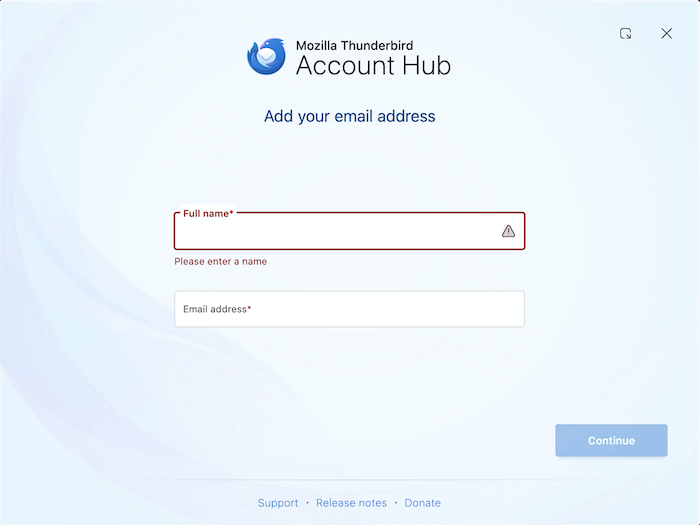
Here are 2 screenshots. Incoming & outgoing settings in Thunderbird
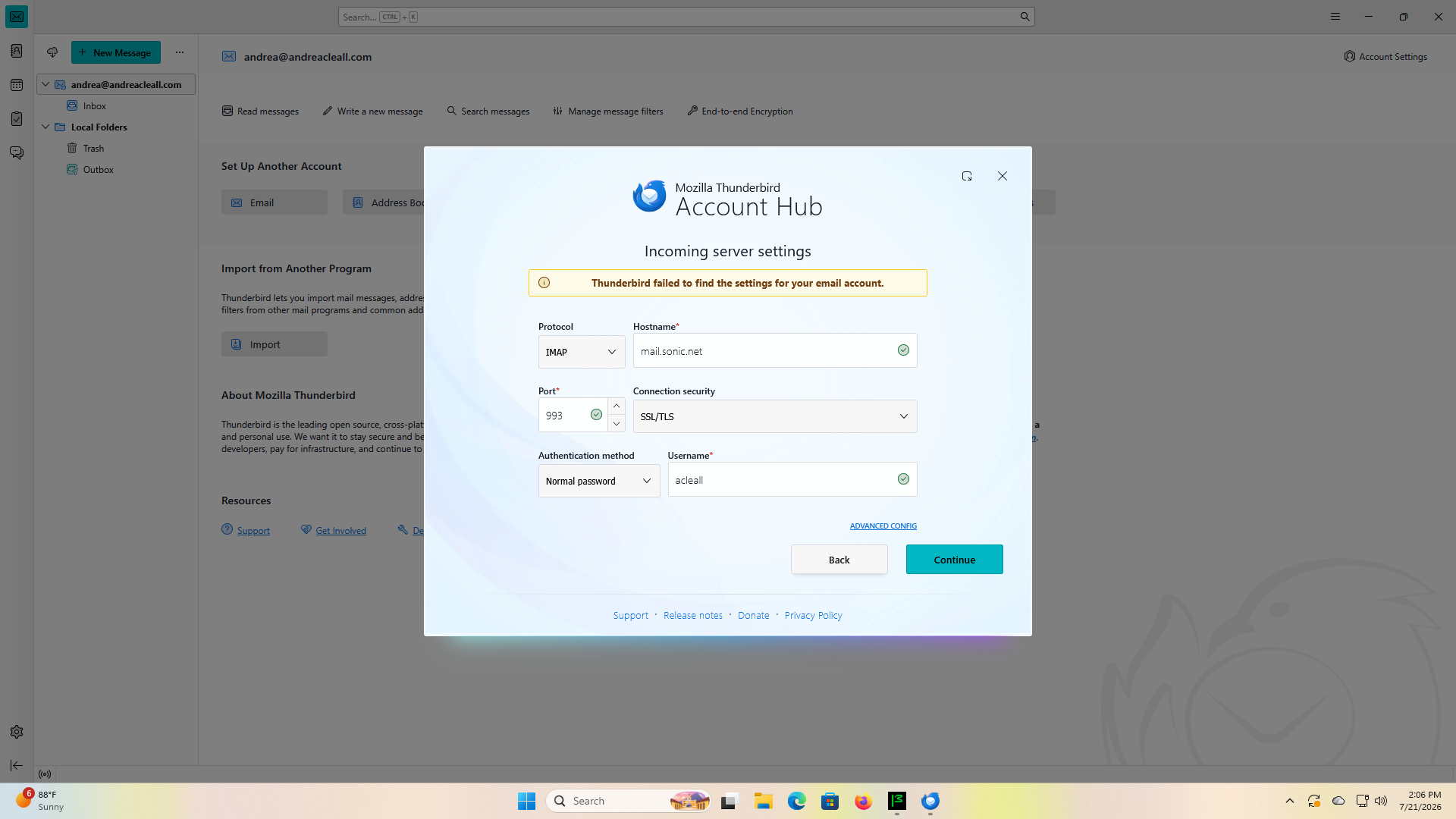
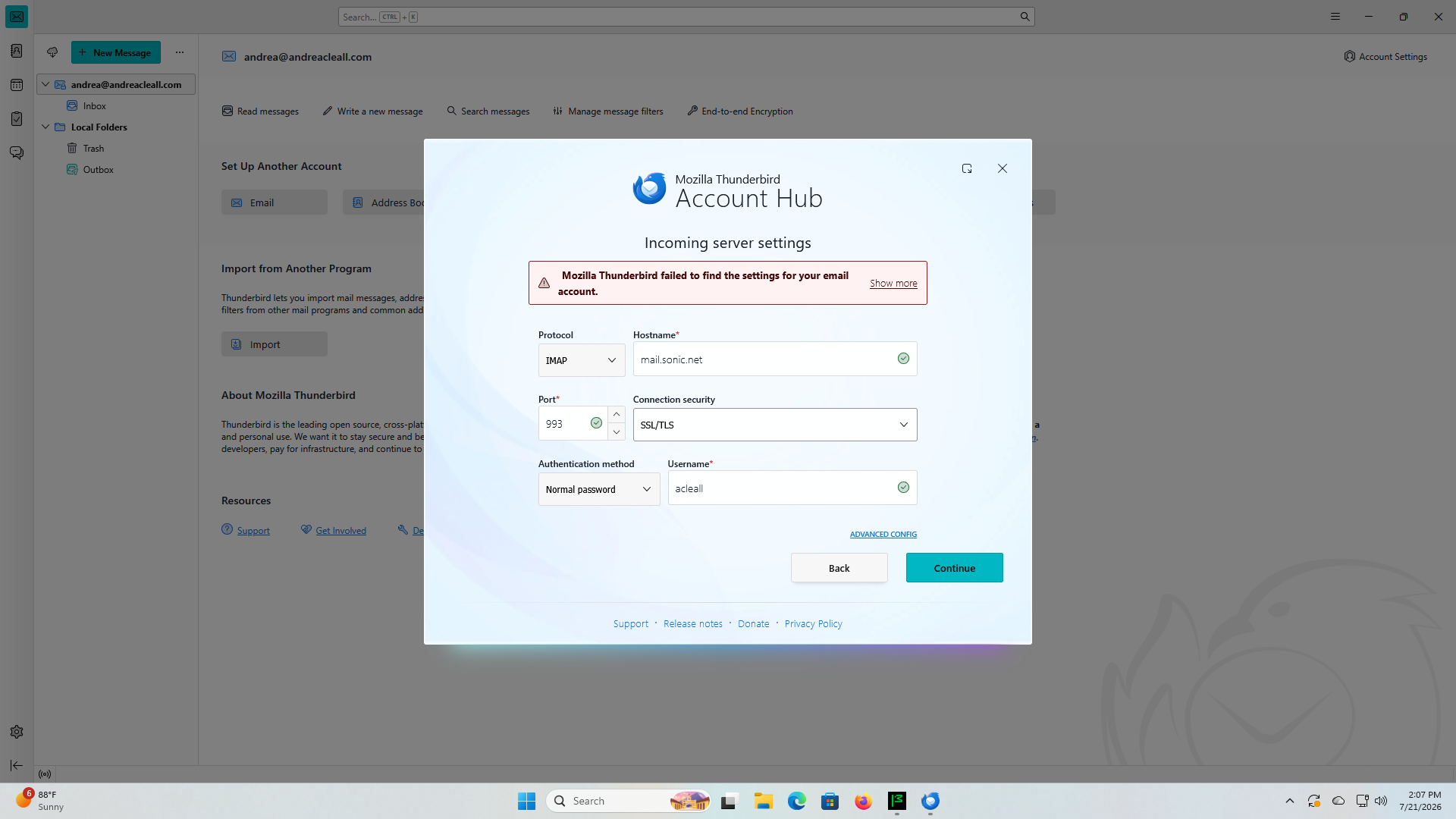
sorry I see those are both incoming settings
@andrea19: You didn't follow Lin's instructions who told you that the incoming server hostname is imap.sonic.net ...... and the outgoing (SMTP) server hostname is mail.sonic.net
Modified by Mapenzi