


Email issues

Hello, my Cox email account was migrated to Yahoo mail. I can receive emails but now I can't send emails from Thunderbird. I've triple checked server settings. Please help. Thanks-Vince
This is the message I get and it does this with all email addresses.
Sending of the message failed.
An error occurred while sending mail. The mail server responded: Request failed; Mailbox unavailable. Please verify that your email address is correct in your account settings and try again.
Todas as respostas (4)
Have you actually checked the settings in outgoing server (SMTP) in account settings or only those in the incoming account. My guess is you have not and are still sending to the Cox server.
All server settings were correct. Problem was User names didn't match. Once corrected it was fixed.

I have the same problem. I have two @cox.net accounts. One is working for sending and receiving, the other will only receive. When I try to send with the second account, I get the same "Mailbox unavailable" error reported above.
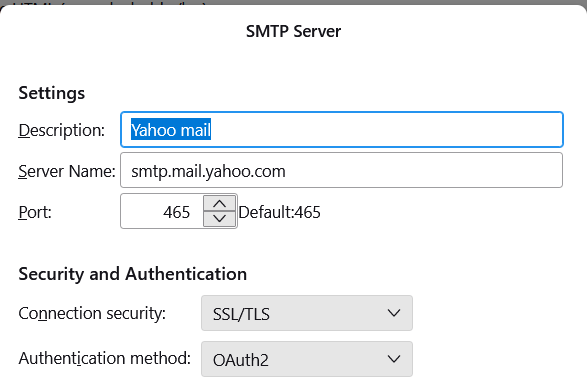
Here are my SMPT server settings for the account with the problem (they are the same as the working account):
Description: Yahoo mail Server Name: smtp.mail.yahoo.com
Port: 465 Connection security: SSS/TLS Authentication method: OAuth2
Thanks in advance.
More information: After reading this thread: https://support.mozilla.org/en-US/questions/1387237 I verified that my problem is that the "User Name" field in the SMTP dialog has to be the same as the e-mail address. (This is probably a Yahoo mail thing.) The problem (as mentioned in the above thread), is if I change the user name in one account, it changes in the other SMTP dialog as well. So I have to go into the SMTP dialog every time I want to change to sending using the other account.
In this thread: https://support.mozilla.org/en-US/questions/1447737 The user talks about creating "a different SMTP server name for each account." Unfortunately, I have no idea how to do that and the user doesn't say.
Any assistance would be welcome.