


Windows 11 taskbar not disappearing in fullscreen when there's PIP window.

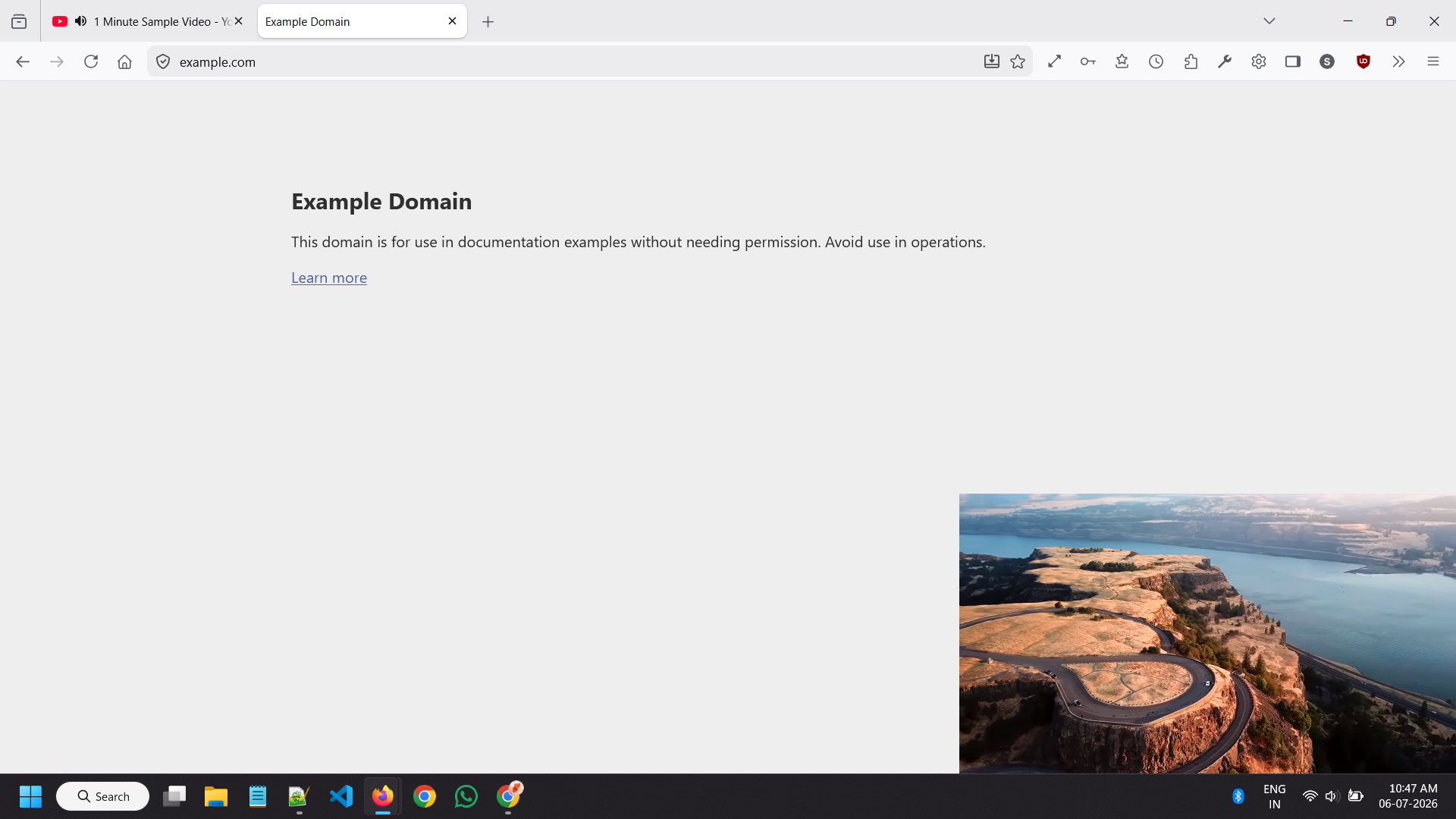
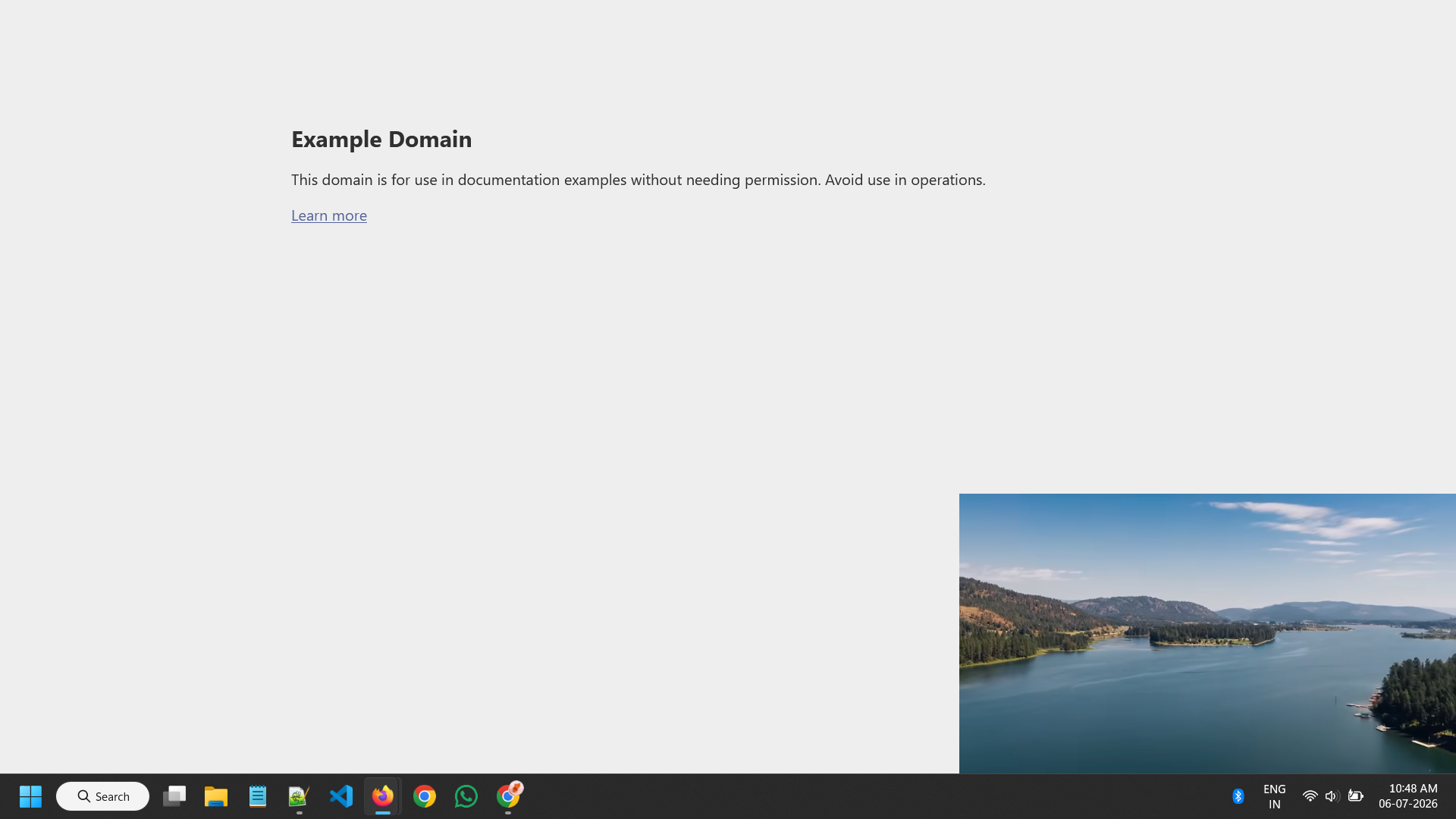
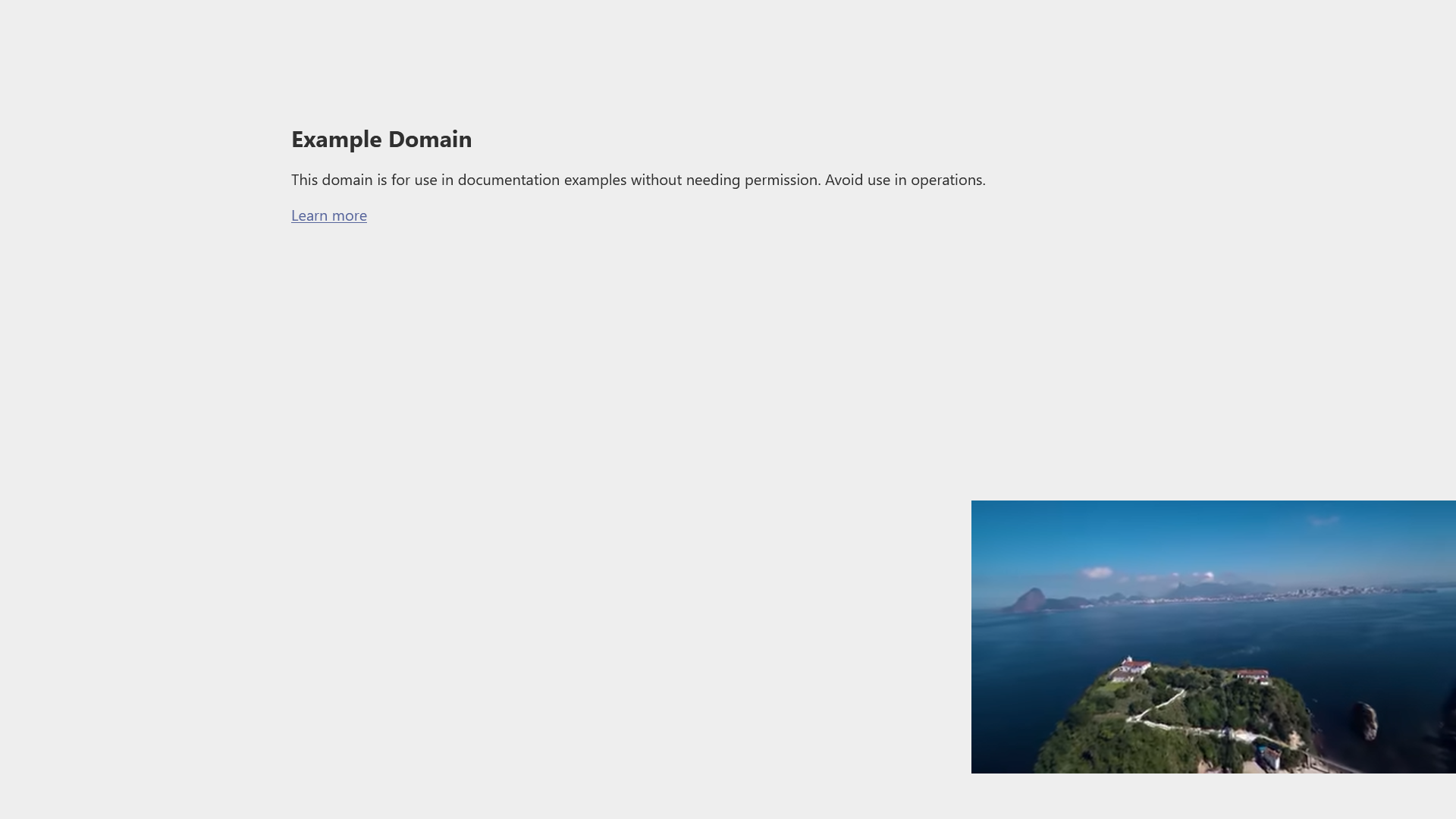
When I have video playing in Firefox's PIP window (ex: YT) and when I enter full-screen mode in browser, the windows 11 taskbar does not disappear.
It works normally when there is no PIP window.
I have uploaded pictures of: - Not full-screen and with PIP window - Full-screen and with PIP window - Full-screen and without PIP window
OS: Windows 11 23H2 Firefox: Version 152.0.4 (64-bit)

Penyelesaian Terpilih
Thanks, I have found a few reports as bugzilla.mozilla.org/2047464 so I'll add all of the above info to it — it's possible it has regressed for a while during v152 cycle and got fixed later: bugzilla.mozilla.org/2048501 — I'll make sure it's all linked together in case there would be a will to uplift it to an earlier release.
All Replies (12)
Do you remember if this used to work differently before?
(For context: support.mozilla.org/questions/1589313 — the same report, also unsure if recent change exactly.)
I recently installed firefox few weeks ago, I noticed this issue just recently (1 week or so).
I've encountered this issue after the 152.0 major update. But I haven't used firefox with their PIP in fullscreen before 152.0 update.
So I don't know which update caused this.
I've tested with the nightly versions as stated in this article: https://support.mozilla.org/en-US/questions/1589313
Tested versions: - https://ftp.mozilla.org/pub/firefox/nightly/2026/04/2026-04-19-20-35-36-mozilla-central/firefox-151.0a1.en-US.win64.installer.exe - https://ftp.mozilla.org/pub/firefox/nightly/2026/05/2026-05-28-09-04-16-mozilla-central/firefox-153.0a1.en-US.win64.installer.exe
Both versions were able to hide the windows taskbar as intended.
Also tested with normal firefox with a new profile, the issue still persists.
Hmmh that is interesting since these versions are on both sides of the current release so normally it would be expected to have one of them "good" and the other "bad", so this can be something else potentially. To double check, if you run the latest Nightly available on nightly.mozilla.org is that one also "good" or "bad"?
jbr said
Hmmh that is interesting since these versions are on both sides of the current release so normally it would be expected to have one of them "good" and the other "bad", so this can be something else potentially. To double check, if you run the latest Nightly available on nightly.mozilla.org is that one also "good" or "bad"?
Tested with "Version 154.0a1 (2026-07-06) (64-bit)" nightly, issue is not present.
Penyelesaian Terpilih
Thanks, I have found a few reports as bugzilla.mozilla.org/2047464 so I'll add all of the above info to it — it's possible it has regressed for a while during v152 cycle and got fixed later: bugzilla.mozilla.org/2048501 — I'll make sure it's all linked together in case there would be a will to uplift it to an earlier release.
Yeah, I see that bug is being reported while playing 2 videos with one in PIP mode and other in Fullscreen mode.
Although this is explains the scenario, but the issue is encountered while the browser (with ANY website) is in fullscreen mode (not particularly a video in fullscreen mode) while having a video in PIP mode.
It would make better sense if bug included that this issue happens when browser is in fullscreen mode instead of only a video being in fullscreen.
Thanks!
I performed few testing on this:
When we open a video in PIP mode from one profile and open a website in full screen mode from another profile. The taskbar disappears as intended. So the issue is with being within the same profile for video in PIP mode and website in Fullscreen mode.
For the record, I recently noticed this issue on Windows 10, but I though it was expected...
Anyway, now the issue is resolved in Nighty, so I'm going to mark Jan's message with bug references as a solution. Thank you both for handing this!
Yes, for each instance there would be a "topmost" window that's responsible for hiding the taskbar.
This has now changed to "any fullscreen window" in phabricator.services.mozilla.com/D308351

I also have this issue, it's been like this for months now. The bug is still present after the update today.
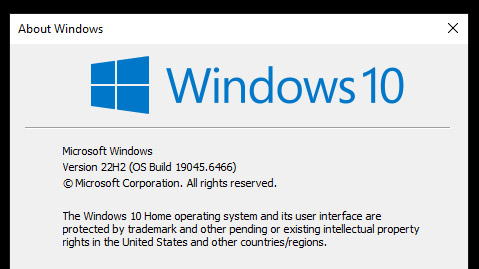
Firefox 152.0.6 Windows 10 - 22H2
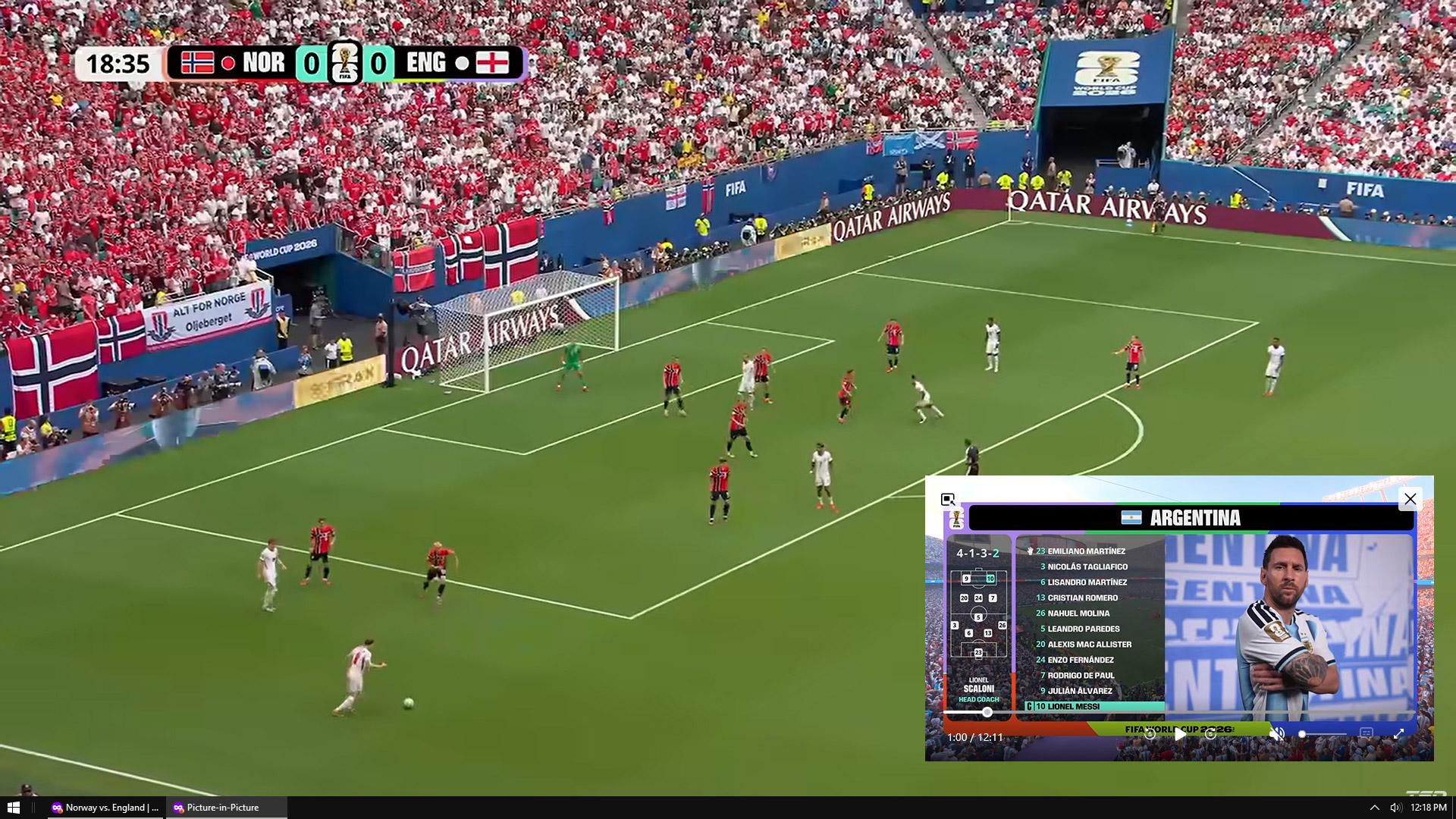
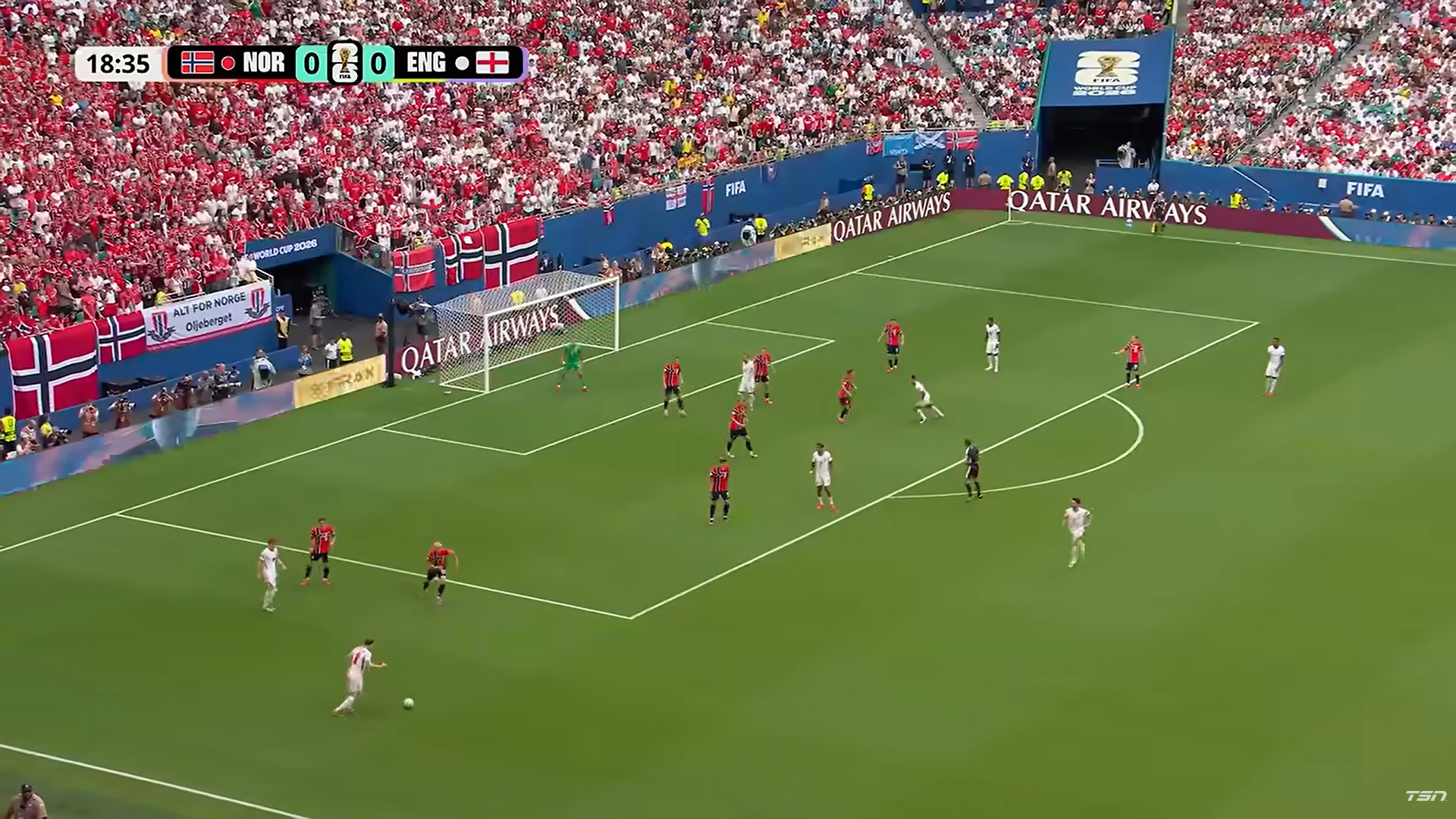
See attached images: 01 - Full screen video with active PIP, taskbar is in front of full screen video 02 - Closed PIP video, full screen video is corrected. 03 - Firefox version 04 - Windows version
Hope this can be restored to it's function before the bug.
Thank you

It is, and will be most likely during v153 as well — the bug currently tracks v154 to ship in release.