


Translation not appearing to all websites

Looking now I saw that browser AI translation didn't appear on websites to translate, how do I enable it?
All Replies (5)
Hi Lucas,
It should be in Firefox menu -> Translate page... For reference, see Firefox Translations.
Denys said
Hi Lucas, It should be in Firefox menu -> Translate page... For reference, see Firefox Translations.
Hi Denys,
I saw that some websites on link bar, it shows a translation icon, allowing me to translate clicking on it or with right clicking, but some websites it don't appear, neither on link bar neither with right click, but if I select a text and right click to translate selected text, it translates without issues.
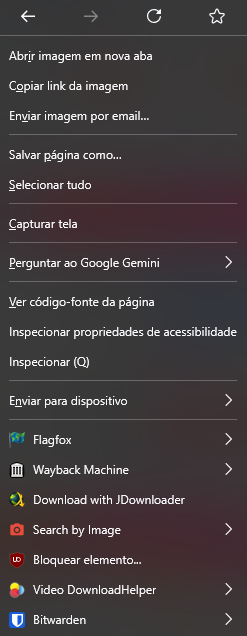
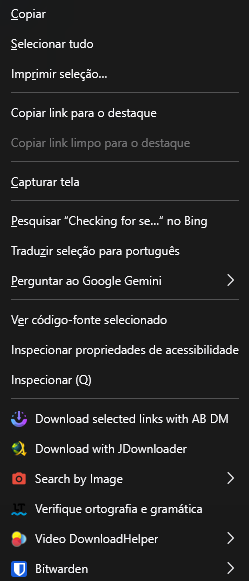
Hello
Firefox Translations
When you visit a webpage in a supported language, the translation panel will open automatically. If it does not open, click the translation icon in the toolbar or select Translate page from the Hamburguer menu.
To complement.
Available languages' models.
To see it in operation, you can also type about:translations in the address bar.
To be honest, I believe I also noticed such behavior. It would be cool if you share some examples of the websites where Firefox doesn't offer translations automatically. Having specific URLs, we'll be able to test and pass to the team if necessary.
Denys said
To be honest, I believe I also noticed such behavior. It would be cool if you share some examples of the websites where Firefox doesn't offer translations automatically. Having specific URLs, we'll be able to test and pass to the team if necessary.
Some are piracy websites https://forum.torrminatorr.com/viewtopic.php?t=6950 https://www.gog.com/en/game/fallout_4_game_of_the_year_edition https://github.com/RimSort/RimSort https://www.apkmirror.com/apk/fingersoft/hill-climb-racing/hill-climb-racing-1-67-6-release/ https://xdaforums.com/t/all-users-please-enable-the-2-factor-authentication.4656204/ Not sure why but I think is because page isn't static, like something behind user view is still running something, not sure if extensions affect it.