


Thunderbird not asking for password when setting up new account

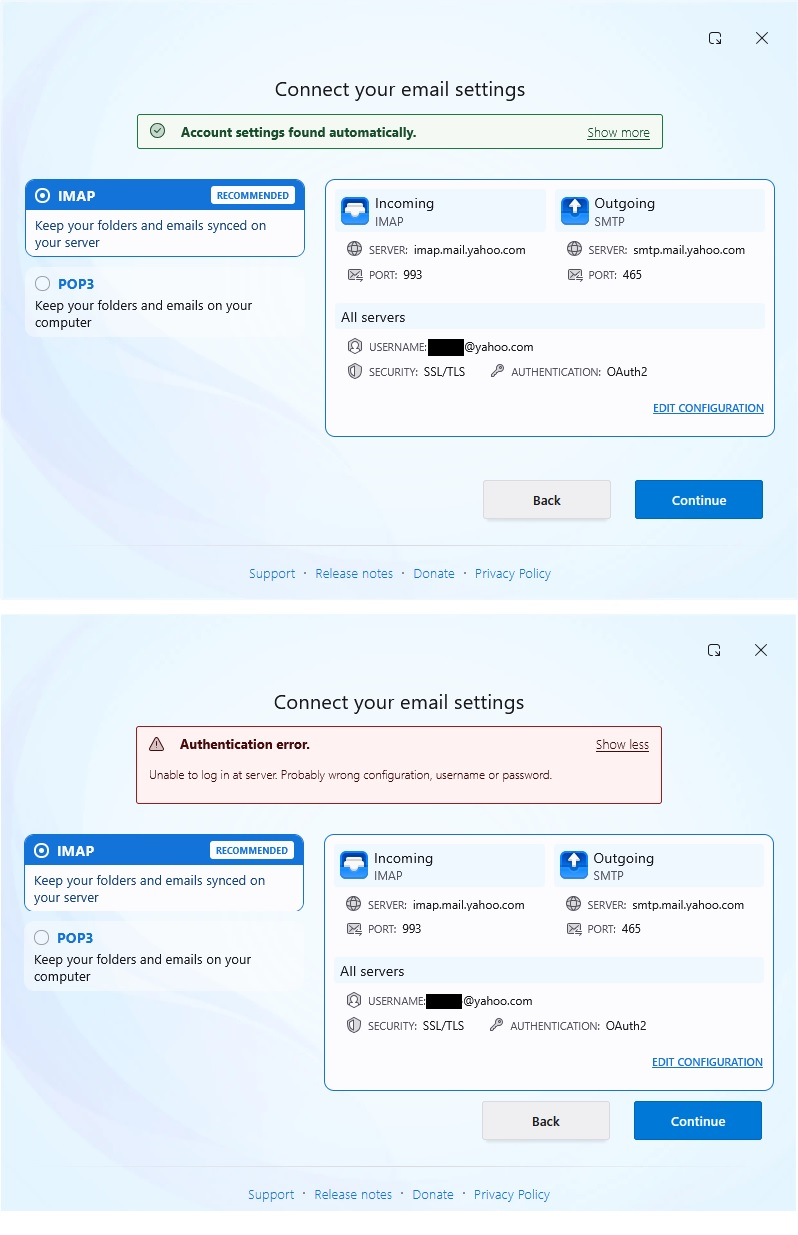
I'm trying to add a new account to Thunderbird, but am unable to complete the task because Thunderbird never asks me for the account password and the authentication fails. It auto-detects the server setup, but since it doesn't prompt me for a password I get "Authentication Error. Unable to log in at server. Probably wrong configuration, username or password." and can't proceed. I'm trying to add a Yahoo! account.
എല്ലാ മറുപടികളും (3)
Just a comment: authentication is not the same as password. To get assistance, you need to share details. All I can offer is what I already wrote. And I am not a Yahoo wizard, so a screenshot of your server settings pane may allow some who is familiar with Yahoo to respond.
Below is a screenshot showing before and after I hit Continue to add the account. As I mentioned, I'm never prompted for a password prior to this screen, so perhaps it is a configuration issue. I just let Thunderbird find the settings on its own, but maybe those are wrong?
That is possible. Thunderbird does that as a courtesy, but email providers routinely change their specs as security continues to tighten. I suggest you check with Yahoo to verify actual settings.