


Gmail Does Not Work - malformed. It should be retied - 09/07/2026

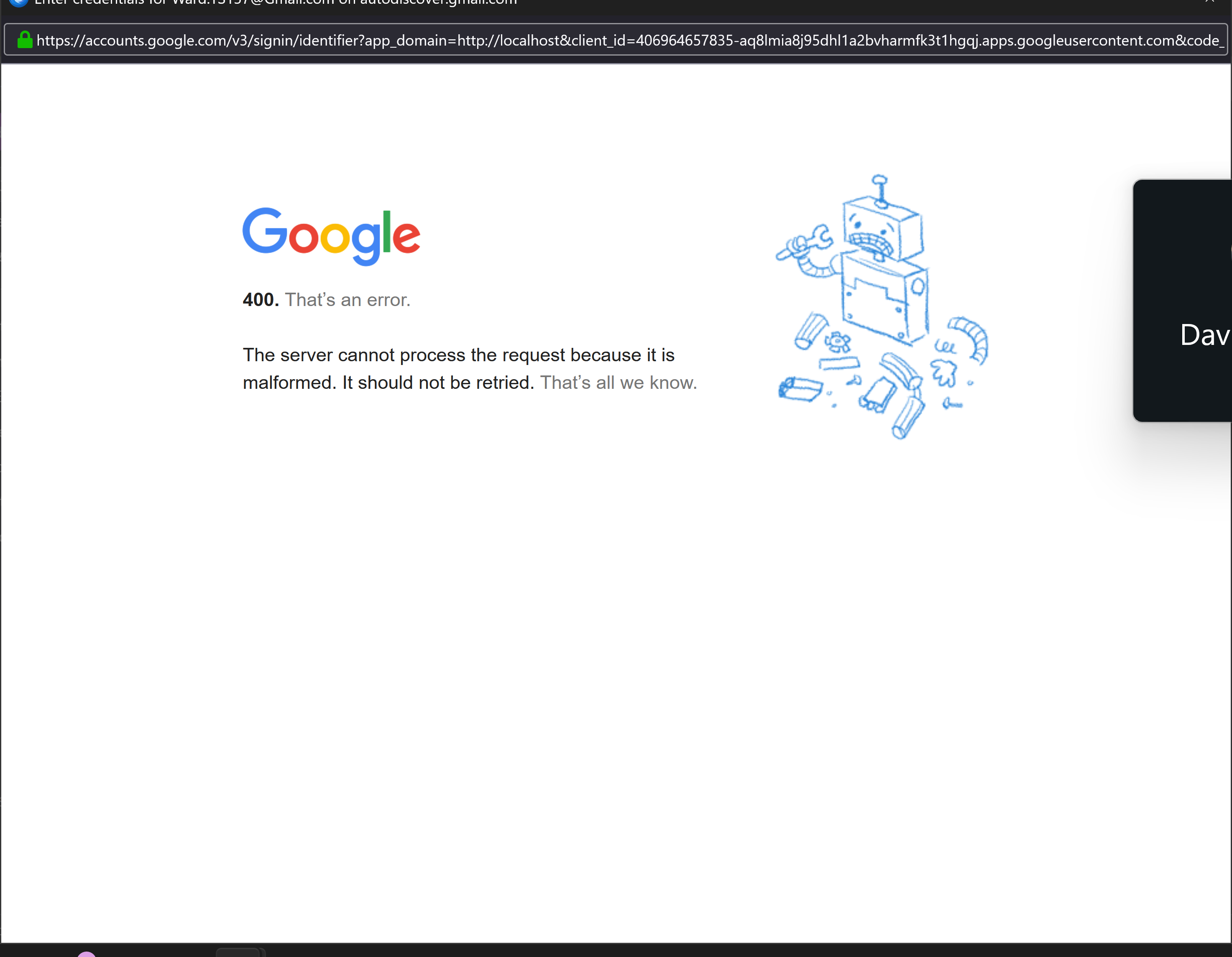
Please see attached image of the problem.
I have tried looking on Google for ideas but have not found anything on this or how to fix. Hope someone can please help would be amazing!
Google -
400. That's an error
The server cannot process the request because it is malformed. It should be retied. That's all we know.
എല്ലാ മറുപടികളും (3)

Chosen Solution
It looks to me like Google is having trouble completing an OAuth2 authorization. Sometimes you have to force it to complete. To do so:
- Make sure cookies are allowed (<Settings | Privacy & Security | Web Content | Accept cookies from sites>);
- Delete all cookies for that account (<Settings | Privacy & Security | Web Content | Show Cookies>);
- Delete all passwords for that account from saved passwords (<Settings | Privacy & Security | Passwords | Saved Passwords>);
Now restart Thunderbird. You will be asked for your credentials, an OAuth2 token will be set, and hopefully they will be accepted and mail retrieval will resume.
Thank you for you help can now add Gmail yay!
I found it was a problem with Third party cookies just had to allow to sign in then could turn off.
Thank you for the confirmation. I was thinking that 'allow cookies' was the usually main key, but I've been recommending deleting existing cookies and passwords for good measure. Even if that might not be necessary, it would start you off with a nice clean slate.