Thunderbird colors

Hey, I'd like to switch from Outlook to Thunderbird. I’ve already tried switching to Thunderbird once when I switched to Linux, but—now to my question: The most important feature for me is being able to use different colors in the calendar to mark appointments. I wasn’t able to get this to work on Linux, even with AI. Isn’t this option available? But if people are switching away from Outlook, surely a small feature like this shouldn’t be a problem?
Can anyone help me with this?
എല്ലാ മറുപടികളും (4)

Hi Cris,
In Thunderbird the base color of events is based on the color of the calendar itself, you can't change it per event. As a workaround, you might have separate calendars for different events. If this is not appropriate for you, you can also use categories, these have a separate set of colors, and it's shown on the right side of the event, as a stripe. There are a bunch of built-in categories, but you can modify them and set up your own using the settings.
Regards, Balázs
Hi, and thanks for the reply. As someone switching over—and I think that’s Thunderbird’s goal, too—I still wonder why this isn’t possible. I don’t feel like creating 10 calendars just to have different colors, and besides, syncing with my phone would be a disaster. I noticed the colors on the edges—but they’re so small that they don’t give you an overview. I’d be fine with it if that narrow bar could be expanded to maybe half the width of the field. Is that possible? It’s really a shame, because I actually wanted to switch to Linux, but after 30 years in IT, I’m so used to having that clear overview that it’s essential for me. Thanks
Translated with DeepL.com (free version)
Hello
These similar discussions https://support.mozilla.org/en-US/questions/1418974
A space for users to give product feedback https://support.mozilla.org/en-US/kb/what-mozilla-connect
These similar discussions https://connect.mozilla.org/t5/ideas/thunderbird-calendar-display-of-categorized-appointments/idi-p/45022 https://connect.mozilla.org/t5/ideas/calendar-category-see-the-category-color-on-both-the-calendar/idc-p/103280/highlight/true#M56445
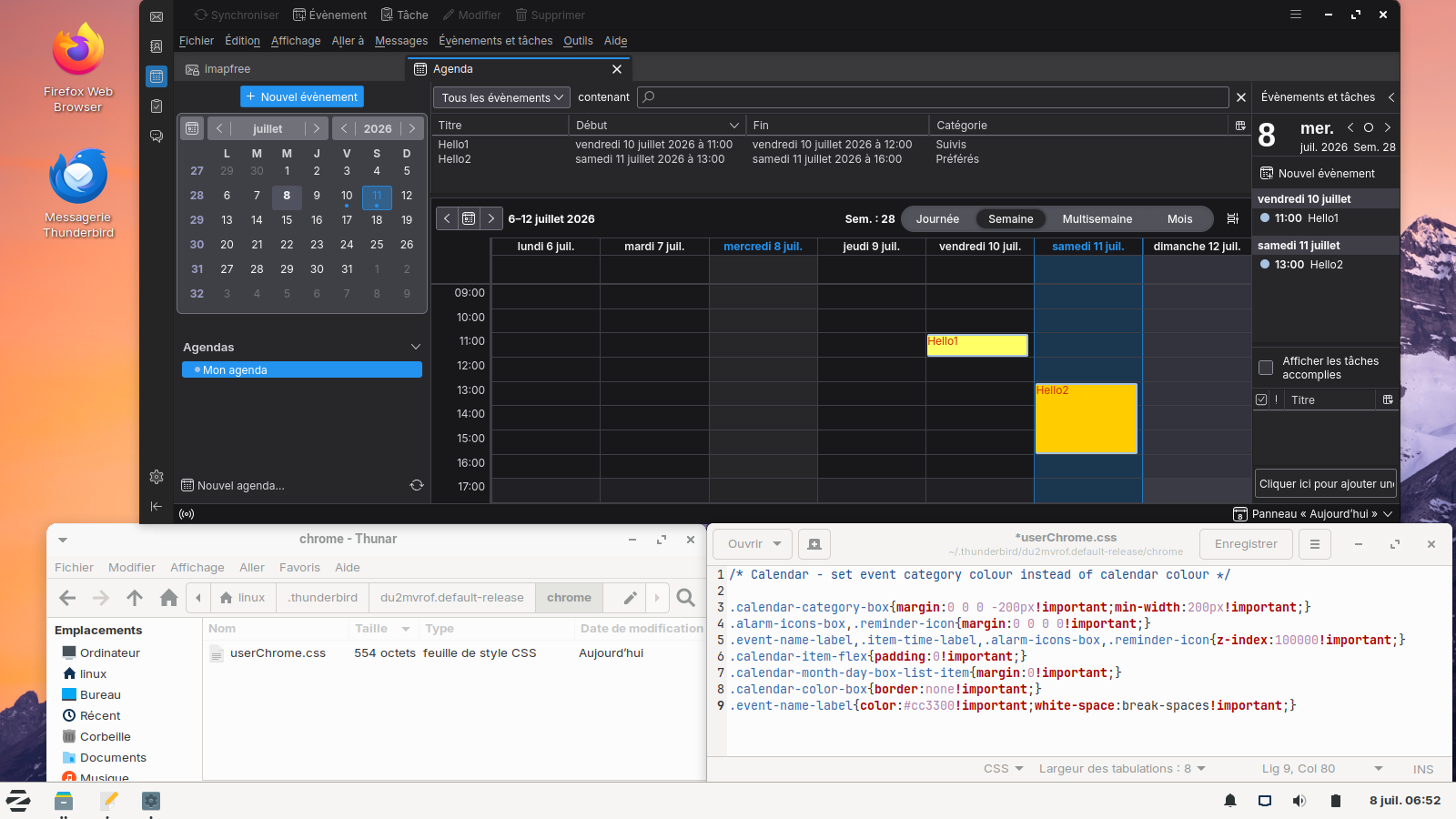
Below a test performed with the help of userChrome.css
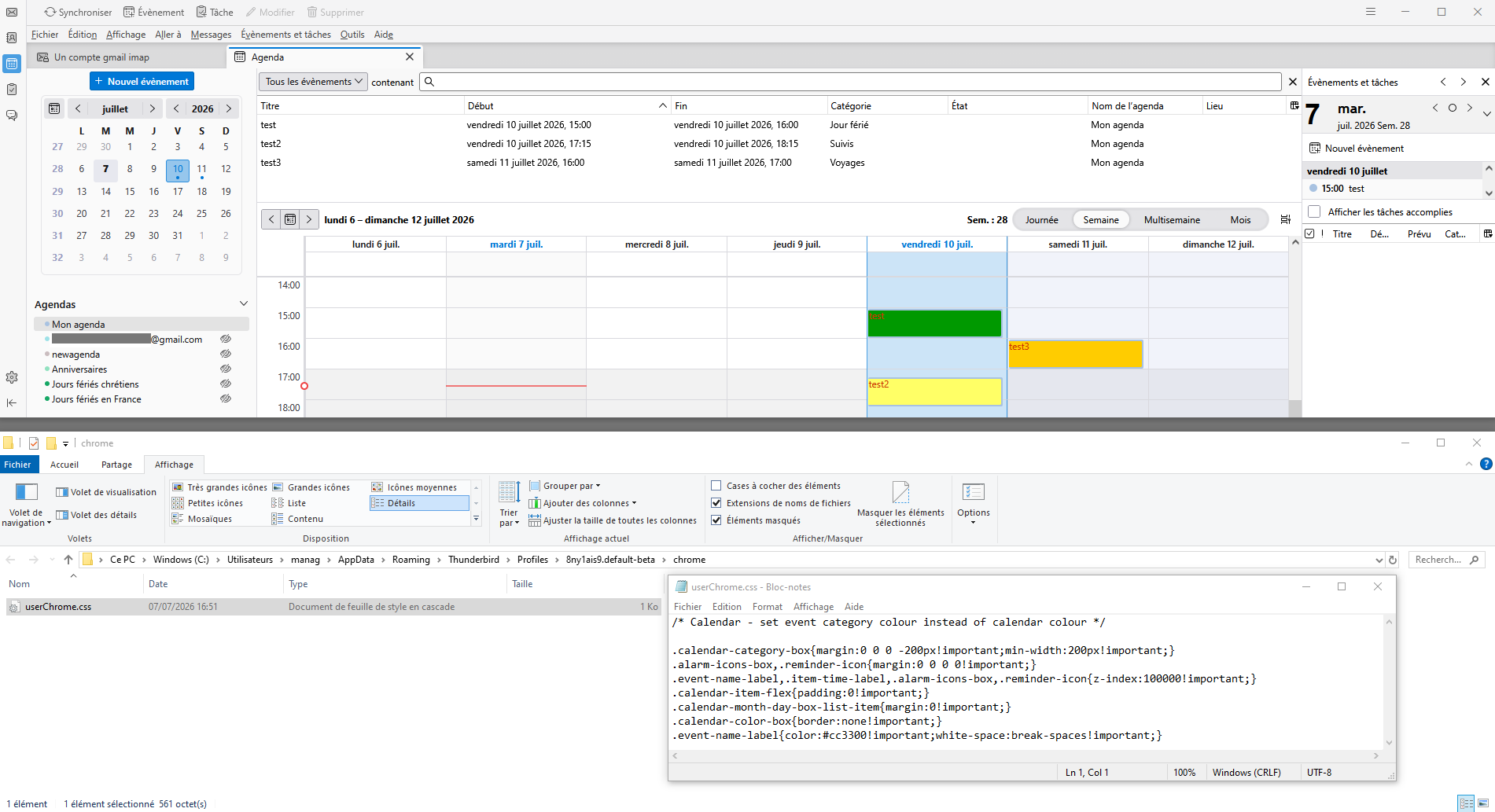
Modified by Agent virtuel
Hello
Thunderbird release notes https://www.thunderbird.net/en-US/thunderbird/releases For information purposes, since release of 102 https://www.thunderbird.net/en-US/thunderbird/102.2.2/releasenotes
Setting added to change Calendar event double-click action to open Edit Event dialog rather than view only; Set calendar.events.defaultActionEdit to true.
1 - Go to configuration editor https://support.mozilla.org/en-US/kb/config-editor 2 - Enter a search term calendar.events.defaultActionEdit You can double-click on the preference to set the value to true
Install Thunderbird on Linux https://support.mozilla.org/en-US/kb/installing-thunderbird-linux As for me, System Thunderbird installation, that's my installation
Below a test performed with the help of userChrome.css