


New Mozilla free VPN missing from toolbar options

My browser was recently updated to 150.0.2, and on the new launch page after update describing new features, it prompted me that the new free mozilla vpn was available to try. When I clicked on the link to follow the steps to set it up, it said to click the vpn icon in the toolbar, but I don't see that icon there. When I go to more tools -> customize toolbar to try to find that icon to add it back, it doesn't appear among the toolbar options. Is this something I still don't have access to because it's in a limited beta, or is there some other way I should be accessing this?


എല്ലാ മറുപടികളും (7)
Hello robomas, It is great to see your interest in testing the new built-in Firefox VPN. As this feature is currently being rolled out in stages (primarily in the US, UK, Germany, France, and Canada), it is common for the UI element (the icon) to not appear immediately even after the browser update. Since you have already checked the "Customize Toolbar" menu and it is not there, the issue is likely that the feature flag is not yet enabled in your specific browser profile. You can manually force-enable it using the steps below: 1. Enable via about:config (Advanced Users) Open a new tab and type about:config in the address bar, then press Enter. Click "Accept the Risk and Continue." In the search bar, type: browser.ipprotection.enabled If the value is false, double-click it (or use the toggle button) to set it to true. Restart Firefox. The VPN icon should now appear in your toolbar or be available in the "Customize Toolbar" options. 2. Verify Regional & Account Eligibility Mozilla Account: Ensure you are signed in to your Firefox/Mozilla account, as the free 50GB monthly data limit is tied to your account. Regional Availability: Ensure your system's region is set to one of the supported countries (US, UK, DE, FR, or CA). Sometimes VPNs or system-level proxies can interfere with Firefox’s ability to detect your eligibility. 3. Clarification on "Mozilla VPN" vs. "Firefox VPN" Please note that this is a browser-level proxy. Unlike the standalone "Mozilla VPN" app which protects your entire Windows 10 desktop, this built-in feature only encrypts traffic inside the Firefox browser. Other apps (like your printer software update) will still use your direct internet connection. If you follow the about:config step and the icon still doesn't appear, it may mean your specific account is part of a later rollout wave.
WARNING from the moderator team: Changing Firefox preferences from the about:config page can sometimes break Firefox or cause strange behavior. You should only do this if you know what you're doing. Please read Firefox advanced customization and configuration options to learn more.
Modified by Paul
Hello
Use built-in VPN in Firefox https://support.mozilla.org/en-US/kb/built-in-vpn
Just for information
About, Manage remote improvements settings in Firefox https://support.mozilla.org/en-US/kb/remote-improvements
Screenshot 2, if the user choice. Uncheck the Allow Firefox to improve features, performance, and stability between updates checkbox to opt out of automatically getting browser changes between Firefox updates.
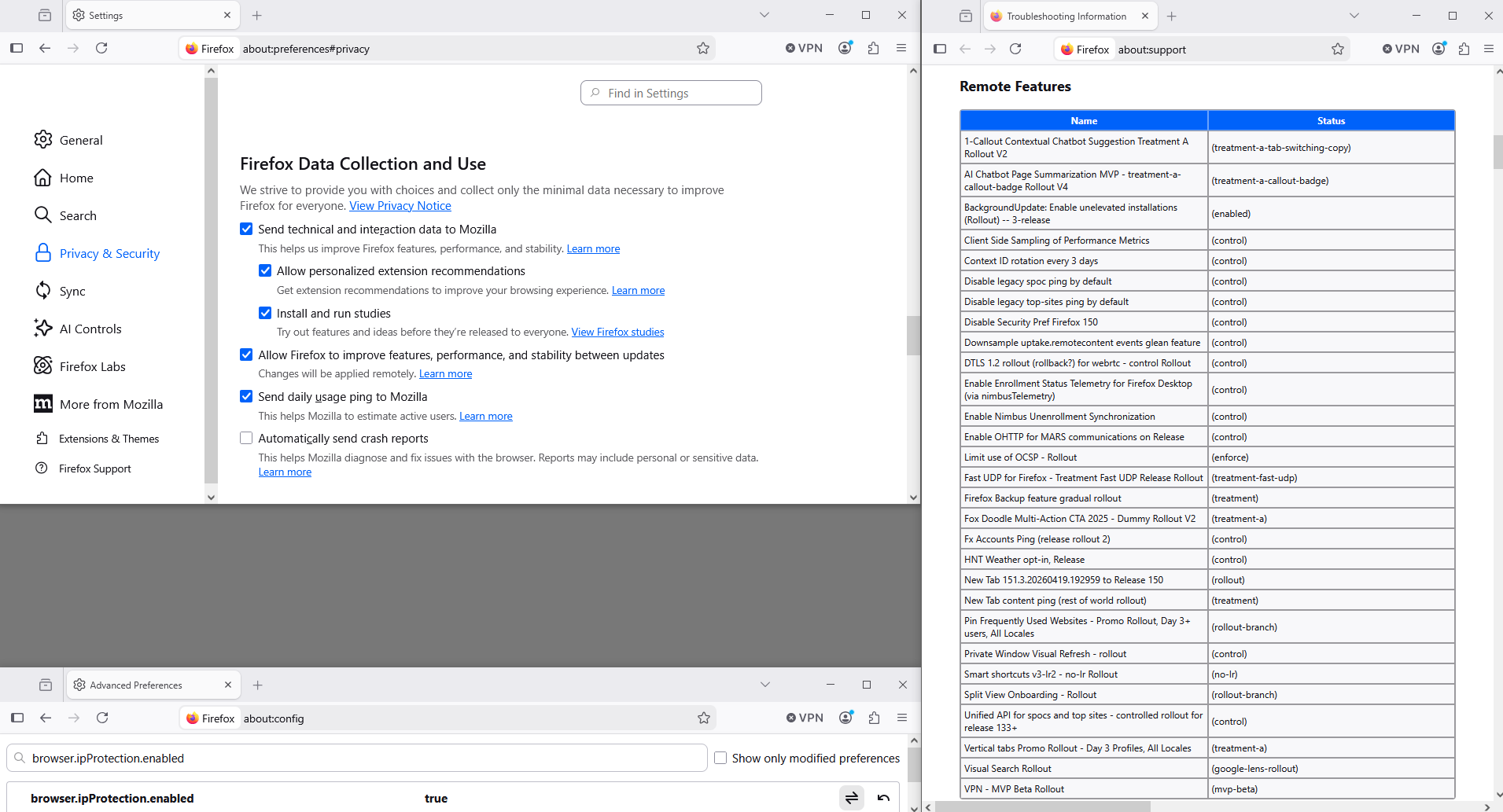
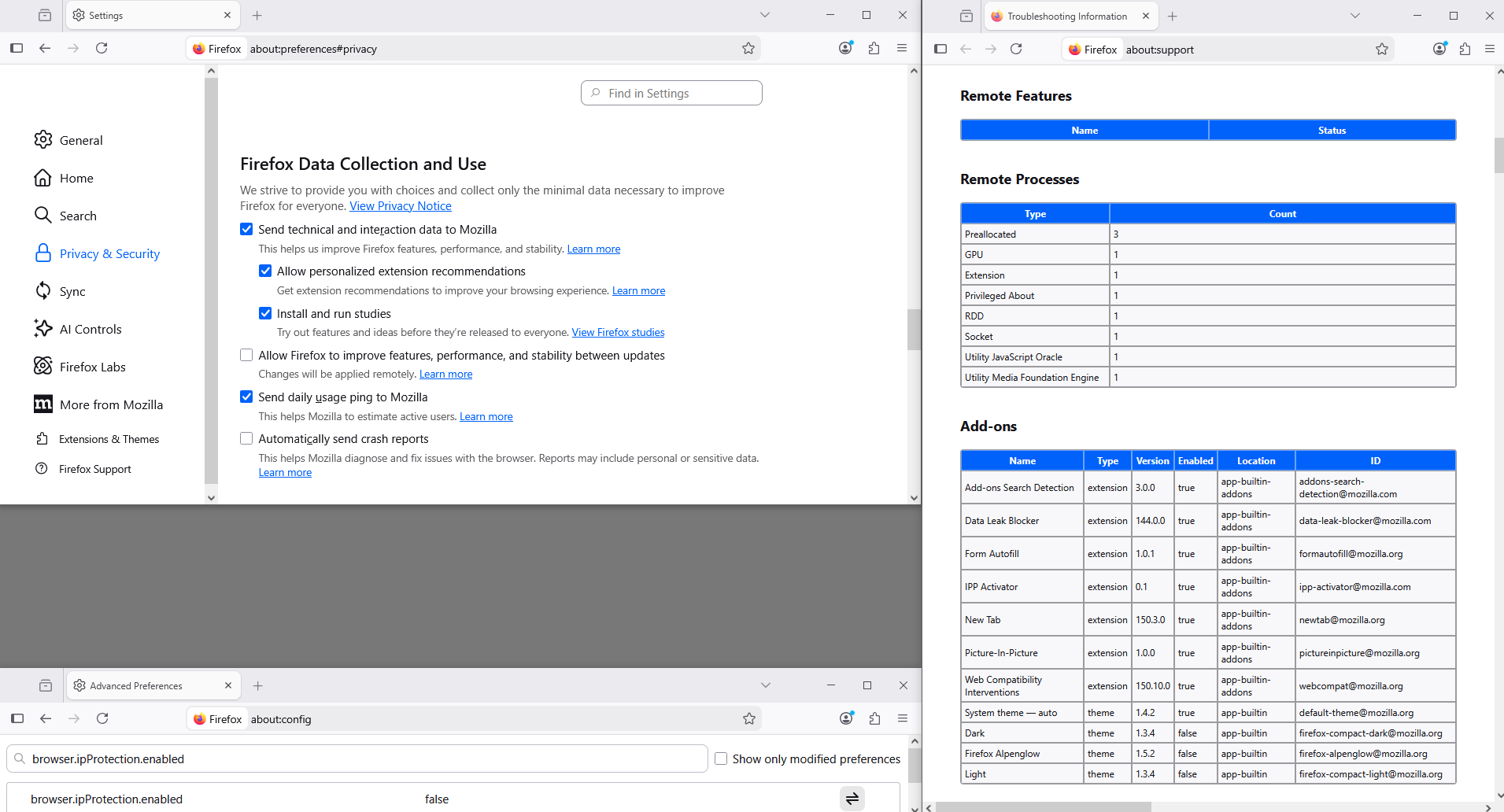
Use built-in VPN in Firefox https://support.mozilla.org/en-US/kb/built-in-vpn
Organizations can use the BlockAboutConfig policy to prevent manual enablement of this and other unavailable features, and will have the ability to prevent enabling just this feature via a new IPProtectionAvailable policy in the 149.0.1 release on April 7th.
Hi Radwan, I checked and it seems that browser.ipprotection.enabled was already set to true, so I don't seem to see any new option under customize tool bar after validating that. With regards to region availability, where can I double check what my system region is set to in firefox?
Hi
I strongly recommend not changing any about:config prefs.
The VPN in Firefox is being gradually rolled out. If it is not available for you now, it will hopefully be available to you very soon as we turn it on for more people and in more locales.
The built-in VPN has currently rolled out in US, UK, Germany, France and as of Fx 150.0 it was rolled out in Canada. I heard that it may be rolled out in Australia as of Fx 152.0.

Radwan Almsora said
Hello robomas, 1. Enable via about:config (Advanced Users) Open a new tab and type about:config in the address bar, then press Enter. Click "Accept the Risk and Continue." In the search bar, type: browser.ipprotection.enabled If the value is false, double-click it (or use the toggle button) to set it to true. Restart Firefox. The VPN icon should now appear in your toolbar or be available in the "Customize Toolbar" options.
This worked for me thanks