


Remove suggested autofilled username

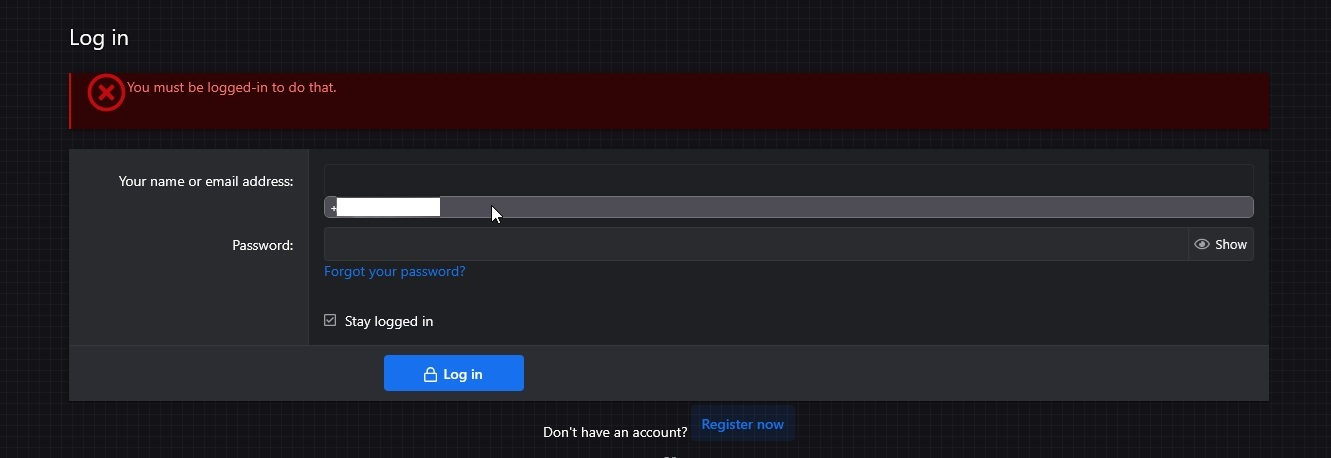
For some reason Firefox remembered my phone number and is now trying to use it as a login when I attempt to login or register in any service. I've checked my saved passwords and autofill data, but I cannot find it, there's only usernames and passwords, and I have no saved autofill data, no phone number. Where can I look for it to remove it?
For some reason Firefox remembered my phone number and is now trying to use it as a login when I attempt to login or register in any service. I've checked my saved passwords and autofill data, but I cannot find it, there's only usernames and passwords, and I have no saved autofill data, no phone number. Where can I look for it to remove it?
എല്ലാ മറുപടികളും (1)
Hello,
Try clicking the Down Arrow button to open a drop-down menu, selecting (with that button) the entry with your phone number and pressing Delete. Does it help?