


Windows 10 reached EOS (end of support) on October 14, 2025. If you are on Windows 10, see this article.

Search Support

Avoid support scams. We will never ask you to call or text a phone number or share personal information. Please report suspicious activity using the “Report Abuse” option.

കൂടുതലറിയുക

How to remove languages variants ?

  • 2 മറുപടികൾ
  • 0 have this problem
  • 122 കാഴ്ചകൾ
  • Last reply by Wayne Mery
  • Archived

I'm running TB 128.7.1esr (64-bit) on my Linux Mint 22.1. I installed TB via the software manager using the Flatpack version.

My problem is that TB comes with a long list of languages variants, which I'd like to remove. For the spellchecking to work, I find myself often having to switch between English UK and French. But when I click on the lower right corner on the current language, I'm presented with a long list of lang variants, which i don't need. I'd like to keep French and English UK. This list is the same as in Settings > Composition.

I do not have any dictionary installed beside French.

How can I remove all these variants ?

Thanks in advance
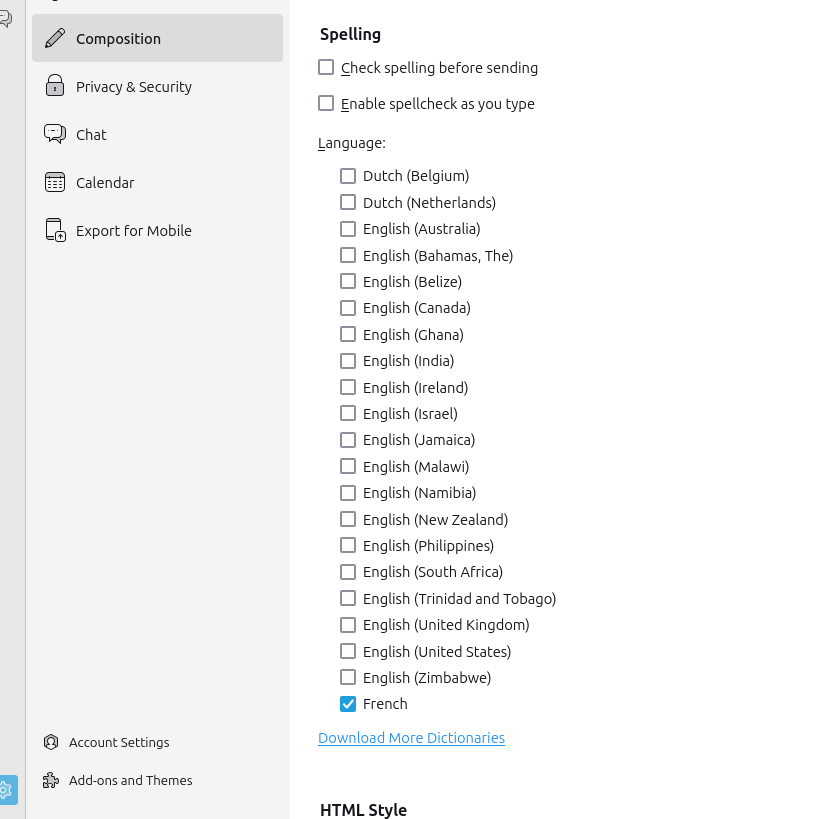
I'm running TB 128.7.1esr (64-bit) on my Linux Mint 22.1. I installed TB via the software manager using the Flatpack version. My problem is that TB comes with a long list of languages variants, which I'd like to remove. For the spellchecking to work, I find myself often having to switch between English UK and French. But when I click on the lower right corner on the current language, I'm presented with a long list of lang variants, which i don't need. I'd like to keep French and English UK. This list is the same as in Settings > Composition. I do not have any dictionary installed beside French. How can I remove all these variants ? Thanks in advance
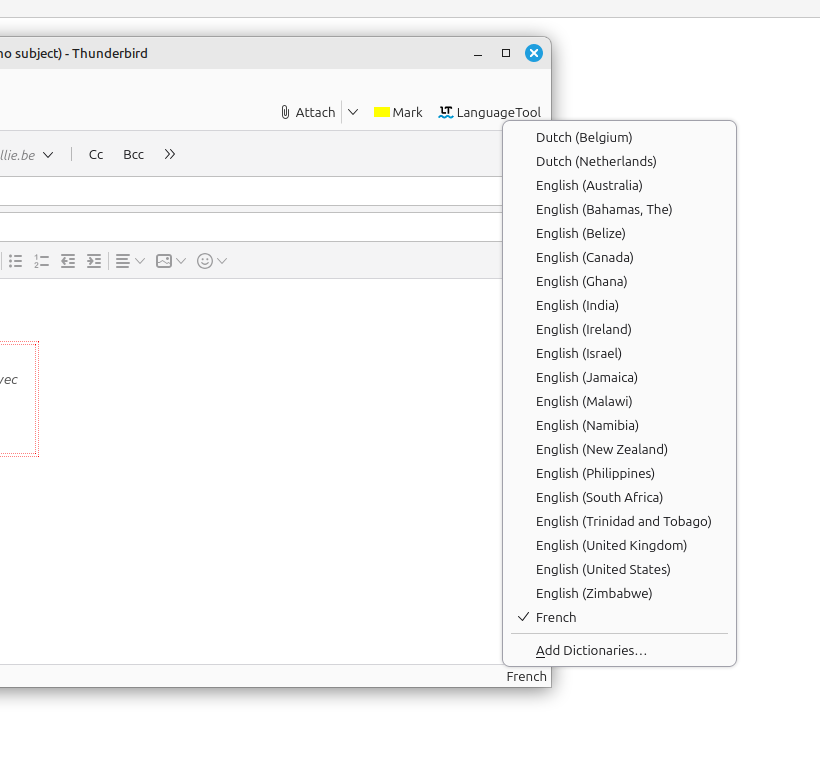
Attached screenshots

എല്ലാ മറുപടികളും (2)

Tools > Addons > dictionaries.

Please post your results

Thomas,

The notification system had been broken for several weeks, so I'm posting again to be sure you saw my response earlier.

If you still have trouble, please post more detail.