


Prevent number of unread GMail messages from being displayed in Firefox tab

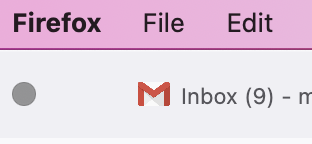
I would like to stop the default behavior of firefox displaying in the tab that contains my GMail how many unread GMail messages there are -- in other words to delete "(9)" from the attached photo and never have the count displayed -- if it could instead simply say "Inbox - xxx@gmail.com"
Chosen solution
I use an extension which allows me to control what shows in tabs (link below) and there may be others. https://addons.mozilla.org/firefox/
https://addons.mozilla.org/en-US/firefox/addon/tab-mix-rename-tab/
Read this answer in context 👍 0എല്ലാ മറുപടികളും (3)
It's not. In fact, there's an option to disable this in GMail and I've tried numerous times to turn it off, restart firefox, etc., and it keeps showing.

Chosen Solution
I use an extension which allows me to control what shows in tabs (link below) and there may be others. https://addons.mozilla.org/firefox/
https://addons.mozilla.org/en-US/firefox/addon/tab-mix-rename-tab/
This seems to be working for now. I can se firefox try to update/rename the tab for a split-second but it goes back to the generic name I gave it, so I'm not bothered by the "X new messages" thing anymore. Thanks.