


The built-in Firefox translation button is missing.

Hello,all, The built-in translation button in Firefox disappeared on the Reddit website.
Please add a fixed access key for the 'Translate button'. I also recommend introducing an automatic website translation function. Thank!
すべての返信 (9)
Hello
If you wish. https://support.mozilla.org/en-US/kb/file-bug-report-or-feature-request-mozilla You can send your comment, file a bug report.
Component: Translations. https://bugzilla.mozilla.org/buglist.cgi?product=Firefox&component=Translations
about:translations
Firefox Translation. https://support.mozilla.org/en-US/kb/website-translation
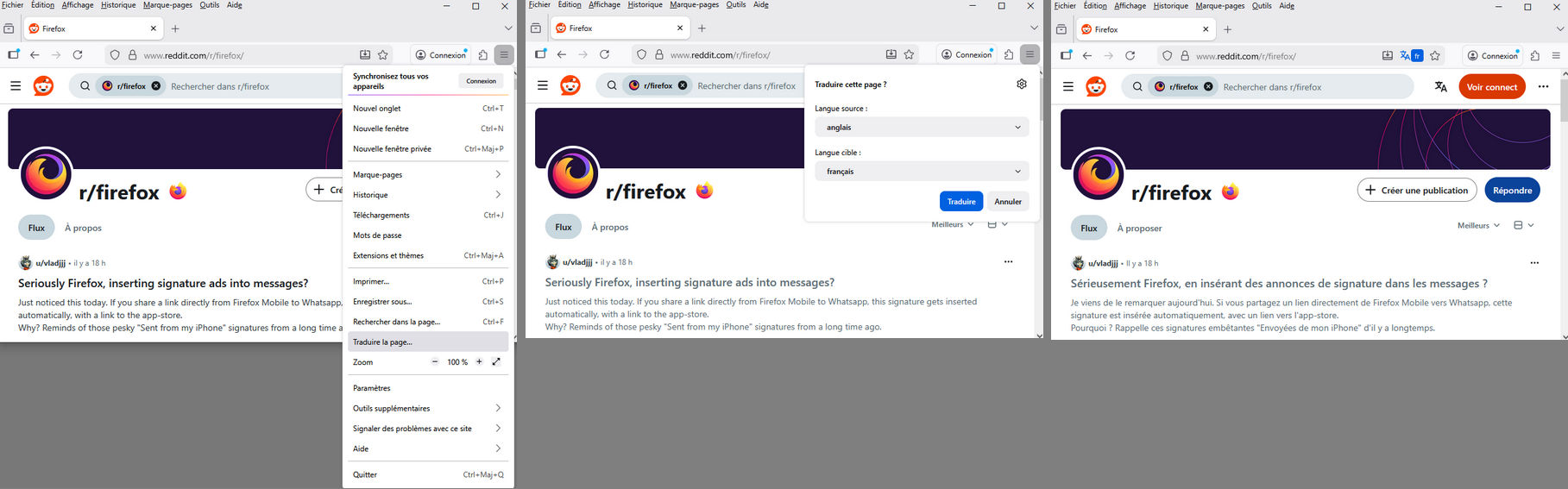
When you visit a webpage in a supported language, the translation panel will open automatically. If it does not open, click the translation icon in the toolbar or select Translate page from the Hamburguer menu.
You can, select, Translate page from the Hamburguer menu.
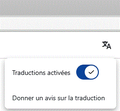
For information purposes (screeenshot), reddit, he has a traduction activated, by defaut.
この投稿は Agent virtuel により に変更されました
Agent virtuel 提道
Hello If you wish. https://support.mozilla.org/en-US/kb/file-bug-report-or-feature-request-mozilla You can send your comment, file a bug report. Component: Translations. https://bugzilla.mozilla.org/buglist.cgi?product=Firefox&component=Translations about:translations Firefox Translation. https://support.mozilla.org/en-US/kb/website-translationWhen you visit a webpage in a supported language, the translation panel will open automatically. If it does not open, click the translation icon in the toolbar or select Translate page from the Hamburguer menu.You can, select, Translate page from the Hamburguer menu.
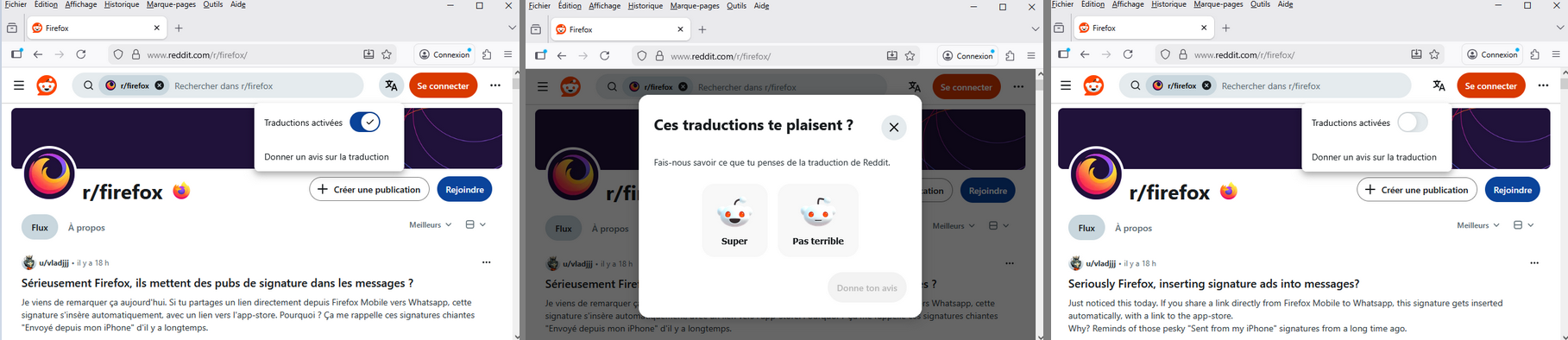
For information purposes (screeenshot), reddit, he has a traduction activated, by defaut.

https://bugzilla.mozilla.org/show_bug.cgi?id=2002329
For information purposes. About, Traditional Chinese Translation. https://support.mozilla.org/en-US/questions/1522478
Agent virtuel 提道
https://bugzilla.mozilla.org/show_bug.cgi?id=2002329 For information purposes. About, Traditional Chinese Translation. https://support.mozilla.org/en-US/questions/1522478
Thank you for your response. At the moment, the built-in translator in Firefox cannot be used with Traditional Chinese, so I am using Simplified Chinese. I will keep an eye out for future updates. Thank you.
この投稿は mihgf7778 により に変更されました
Hello
To see it in operation, you can also type about:translations in the address bar.
For information purposes. https://support.mozilla.org/en-US/questions/1515975#answer-1784015
Under Firefox Nightly, i noticed Chinese (Traditional) language. https://www.youtube.com/watch?v=Hm1R4CDUOtI
哈囉
若要在操作中查看,您也可以在網址列中輸入 about:translations。
在 Firefox Nightly 下,我注意到中文(傳統)語言。

i cant even right click on the page to translate what seems to be korean to english, which is explicitly set in my settings.
Bonjour
https://www.youtube.com/watch?v=QbO0UVQorI8
You can try. 1 - Go to configuration editor https://support.mozilla.org/en-US/kb/about-config-editor-firefox 2 - Enter a search term browser.translations.mostRecentTargetLanguages and click on the Reset button.
For illustration https://support.mozilla.org/en-US/questions/1535724
この投稿は Agent virtuel により に変更されました