


"Cannot contact server" error without VPN

Hi, ever since Firefox integrated its own VPN there's a LOT of sites I cannot access to unless I keep the VPN always on, is there a way to fix it?? It's been like that for over a month, most sites give back a "cannot contact server" error, but if I use the VPN everything works fine, but I dont want to keep it always on if I dont need it. I'm not even sure if it's the VPN causing the problem but I started having these issues when it's been added to the browser and turning it on is the only thing that fixes it. I have aleady tried deleting history and recent cookies and cache. If I use another browser, the sites that dont work anymore with firefox are perfectly accessible. Thanks
Tutte le risposte (6)
Puoi fare qualche esempio di siti a cui non riesci ad accedere?
Inoltre, Per poter inquadrare il problema prova a fornire queste informazioni:
- Versione di Firefox
- Versione del sistema operativo
- Estensioni installate
- Messaggi di errore che vengono visualizzati durante l'utilizzo di Firefox
- Software di sicurezza eventualmente presenti (Antivirus e simili)
- Screenshot del problema
ciao, alcuni siti che ho usato di recente sono https://store.huion.com/it/ , https://acggoods.com/ , https://artiststore.com/marketplace , https://www.outoflineshop.de/ , la maggiorparte sono siti di ecommerce ma ho avuto problemi anche con microsoft, mediaset infinity e alcuni siti più divulgativi tipo arte e musica.
firefox 157.0 windows 10 estensioni ghostery, adblocker, letyshop, control panel for twitter, browsec (installate da anni, ho provato a disabilitarle e non cambia niente) errore "Impossibile contattare il server" e il sito non carica, a volte va dopo che tento di aggiornare la pagina una decina di volte, a volte no microsoft defender allego il messaggio di errore
fino ad agosto è andato tutto bene
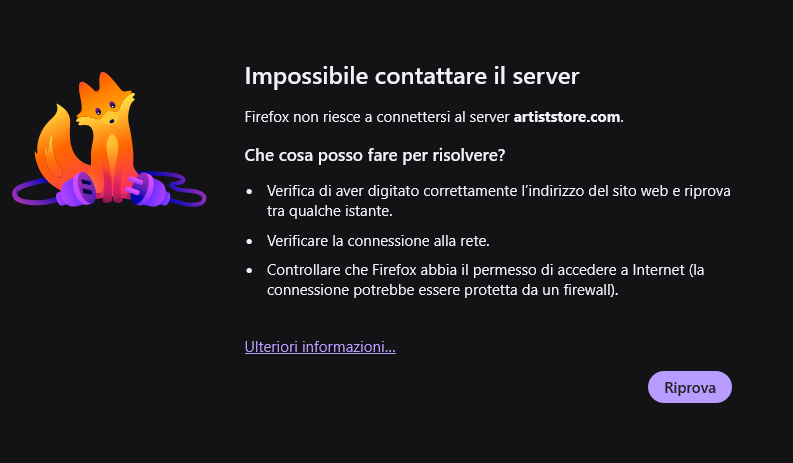
Prova ad avviare in Modalità risoluzione dei problemi https://support.mozilla.org/it/kb/modalita-risoluzione-problemi-firefox
Se accedi normalmente a tutti i siti, allora il problema dipende al 99% da una estensione o dalla loro combinazione.
Se il problema persiste a mio avviso devi risalire a monte: il blocco potrebbe dipendere dai DNS che usi, dalle impostazioni del firewall, e a salire dal router o persino dal provider. - Come primo tentativo attiva DNS Over HTTPS https://support.mozilla.org/it/kb/configurare-livelli-protezione-dns-su-https-firefox
Niente con entrambi i metodi i siti non caricano. Non credo sia un problema di firewall o router perchè con altri browser funzionano perfettamente, solo con firefox nell'ultimo mese non vanno più senza vpn, e in generale è diventato tutto molto più lento rispetto agli altri
Perso per perso, prova a creare un nuovo profilo con questo metodo: https://support.mozilla.org/it/kb/gestione-profili
scusa il ritardo nel rispondere, niente da fare anche coi profili, ho provato anche a reimpostare il firewall e disintallare tutte le estensioni, ma nulla, mi tocca tenere la vpn di firefox sempre attiva