Windows 10 reached EOS (end of support) on October 14, 2025. For more information, see this article.

Cerca nel supporto

Attenzione alle mail truffa. Mozilla non chiederà mai di chiamare o mandare messaggi a un numero di telefono o di inviare dati personali. Segnalare qualsiasi attività sospetta utilizzando l'opzione “Segnala abuso”.

Ulteriori informazioni

Questa discussione è archiviata. Inserire una nuova richiesta se occorre aiuto.

Automatic email signatures are broken on Outlook Live websites (owa)

ulteriori opzioni

Previous attempts at troubleshooting documented here: https://support.mozilla.org/en-US/questions/1402451#answer-1561438

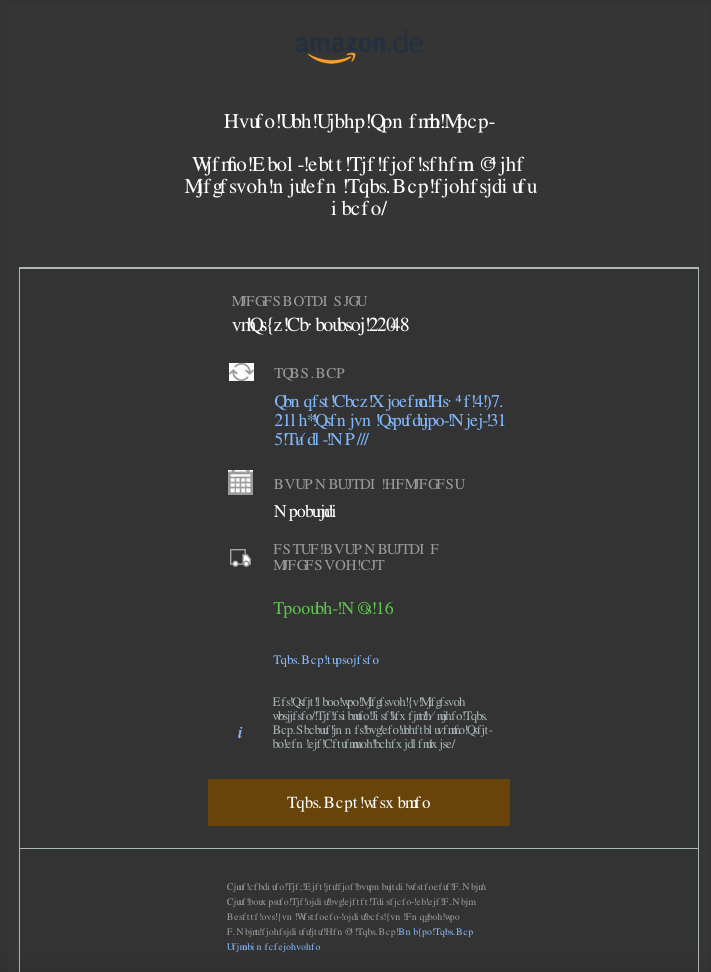
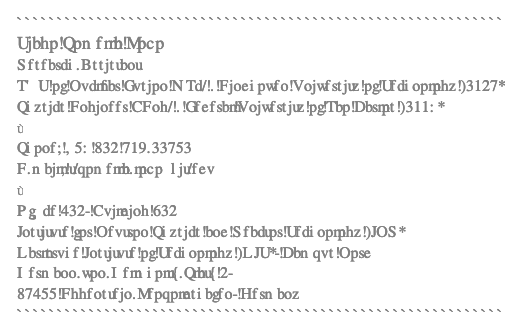
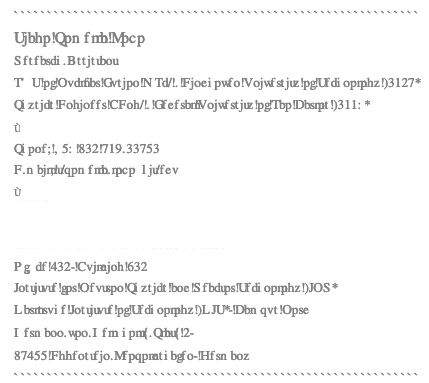
As described in the title, automatic email signatures in Outlook Live websites (outlook.live.com and owa's) become gibberish (see attached image). They are unreadable in both text editor and just email visualizer. The issue is not limited to the latest version (109.0).

As described before: Whenever I restart Firefox in Troubleshoot mode, it solves the problem. But disabling all extensions and restarting Firefox does not. Disabling "Use hardware acceleration when available" and "Use recommended performance settings." and restarting also does not solve the problem. Restarting Firefox (not in Troubleshoot mode) sometimes solves the issue, as well as right after an update of the app; but not always. Starting Firefox after a computer restart usually brings the problem back. This problem also happens in my laptop (MacBookPro), so it is not restricted to this computer (macMini).

I would really appreciate some support.
'''Previous attempts at troubleshooting''' documented here: https://support.mozilla.org/en-US/questions/1402451#answer-1561438 As described in the title, automatic email signatures in Outlook Live websites (outlook.live.com and owa's) become gibberish (see attached image). They are unreadable in both text editor and just email visualizer. The issue is not limited to the latest version (109.0). As described before: Whenever I restart Firefox in Troubleshoot mode, it solves the problem. But disabling all extensions and restarting Firefox does not. Disabling "Use hardware acceleration when available" and "Use recommended performance settings." and restarting also does not solve the problem. Restarting Firefox (not in Troubleshoot mode) sometimes solves the issue, as well as right after an update of the app; but not always. Starting Firefox after a computer restart usually brings the problem back. This problem also happens in my laptop (MacBookPro), so it is not restricted to this computer (macMini). I would really appreciate some support.
Immagini allegate

Tutte le risposte (1)

ulteriori opzioni

The issue seems to be getting worse. Now some emails are completely unreadable as well.