


Firefox doesn't load all websites correctly

My Firefox hasn't been loading websites correctly. It happens randomly and not on all websites. It won't load some images or texts, and if I go over them with the cursor it will sometimes load some of them.
I tried a few suggestions like disabling the override colors thing, disabling ad-block and others, and nothing works, not even restarting my PC. Running Windows 10, both OS and Firefox are up to date.
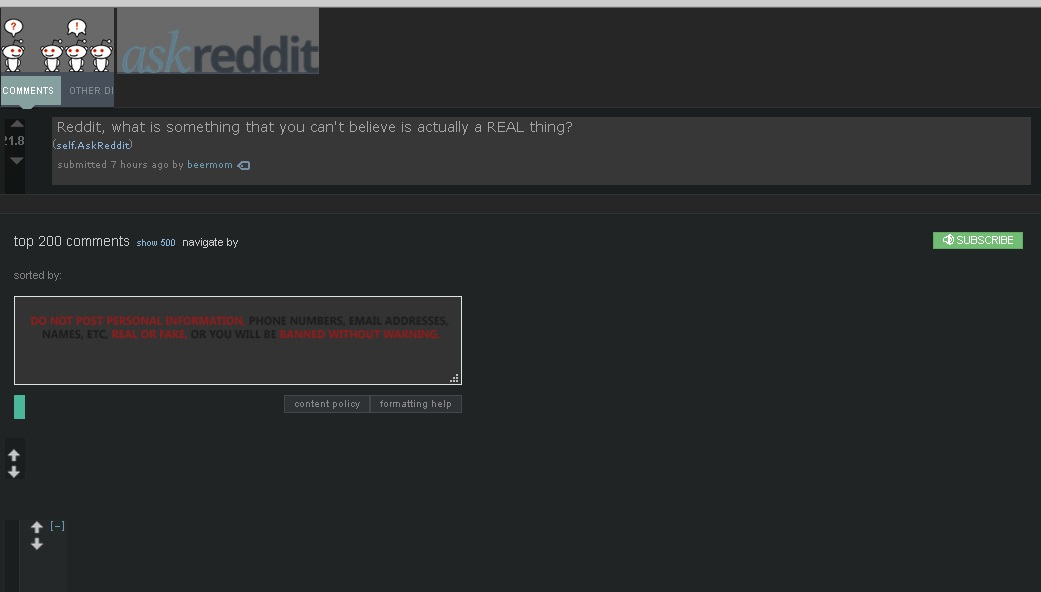
Modificato da Joostar il
Soluzione scelta
hi, thanks for reporting this. we are currently looking into this issue in https://bugzilla.mozilla.org/show_bug.cgi?id=1435472
so far it appears to be an issue that only affects users who have turned off cleartype font rendering within their windows settings. so a workaround for the moment would either be to turn cleartype back on or disabling hardware acceleration in firefox: Firefox's performance settings
Leggere questa risposta nel contesto 👍 2Tutte le risposte (2)
Soluzione scelta
hi, thanks for reporting this. we are currently looking into this issue in https://bugzilla.mozilla.org/show_bug.cgi?id=1435472
so far it appears to be an issue that only affects users who have turned off cleartype font rendering within their windows settings. so a workaround for the moment would either be to turn cleartype back on or disabling hardware acceleration in firefox: Firefox's performance settings
Thanks, the cleartype change worked, but now my fonts look blurry haha! It's a fine solution for the time being.