


Why is a white bar displayed over the top of my address and menu bar, so i cant do anything with Firefox?

In Firefox, when I open a browser window, there is a white bar covering the menu and address bar, and I cant click anything, If i click the bar to try and move the window, I click through to windows behind the Mozilla window.
This has persisted through a re-install of Firefox. So I un-installed the browser, and reinstalled the latest version from the web site.
Tutte le risposte (5)
Can you attach a screenshot?
- http://en.wikipedia.org/wiki/Screenshot
- https://support.mozilla.org/kb/how-do-i-create-screenshot-my-problem
- Use a compressed image type like PNG or JPG to save the screenshot
- Make sure that you do not exceed the maximum size of 1 MB
You can use one of these to set which toolbars to show.
- "3-bar" Firefox menu button > Customize > Show/Hide Toolbars
- View > Toolbars
Tap the Alt key or press F10 to show the Menu Bar - Right-click empty toolbar area
Start Firefox in Safe Mode to check if one of the extensions (Firefox/Tools > Add-ons > Extensions) or if hardware acceleration is causing the problem.
- Switch to the DEFAULT theme: Firefox/Tools > Add-ons > Appearance
- Do NOT click the Reset button on the Safe Mode start window
Modificato da cor-el il
Hi Cor-el, Thanks for responding,
I think the toolbars are being displayed, but so is this white bar that's overlaying them. I've attached a screenshot for reference.
Thanks again,
Chris Cully
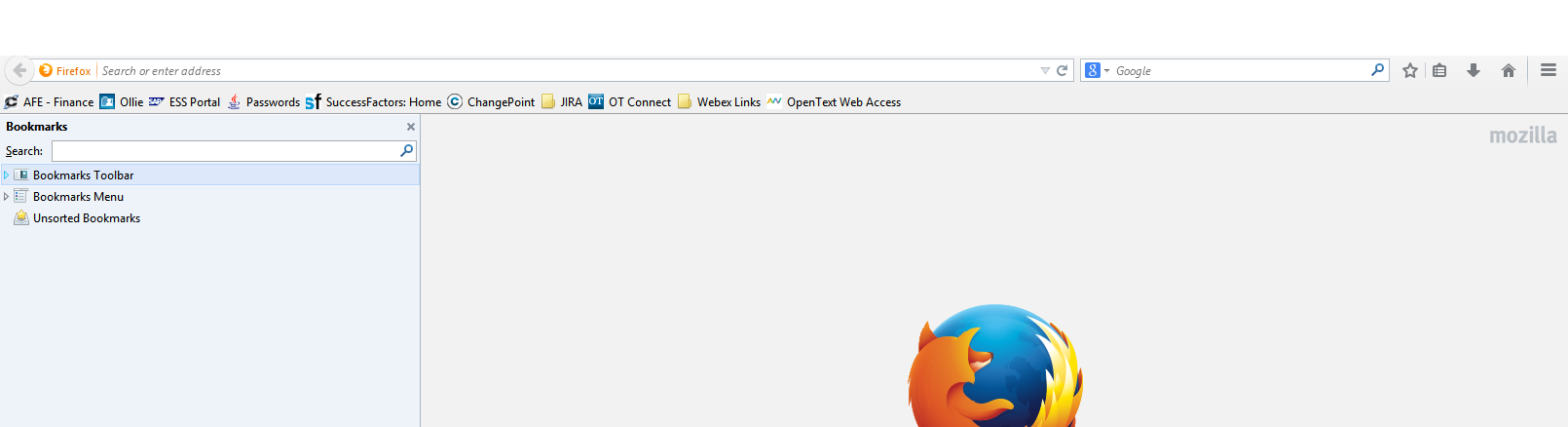
The image isn't loading for some reason.
Can you try to upload the image another time?
The point is to hide possible empty toolbars in case one of them is causing this.
Did you try Safe Mode?
Modificato da cor-el il
Hi Cor-el,
new images uploaded - Safe mode displays the white box in the top right, and also cuts the address bar in half...
Thanks for your continued assistance :)
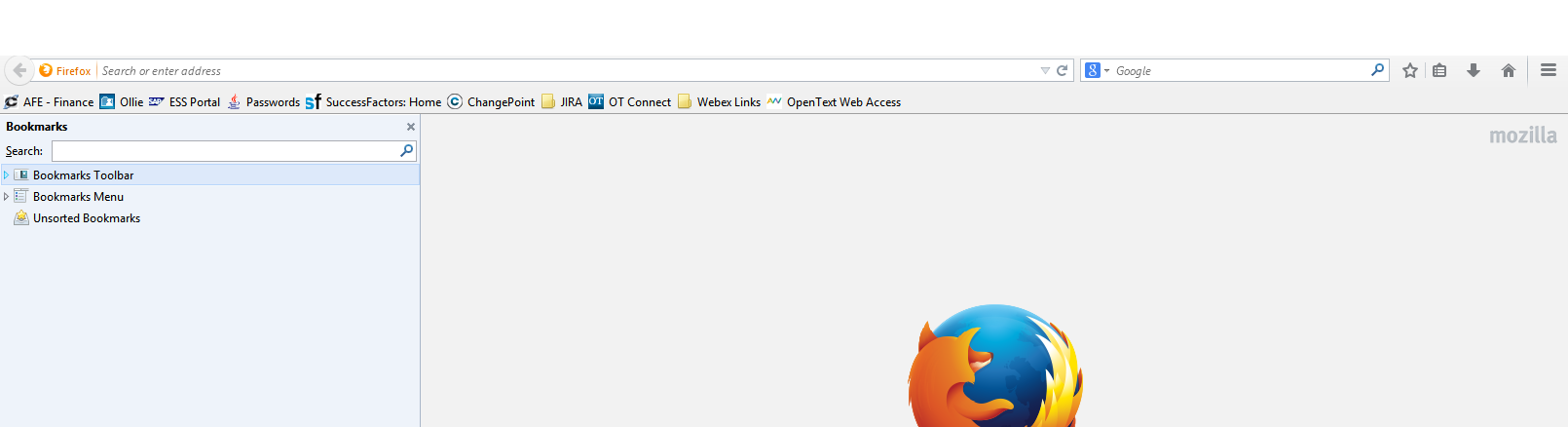

Also, in safe mode, I can still click through to windows behind Firefox