


I suddenly am getting an "access denied" message when I try to open my Comcast Xfinity email.

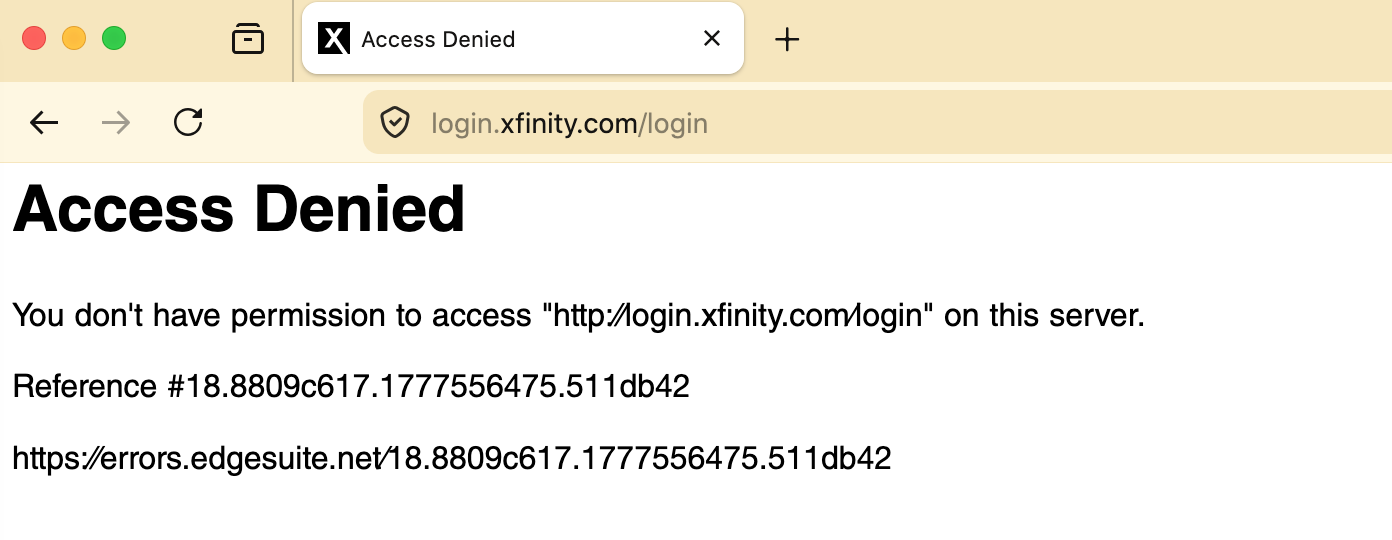
All of a sudden, I cannot open my Comcast Xfinity email. After putting in my email address, I get an "access denied" message that reads: You don't have permission to access "http://login.xfinity.com/login on this server" Reference #18.8809c617.1777556475.511db42 https;//errors.edgesuite.net/18.8809c617.1777556475.511db42
I don't have the issue using Safari or Chrome. I have never had the issue with irefox until now.
All Replies (3)
Hi
What is your antivirus program? Can you disable it for a while and try again?
So, on my other computer where I first had the problem, turning off Malwarebytes allowed me to access to my Comcast email. I closed email, turned Malwarebytes protection on again, and all seems fine. However, now on my Mac Studio using OS 26.3.1, I can't even load the login page if Malwarebytes is on. I tried multiple times disabling and then re-enabling Malwarebytes and the login stalls if Malwarebytes is on.
You have the "Malwarebytes Browser Guard" extension installed in your browser?
1. Start Firefox in Troubleshoot Mode to check if an extension is causing the problem. Use Troubleshoot Mode in Firefox
2. You can disable "Ads/Trackers" in Malwarebytes Browser Guard
3. Clear Xfinity-Specific Cookies Since you can't even load the login page now, a "bad" cookie might be trapped in Firefox's memory for that site.
- Go to the Xfinity login page (even if it shows the error).
- Click the Padlock icon to the left of the URL address bar.
- Select Clear cookies and site data...
- Click Remove.
- Restart Firefox and try again.
4. Whitelist the Xfinity Login URL
- If you want to keep Malwarebytes fully active, you can manually whitelist the domain
- Open the Malwarebytes Browser Guard extension.
- Click the three dots (⋮) in the top right and select Allow List.
- Add login.xfinity.com and connect.xfinity.com to the list.