


Why does the 'X' to close my Firefox browser keep disappearing??🤷♀️

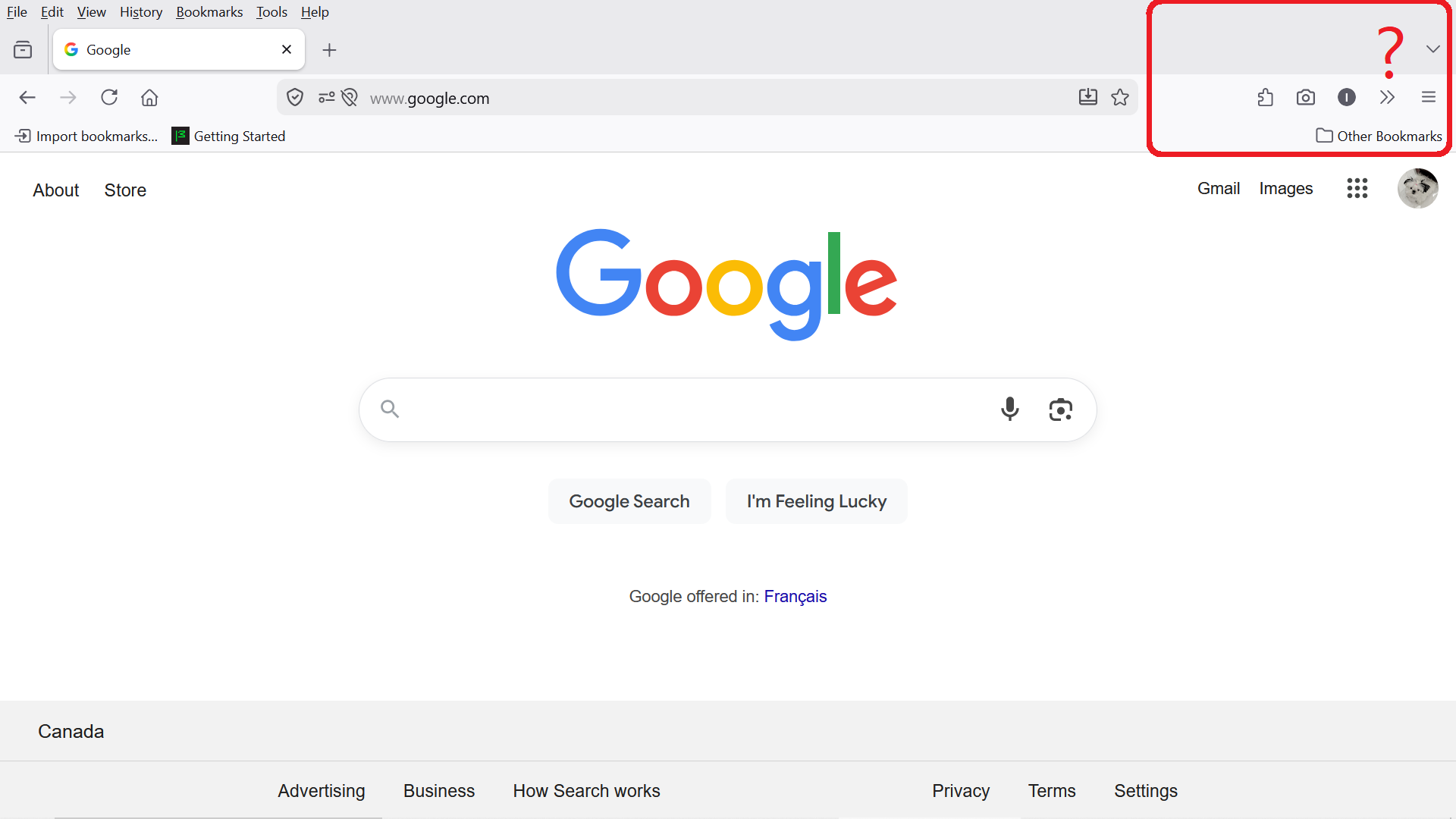
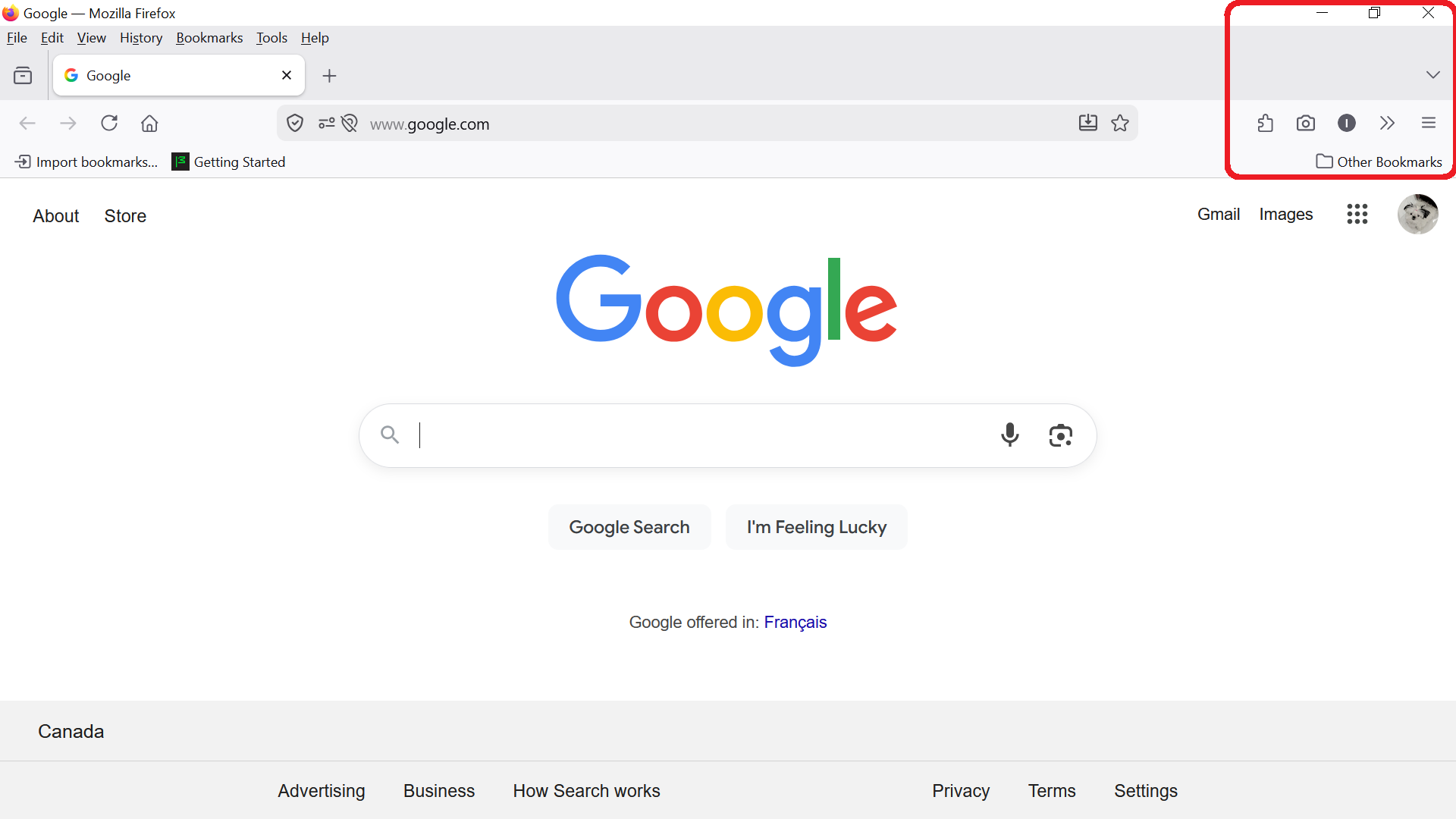
My question is a very obvious one if you look at the two screenshots I've attached. The 'X' to close the Firefox browser keeps disappearing, along with the 'maximize' and 'minimize' options as well. This has been happening for months. The recurrence rate is 50/50 each time I open the FF browser. It's not just an issue with closing or minimizing a page, it also removes the access to my Windows taskbar at the bottom!! Normally, when I move my mouse to the bottom, my taskbar pops up and I can access whatever I need, BUT when the FF browser has NO 'X' at the top corner, my taskbar won't show up at all! This is finally getting on my last nerve!🤦♀
Any knowledge as to why this keeps happening?🤷♀
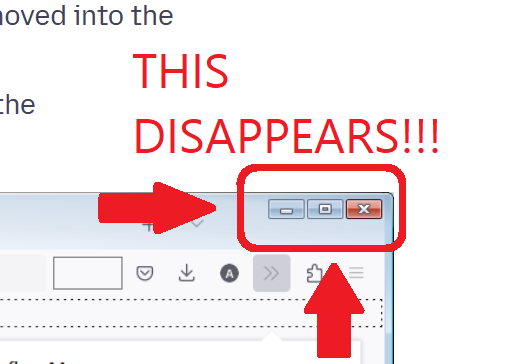
My FF browser is up to date, as of yesterday. My default search engine is google. My PC is still running Windows 10.....could this be the problem?
Επιλεγμένη λύση
This looks like https://bugzilla.mozilla.org/show_bug.cgi?id=1996961#c6 so it's perhaps this bug: https://bugzilla.mozilla.org/show_bug.cgi?id=2010302
Προβολή απάντησης εντός συζήτησης 👍 0Όλες οι απαντήσεις (14)
Hello
https://support.mozilla.org/en-US/kb/customize-firefox-controls-buttons-and-toolbars Title bar.
Is it, your question.
https://bugzilla.mozilla.org/show_bug.cgi?id=2010302
Have you tried pressing F11 twice.
Hmmm,🤔 Well am I confused or are you?😕
I did not state I was having any problems with the Firefox Title bar, unless you're confusing that with my "Windows Taskbar"?? The Firefox Title bar is something entirely different, and I'm not looking to add a new wallpaper, the weather, or any shortcuts.
F11 on my laptop keyboard controls the speaker volume and nothing else. Pressing F11 twice increases the volume twice! 🤦♀
https://support.mozilla.org/en-US/kb/file-bug-report-or-feature-request-mozilla If you wish, you can file a bug report.
Sorry, for my misinterpretation, due to your screenshot showing the title bar.
About https://support.mozilla.org/en-US/kb/keyboard-shortcuts-perform-firefox-tasks-quickly#w_miscellaneous Toggle Full Screen F11, that's by defaut.
Thank you for the advice. I will go ahead and file a bug report. Also, thank you for clarifying the "F11" to Toggle Full Screen however pressing F11 on my laptop does absolutely nothing to MY screen. My F11 key displays a 'speaker megaphone' symbol on it to adjust volume. I have no idea WHY my laptop key does something different than the default??🤷♀
Okay, so I just read through "Bug Writing Guidelines" as I have never filed a 'bug report' before!
WAYYYYY TOO MUCH information required!! I'll just wait a while longer to see if any other Firefox users comment to my question, having this same issue?
No, I have not tested it. I'm not sure what the Firefox Title bar is or what it does? Does it have settings to remove the 'X' from your browsing pages so you will need to find a different way to close the page? I can't even think WHY anyone would want or need such an option but does it have settings to remove this? 🤷♀ All I want is for the X to be where it's supposed to be every single time I open a new tab. That is all.
Take a look at https://support.mozilla.org/en-US/kb/customize-firefox-controls-buttons-and-toolbars
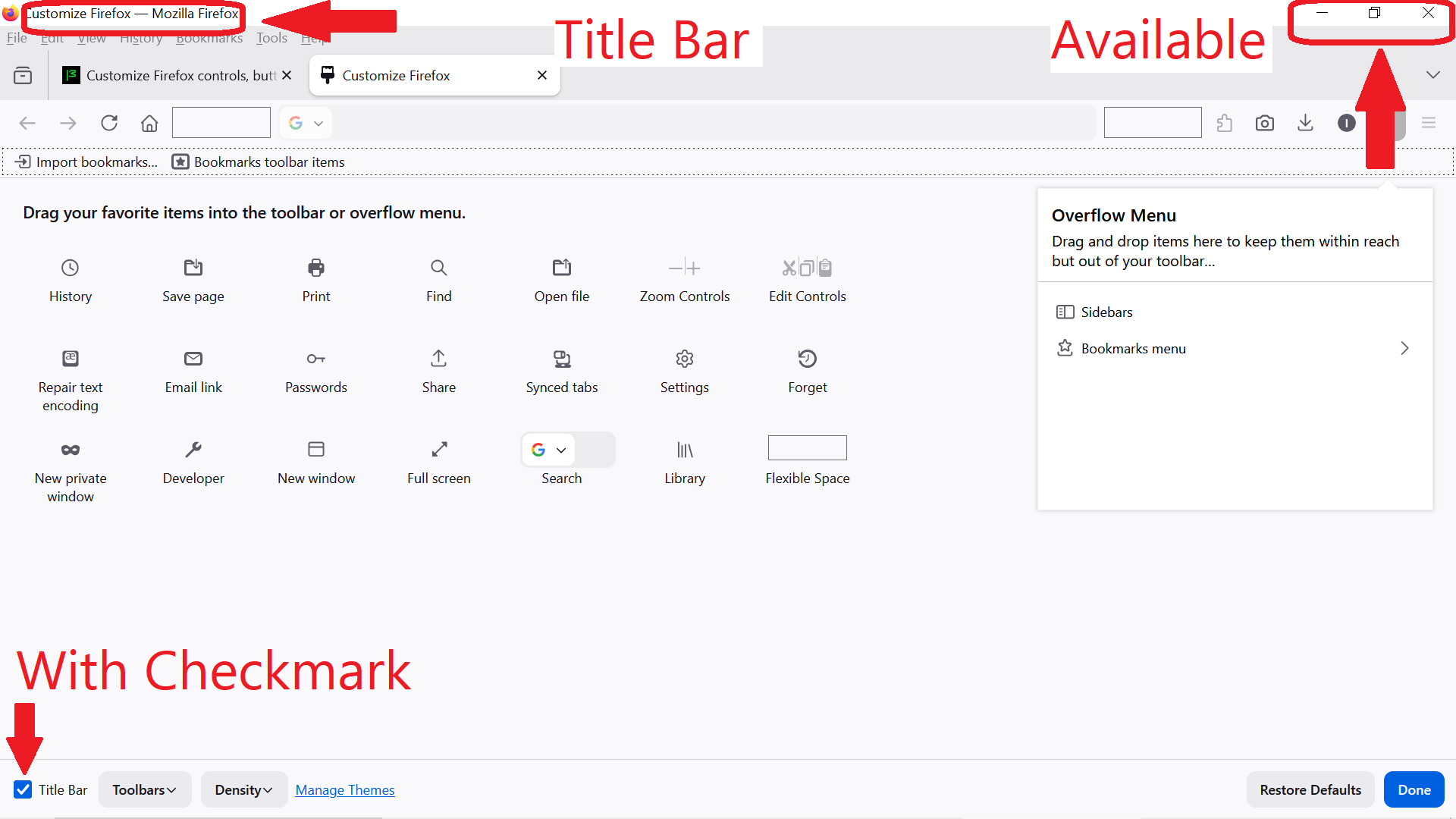
To turn on the Title bar: Put a check mark next to Title Bar in the lower left.
Turn off the Title bar, uncheck.
Note that your first second screenshot is showing the title bar with the window control buttons positioned on it.
The second first screenshot doesn't show the title bar, but normally would Firefox show them on the tab bar or on the Navigation Toolbar.
I'm not sure why this isn't happening in your case.
(edited to correct the wrong first/second designation)
Τροποποιήθηκε στις από τον/την cor-el
Hello
It seems to me, the second screenshot show the title bar, Google - Mozilla Firefox.
icantrememberit0, have you tried, turn off the Title bar.
Yes you are correct, the 2nd screenshot displays the Firefox Title bar.
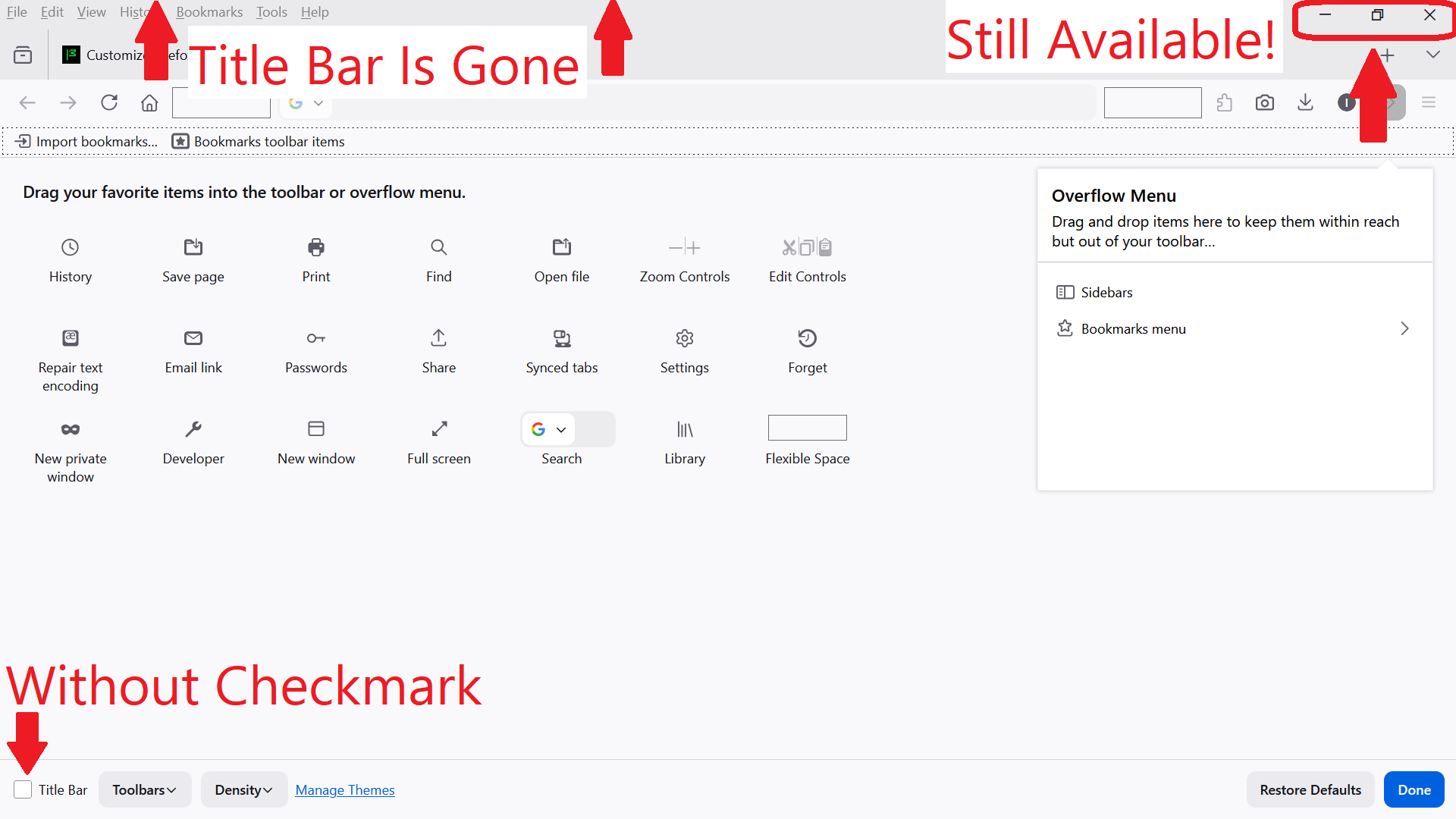
However, checking OR unchecking the Title bar box does not affect the Close Browser X-Out and the minimize window buttons. Today I had a look at the "Firefox customize, control buttons & tool bars" from the link you provided. I have NEVER journeyed into this area before today!! I am a senior and I always use default settings; I have no need to customize anything.🤷♀ My Title Bar box had a checkmark and still does. ✅
I tried BOTH the Title Bar box checked and also unchecked. Please see the new screenshots I've attached showing the results. My buttons just randomly 'come and go' without me adjusting any settings!?? They are available at this moment but, an hour from now, I can open my browser page and they're gone!
I do appreciate your efforts.😊
Επιλεγμένη λύση
This looks like https://bugzilla.mozilla.org/show_bug.cgi?id=1996961#c6 so it's perhaps this bug: https://bugzilla.mozilla.org/show_bug.cgi?id=2010302
Thank you jbr!! The solution only took 2 months! Happy to have my "X" back again to close pages.😊
Note the X on the title bar only closes that one Firefox window and not the whole Firefox web browser unless that was the only Firefox window open. To fully close Firefox you use the three line hamburger menu > Quit/Exit