


Translate feature always defaults to translating from English to Japanese instead of auto detecting

I used to be able to highlight any non-English text, right click it, and choose "Translate Selection to English" to get a popup window with a translation. It would auto-detect the language I had highlighted and then give me the English translation.
As of a few days ago it only defaults to translating from English to Japanese. It no longer auto detects the language I've highlighted, and it no longer defaults to an English translation. I have to manually change the languages in the drop downs in the popup window each time.
Every help article I've found on google says I need to change language options in the settings, but they're all set to English. There's no mention of Japanese anywhere, yet Firefox insists that I want Japanese translations. My PC is also set to English.
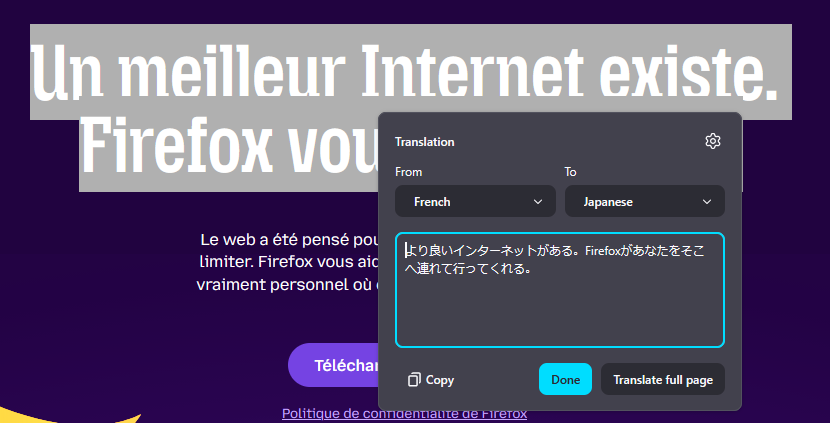
Apparently sometimes it can still auto-detect the language since I just tried to make a screenshot and it was able to detect French -> Japanese, although many other times it thinks the Russian (or whatever) text I've highlighted is English.
Wšykne wótegrona (1)
After submitting this I was suggested an article that says to reset browser.translations.mostRecentTargetLanguages
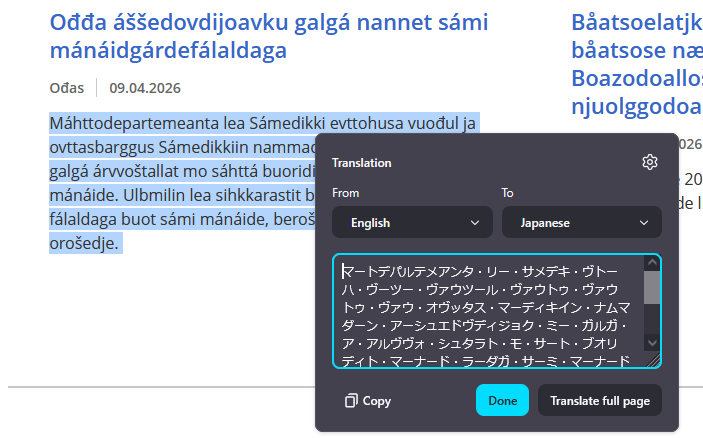
That setting does list English + Japanese (en,jp) and I reset it, but my translations are still forcing English -> Japanese translations (just tried Norwegian and it said it was English and translated it to Japanese).
After resetting that option it just got rid of English completely (only lists jp) so I tried to manually change that to en but it's still forcing Japanese translations.
Wót dflawton změnjony