


Can I go back a version from 160.0? It keeps crashing on me!!

Just automatically updated to 160 abd it keeps crashing on me. Can I go back a version?
Alle Antworten (3)
We're sorry to hear that Firefox is crashing. In order to assist you better, please follow the steps below to provide us crash IDs to help us learn more about your crash.
The crash report is several pages of data. We need the report numbers to see the whole report.
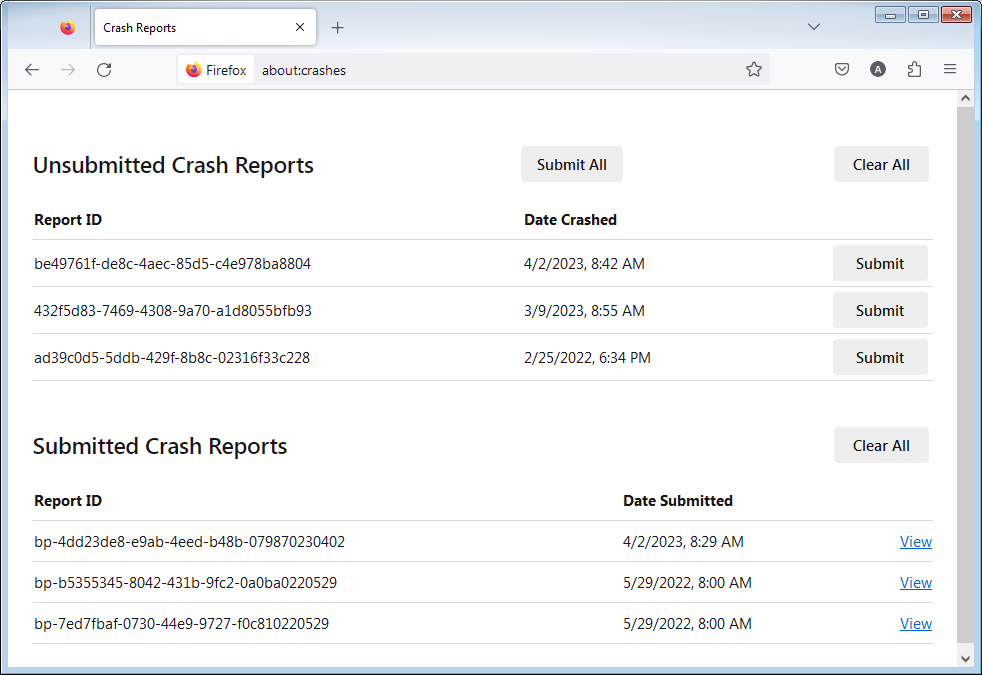
- Enter about:crashes in the Firefox address bar and press Enter. A list of Submitted (and Unsubmitted, if any) Crash Reports will appear, similar to the one shown below.
- Copy the 5 most recent Submitted Report IDs that start with bp- and then go back to your forum question and paste those IDs into the "Post a Reply" box.
Note: If a recent Report ID does not start with bp- click on it to submit the report.
(Please don't take a screenshot of your crashes, just copy and paste the IDs. The below image is just an example of what your Firefox screen should look like.)
Thank you for your help!
More information and further troubleshooting steps can be found in the Troubleshoot Firefox crashes (closing or quitting unexpectedly) article.

I can confirm browsing imdb.com causes Firefox to immediately close all tabs/windows since updating to 160.0. There are no entries when I browse about:crashes.
You can go back to an earlier version, but only as a short test — older versions miss security fixes, so it is not a good permanent fix. The safe way is to download the older version from Mozilla's official releases, install it, and turn off automatic updates so it does not jump straight back to 160.0. Mozilla's own guide walks through the steps and the risks: https://support.mozilla.org/en-US/kb/install-older-version-of-firefox — Before you downgrade, it is also worth a quick test in Troubleshoot Mode (Help, then Troubleshoot Mode): if the crashes stop there, an add-on or theme is the likely cause and you may not need to downgrade at all. And if you do downgrade, back up your profile first so your bookmarks and passwords stay safe.