


Windows 10 reached EOS (end of support) on October 14, 2025. If you are on Windows 10, see this article.

Hilfe durchsuchen

Vorsicht vor Support-Betrug: Wir fordern Sie niemals auf, eine Telefonnummer anzurufen, eine SMS an eine Telefonnummer zu senden oder persönliche Daten preiszugeben. Bitte melden Sie verdächtige Aktivitäten über die Funktion „Missbrauch melden“.

Weitere Informationen
Offen

It looks like "turning off hardware acceleration" is not applied to the initial "Firefox - Choose User Profile" !, What should I do ?

Denys beantwortet
bouillacara2002

Hello All,

I'm using Firefox (149.0.2 snap) with LUbuntu 24.04.4 LTS. Because of a wrong graphic driver, I had to turn off hardware acceleration in FF.

When FF is started the Initial "Firefox - Choose User Profile" is unreadable (see attached : wrong_screen.jpg), but if I continue (click somewhere in the window) , all the opened tabs are readable.

Once in FF, if I want to select another profile from the application menu -> .. -> manage profiles, then the "Choose User Profile" window is fine (see attached : good_screen.jpg).

I tried to start FF with the "-P" option to specify wanted profile but it continues to start with the unreadable "Choose User Profile" window.

Could someone give me a solution, except finding the good hardware driver for my computer?

Thanks Bouilla.
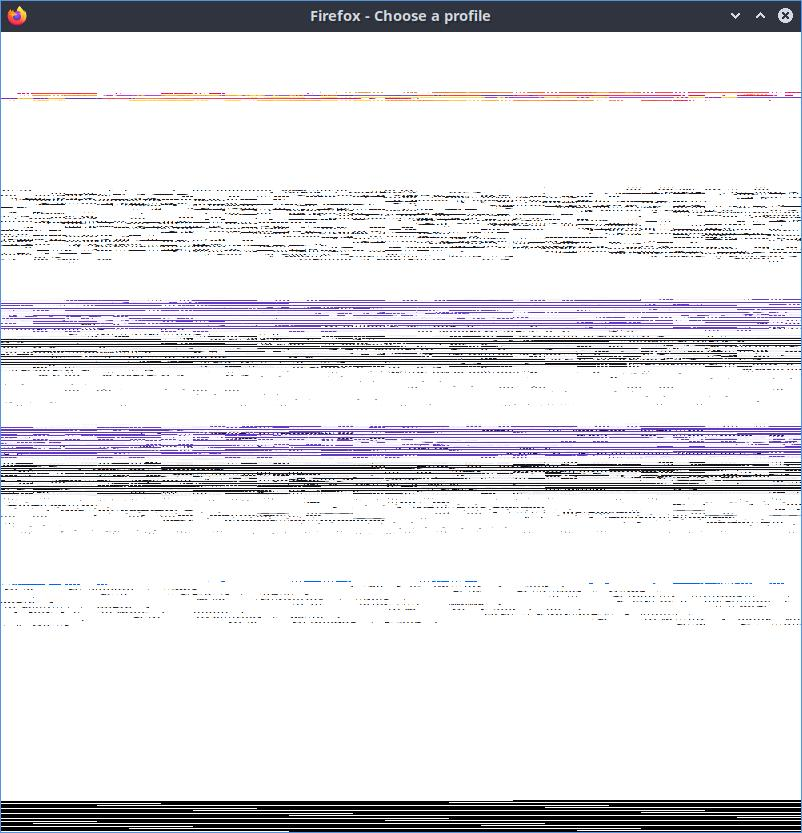
Hello All, I'm using Firefox (149.0.2 snap) with LUbuntu 24.04.4 LTS. Because of a wrong graphic driver, I had to turn off hardware acceleration in FF. When FF is started the Initial "Firefox - Choose User Profile" is unreadable (see attached : wrong_screen.jpg), but if I continue (click somewhere in the window) , all the opened tabs are readable. Once in FF, if I want to select another profile from the application menu -> .. -> manage profiles, then the "Choose User Profile" window is fine (see attached : good_screen.jpg). I tried to start FF with the "-P" option to specify wanted profile but it continues to start with the unreadable "Choose User Profile" window. Could someone give me a solution, except finding the good hardware driver for my computer? Thanks Bouilla.

Angefügte Screenshots

Alle Antworten (1)

Hi, could you please clarify how exactly you turned off hardware acceleration in Firefox?

Stellen Sie eine Frage

Sie müssen sich mit Ihrem Benutzerkonto anmelden, um auf Beiträge zu antworten. Bitte stellen Sie eine neue Frage, wenn Sie noch kein Benutzerkonto haben.