


Firefox won't open previous tabs when i close the window.

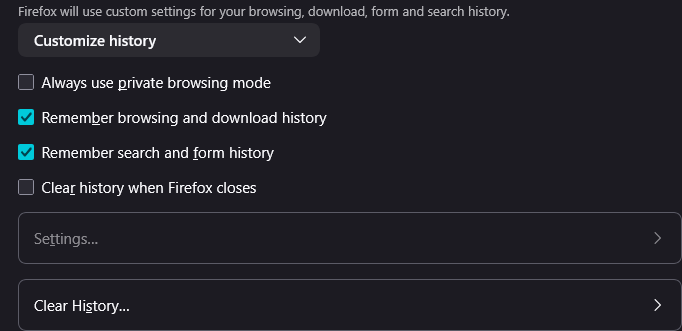
I have the same issue as this person https://support.mozilla.org/kn/questions/1373153. I HAVE the "Open previous windows and tabs" option on, i also DON'T have the "Clear history and cookies when closing the window" nor "Clear history when Firefox closes" nor "Always use private browsing mode" on so the solution doesn't work for me. Firefox won't open previous tabs when i close the window. However upon restarting my PC i have noticed that when i start up Firefox, my previous tabs are opened. So it seems the action of closing the window is doing something to prevent Firefox from opening the previous tabs again.

Alle Antworten (3)
Use one of these to close Firefox if you are currently doing that by clicking the close X on the Firefox Title bar, especially if you have multiple windows or Private Browsing windows open to prevent losing tabs in unnoticed windows.
- "3-bar" menu button -> Exit (Power button)
- Windows: File -> Exit
- Mac: Firefox -> Quit Firefox
- Linux: File -> Quit
You can check "History -> Restore Previous Session" and "History -> Recently Closed Windows/Tabs".
"3-bar" menu button -> Exit (Power button) seems to work, however previously i have always been closing the windows with the "X" button and my previous tabs would then open upon opening Firefox again. Isn't there a solution to fix it to the way it was before?

Yes, it happens. See if this helps. https://support.mozilla.org/en-US/questions/1557927