


Outlook webapp does not scroll in the folders section

Hi,
This is for https://outlook.live.com where I cannot access my full list of folders. I am using Firefox on Linux (in Fedora 34) and my scrolling feature hasn't been working for a few days now. When I search for an email in one of the inaccessible folders, the folder does appear.
As an idea... I added https://outlook.live.com to the pop-up exemptions, no luck.
Any suggestions on how to fix this?
Many thanks!
Alle Antworten (5)
Try downloading Firefox from Mozilla. Download, unzip, and run firefox-bin from the folder and see if you have the same issue. https://www.mozilla.org/en-US/firefox/all/#product-desktop-release
Does it happen with Firefox in Safe Mode?https://support.mozilla.org/en-US/kb/diagnose-firefox-issues-using-troubleshoot-mode#w_how-to-start-firefox-in-4troubleshoot-modesf5safe-modesf
I've been using Hotmail for a long time and not having this issue. see screenshot Post a screenshot of the issue and verify what you get from other browsers.
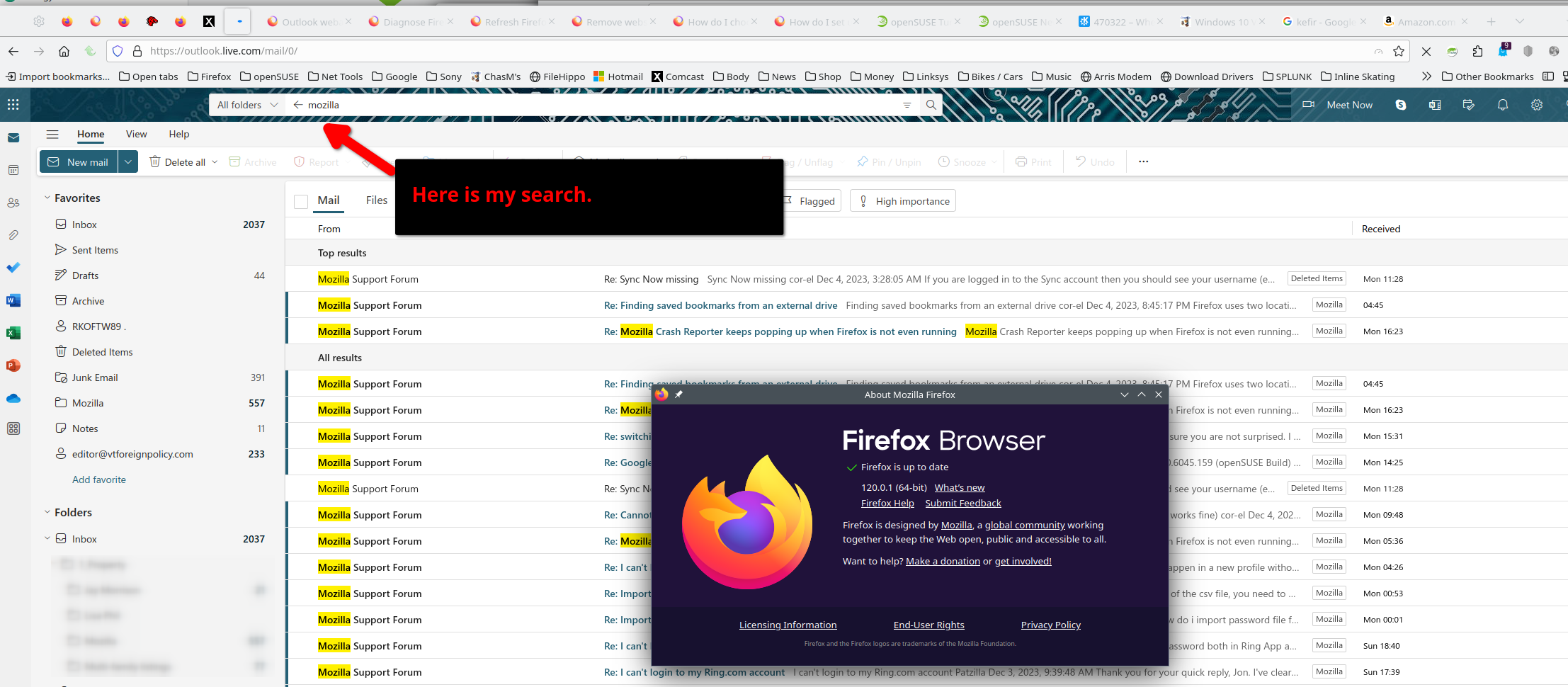
Does it still happen in Troubleshoot Mode?
Hi
You appear to using an older version of Firefox. Have you tried updating it?
@zeroknight - yes happens in troubleshoot mode as well.
@Paul & @ jonzn4SUSE - I think it's the versioning issue... Mine is 100. So now I need to look into how to do this in Qubes OS templates.
Any tips before I start?
Thanks!
Try downloading Firefox from Mozilla. Download, unzip, and run firefox-bin from the folder and see if you have the same issue. https://www.mozilla.org/en-US/firefox/all/#product-desktop-release