


After your update cannot watch Netflix, why ?

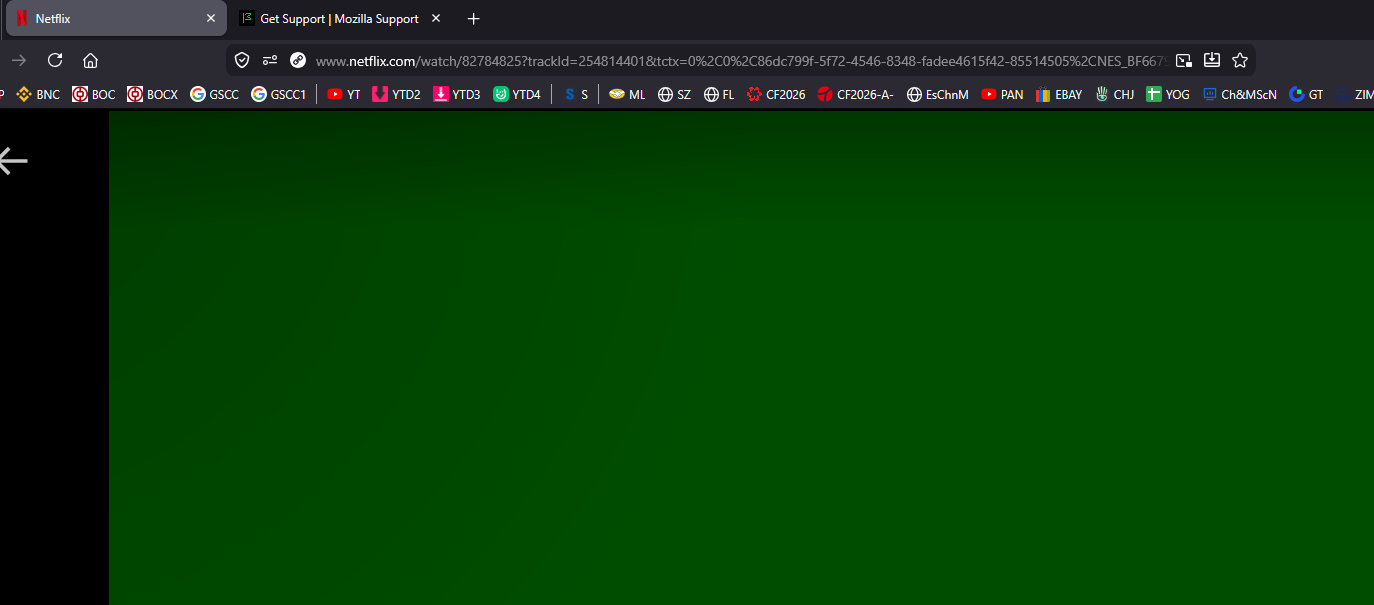
Netflix video is a full green screen after your last update. Please help. Thanks Charlie
Alle svar (8)
This is something with DRM. As a first step, go to the Settings and check if Play DRM-controlled content is selected.
TyDraniu said
This is something with DRM. As a first step, go to the Settings and check if Play DRM-controlled content is selected.
Hello, yes is checked.
Hi,
Sorry to hear that. Here are some standard troubleshooting steps that may resolve the issue:
- Please check if you have Enhanced Tracking Protection (ETP) enabled. You can do that by clicking the shield
 icon in the left part of the address bar.
- If ETP is enabled, try disabling it.
- If the problem is not fixed, try clearing Firefox cache.
- If it does not help, try clearing cookies and data for the website you experience troubles with (warning: you will be logged out on this website).
- If it also does not help, try running Firefox in Troubleshoot Mode. If the problem doesn't persist, please follow the steps from this article to troubleshoot further.
- If nothing from the above helps, try creating a new Firefox profile and check if the issue persists there. If it doesn't, you can start copying files from your old profile to the new one to identify which one causes the issue. See this article on what files to copy.
- Finally, if creating a new profile hasn't helped, please check if the issue persists in other browsers (e.g. Chrome, Edge, Opera or Safari).
Looking forward to your update on how it goes!
Hi, same problem here: green screen with audio.
DRM or hardware acceleration options doesn't seem to be the issue here.
I have two computers: laptop and desktop.
This is only happening on my laptop for some weird reason.
I've tried a ton of troubleshooting steps (Firefox up to date, graphics card drivers also up to date, tried different settings on Firefox, uninstalling extensions, resetting Firefox, etc.) but I haven't been able to figure it out just yet.
What it's funny is that if you use the "Troubleshoot mode..." within the "Help" menu, Netflix works fine again, no green screen at all. The minute you go back to "normal" green screen is back again.
In order to isolate the issue I've tried Microsoft Edge, in the same computer I'm having issues, using the same extensions installed (Ublock Origin basically), and Netflix works absolutely fine, no extra steps needed.
I can't put mi finger on what's really happening here but it definitely started with the latest update :(
Regards.
Stubborn Old Dude, have you tried disabling/enabling hardware acceleration?
Denys said
Hi, Sorry to hear that. Here are some standard troubleshooting steps that may resolve the issue:Looking forward to your update on how it goes!
- Please check if you have Enhanced Tracking Protection (ETP) enabled. You can do that by clicking the shield
- If ETP is enabled, try disabling it.
- If the problem is not fixed, try clearing Firefox cache.
- If it does not help, try clearing cookies and data for the website you experience troubles with (warning: you will be logged out on this website).
- If it also does not help, try running Firefox in Troubleshoot Mode. If the problem doesn't persist, please follow the steps from this article to troubleshoot further.
- If nothing from the above helps, try creating a new Firefox profile and check if the issue persists there. If it doesn't, you can start copying files from your old profile to the new one to identify which one causes the issue. See this article on what files to copy.
- Finally, if creating a new profile hasn't helped, please check if the issue persists in other browsers (e.g. Chrome, Edge, Opera or Safari).
Like with Stuborn Old Dude In trouble shooting mode works, in normal mode it does not.
Stubborn Old Dude said
Hi, same problem here: green screen with audio. DRM or hardware acceleration options doesn't seem to be the issue here. I have two computers: laptop and desktop. This is only happening on my laptop for some weird reason. I've tried a ton of troubleshooting steps (Firefox up to date, graphics card drivers also up to date, tried different settings on Firefox, uninstalling extensions, resetting Firefox, etc.) but I haven't been able to figure it out just yet. What it's funny is that if you use the "Troubleshoot mode..." within the "Help" menu, Netflix works fine again, no green screen at all. The minute you go back to "normal" green screen is back again. In order to isolate the issue I've tried Microsoft Edge, in the same computer I'm having issues, using the same extensions installed (Ublock Origin basically), and Netflix works absolutely fine, no extra steps needed. I can't put mi finger on what's really happening here but it definitely started with the latest update :( Regards.
Same, everything happened just after last update
Denys said
Stubborn Old Dude, have you tried disabling/enabling hardware acceleration?
Yes, one of the first things I did I'm afraid. I haven't had the chance to test the steps you've advised on your first reply though. Will try and let you guys know. Thanks!