In Thunderbird 147.0.1 (64 bits)

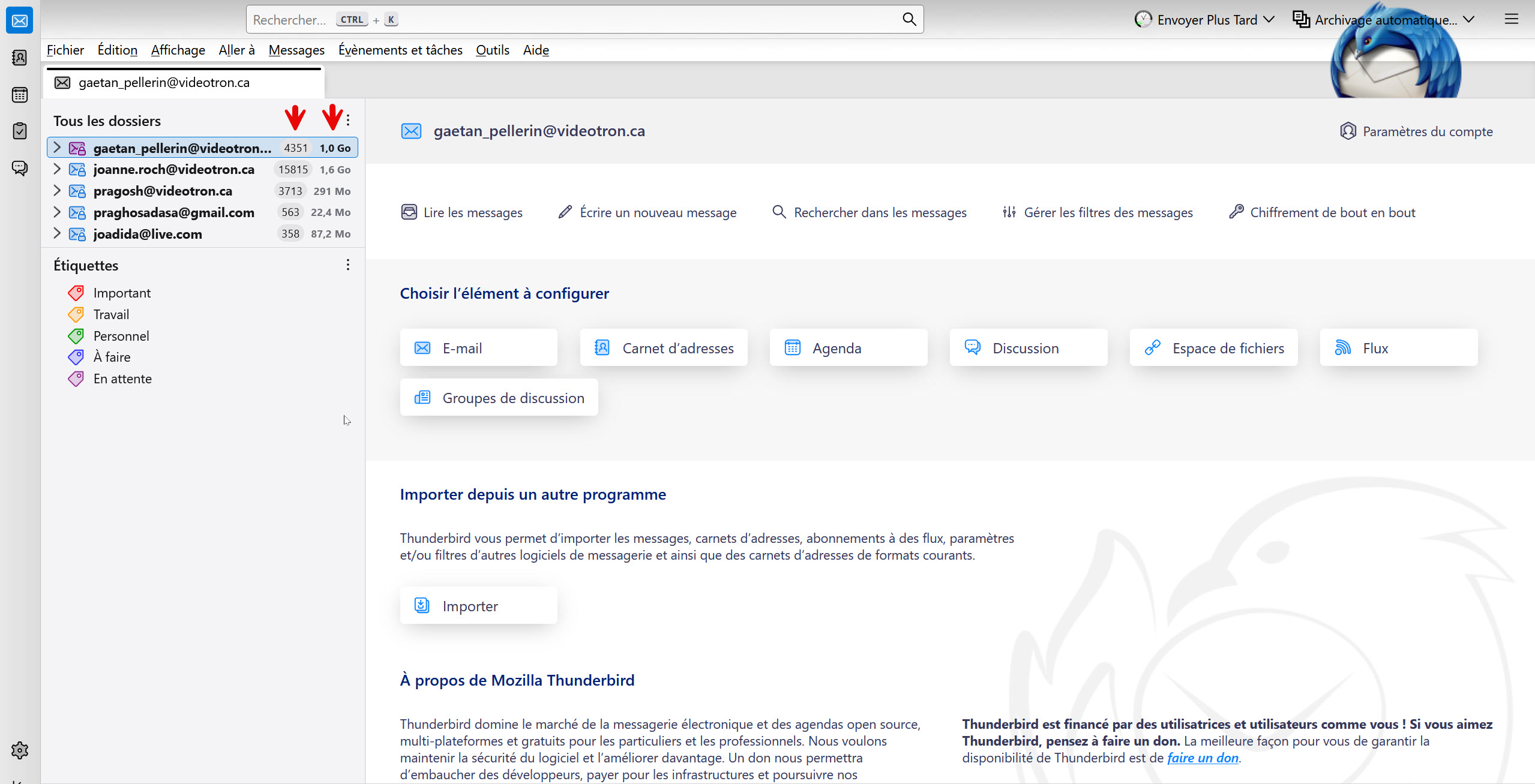
I have uploaded an image of my view of the email client. As you can see, there are two columns under the red arrows. I have made them appear through a menu accessible by three dots. Somehow, I have lost that menu but touching the wrong choice and I would like to be able to access it again so that I can remove the two colums indicating the number of emails and their weight. Can you help me to retrieve that menu?
Valgt løsning
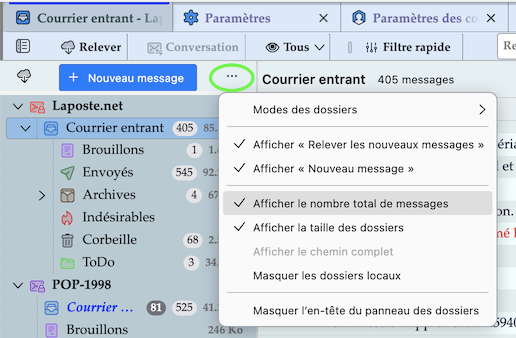
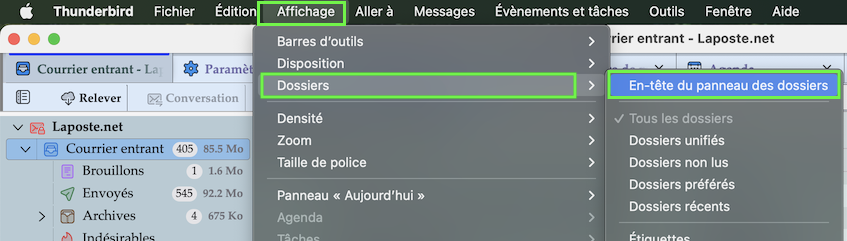
Go to View > Folders and check ✔︎ Folder Pane Header Then click on the "Folder pane options" button ••• to open the drop down menu (images)
Allez au menu Affichage > Dossiers > et cochez ✔︎ En-tete du panneau des dossiers. Ensuite cliquez sur bouton "Options du panneau des dossiers" (••• dans mon image) pour ouvrir le menu
Læs dette svar i sammenhæng 👍 1Alle svar (1)

Valgt løsning
Go to View > Folders and check ✔︎ Folder Pane Header Then click on the "Folder pane options" button ••• to open the drop down menu (images)
Allez au menu Affichage > Dossiers > et cochez ✔︎ En-tete du panneau des dossiers. Ensuite cliquez sur bouton "Options du panneau des dossiers" (••• dans mon image) pour ouvrir le menu