


can not get a calandar in EVA website to book flights but I can in IE

The calendar to book flights does not show up in Firefox. It does show up in IE.
Chosen solution
Yes. That is correct. They have chosen to display the calendar not for browsers with the Netscape appName and that includes Firefox.
Read this answer in context 👍 1All Replies (16)
Try Clear your cookies and cache and check it again.
thank you
Please mark "Solved" the answer that really solve the problem, to help others with a similar problem.
I tried this before and again now but did not solve the problem. Thanks for trying
Start Firefox in Use Troubleshoot Mode in Firefox to check if one of the extensions or if hardware acceleration is causing the problem (switch to the DEFAULT theme: Firefox/Tools > Add-ons > Appearance/Themes).
- Don't make any changes on the Safe mode start window.
- https://support.mozilla.org/kb/Safe+Mode
Still did not fix......thanks
Can you post a link to a page where you see this happen if it doesn't require to log in?
I might add that this also happens on my friends computer. Also when you type in www.evaair.com/ it comes up http://www.evaair.com/html/b2c/english/
Which steps do you perform on that page to see the calendar?
I only see selection input fields on that page that open a selection list when you click them and those work for me.
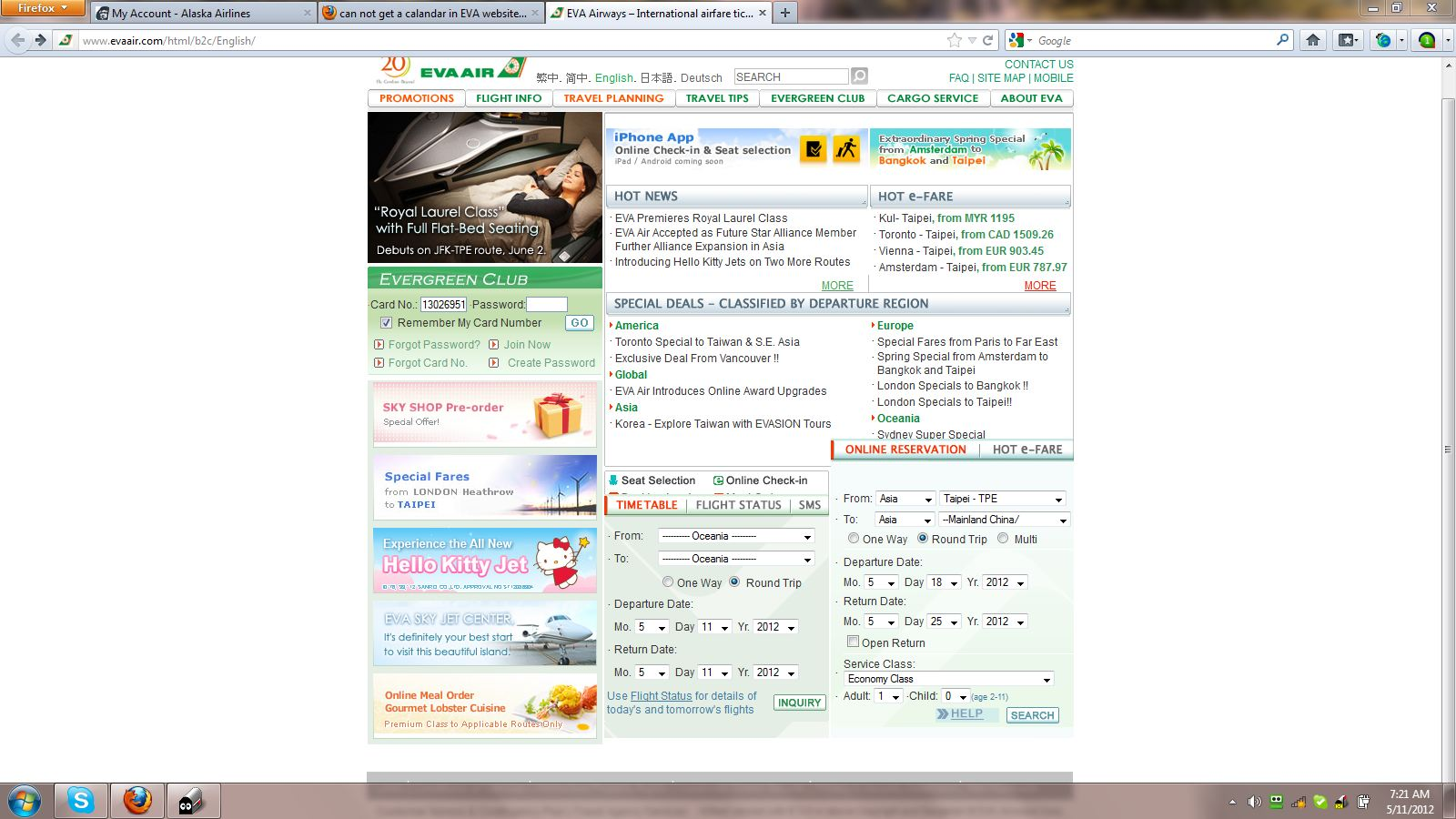
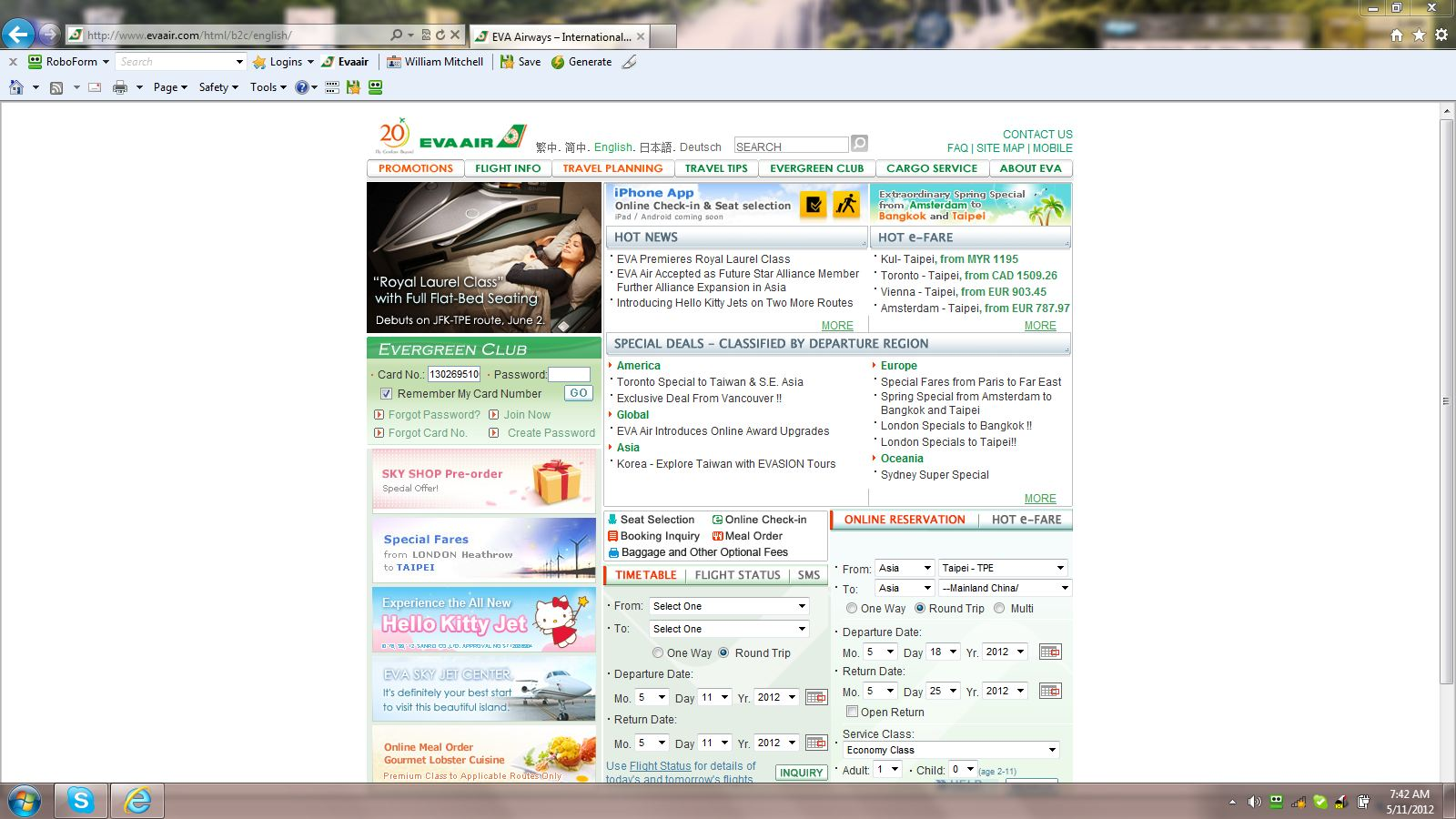
In the area "Online Reservation" and also "Time Table" next to the Departure Date and also next to the Return Date instead of imputing month/date/year there should be a small calendar as there is in IE.
This is what I get with IE. Has the calendars.
I might also add that I normally go into these websites using Roboform both in Firefox (no calendar) and IE (have calendar) and both do the same thing.
Those calendar icons are generated by JavaScript and only show if navigator.appName != "Netscape".
So for IE (Microsoft Internet Explorer) they will show, but not for Firefox ("NetScape"), although they do seem to work if I set navigator.appName to Microsoft Internet Explorer.
<script language="JavaScript">
<!-- if (navigator.appName != "Netscape") {
document.write ("<img src=\"/globalimage/b2c/button/calendar.gif\" align=\"absmiddle\" onMouseUp=\"window.open('/html/b2c/utility/calendar/calendar.asp?3', 'cal', 'location=no,menubar=no,status=no,titlebar=no,height=160,width=480,left=400,top=250')\">");
}
//<!--P1310M0384-->-->
</script>
I am not that computer literate but are you basically saying I can get calendar in IE but not in Firefox? Thanks for your help.
Chosen Solution
Yes. That is correct. They have chosen to display the calendar not for browsers with the Netscape appName and that includes Firefox.
Modified by cor-el
Thank you Cor-el. You have been very helpful
You're welcome.
Maybe contact the site and ask them to enable the calendar for Firefox and other browsers as well.