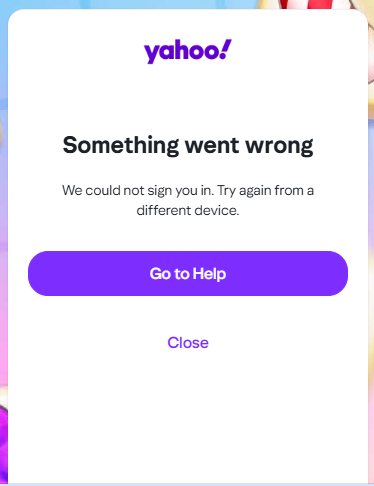
Sudden (Feb 8) endless cycle of Yahoo login messages within Thunderbird and inability to send or receive message

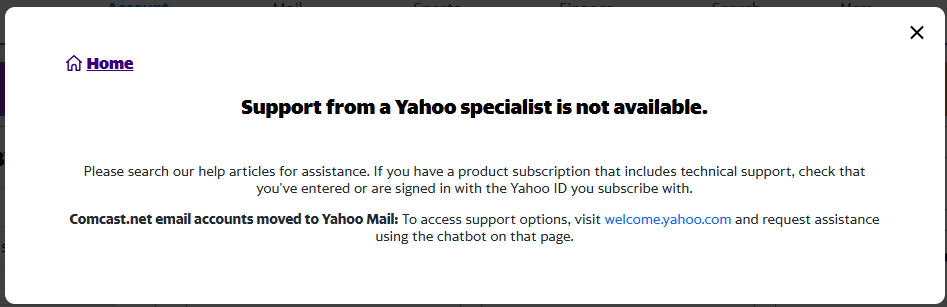
Starting Feb 8, 2026 my yahoo accounts no longer work in Thunderbird. I have accessed these for over a dozen years using Thunderbird. In addition, when I open Thunderbird at all I end up getting endless loops of yahoo login messages. The mechanisms in the messages do not work at all. I have received no Yahoo mail since that date. To troubleshoot the issue I tried logging into the accounts directly through Yahoo. Broken, with no access at all to any help resource from Yahoo. Although Yahoo seems to be keeping mum on the problems, there is spotty information online that Yahoo servers were breached a few days ago. One report claimed that user data for about a billion accounts was compromised. I suppose that may explain why my accounts no longer work anywhere- neither from Yahoo itself nor within Thunderbird. Is there a way to disable the incapacitating yahoo popups pending any larger solution to this?
All Replies (2)

when I open Thunderbird at all I end up getting endless loops of yahoo login messages.
Please post a screenshot. https://support.mozilla.org/kb/how-do-i-create-screenshot-my-problem
I tried logging into the accounts directly through Yahoo. Broken, with no access at all to any help resource from Yahoo.
I'm certain you can find help for Yahoo account problems without logging into your Yahoo account.
Yahoo seems to be keeping mum on the problems
Not sure what problems you're referring to. Yahoo works just fine here, and no problems have been reported within the last 24 hrs. https://downdetector.com/status/yahoo/
there is spotty information online that Yahoo servers were breached a few days ago. One report claimed that user data for about a billion accounts was compromised.
You shouldn't believe everything you do find on the Internet. Yahoo Mail currently has approximately 225 million million monthly active users worldwide.
Bottom line: I need an answer to blocking the popups. The information I provided related to issues within Yahoo itself was merely background.
Re Yahoo: I'm sure than as you say, *your* account is working fine. But, as the old saying goes, "your mileage may vary." A few weeks ago much of the northeast was buried in snow. Although it was nice and sunny where I live, I am not so naive as to claim that people in NY were not having problems. However an attitude that because Yahoo has many millions of user makes them immune to system problems and breeches is more than just a bit naive.
Smug assurances that there cannot be a problem doesn't make the very real problems go away. I went through a variety of "Thunderbird" solutions including your favorite cookie answers. But none of those revealed any Thunderbird settings issues. I spent countless hours trying to chase down any avenue for support through Yahoo. As soon as the (direct through yahoo) login fails, they parrot on the usual stuff about being sure you didn't mistype this or that. The ultimate answer their "help" system gave was that if unable to resolve the problem after using a series of steps, just create a new Yahoo account! Thanks Yahoo. You say "don't believe everything you read on the internet". Sigh... duh! of course not! but when a user knows that they have not made changes and something stops working, it is reasonable to see if there are reports about any issues with the underlying infrastructure.
Re Thunderbird: In the end your reply not address the basic *Thunderbird* question I asked: how can a user block the cycle of popup messages from Yahoo that happen within Thunderbird hindering usability.
So any defense of Yahoo as an infallible company is not even the core question I asked.
I suppose the ultimate answer from Mozilla/Thunderbird will, be... just don't use Thunderbird and you won't get the popups.