


doesn't receive nor send mail after Configuration of Thunderbird

I must be doing something wrong. I am new to thunderbird, migrated from Eudora since I can't send mail with Eudora anymore.
I tried to configure Thunderbird as much as possible like Eudora, but ... it doesn't receive nor send mail. On the surface it looks fine, it seems thunderbird logs into the server, it seems it sends mail and checks for new mail, only I don't receive anything, nor send anything even though it looks it does. So what am I doing (or is going) wrong? (I can still receive mail with Eudora and today I checked and received 54 mails, none with Thunderbird)
Modified by Wayne Mery
Chosen solution
I reinstalled it but the result is the same, it has the same configuration as before, I uninstalled it again, and installed it on a different drive. THAT made it a new install and downloaded all the messages immediately
Read this answer in context 👍 0All Replies (20)

@Rick! Good news, finally they managed to get me in. But now I am confronted with a configuration I have never seen before.
This was cPanel before but somewhere along the road they changed to hPanel which I am not really familiar with. It's supposed to be easier but I find it harder. What am I supposed to change or add in the attached image?
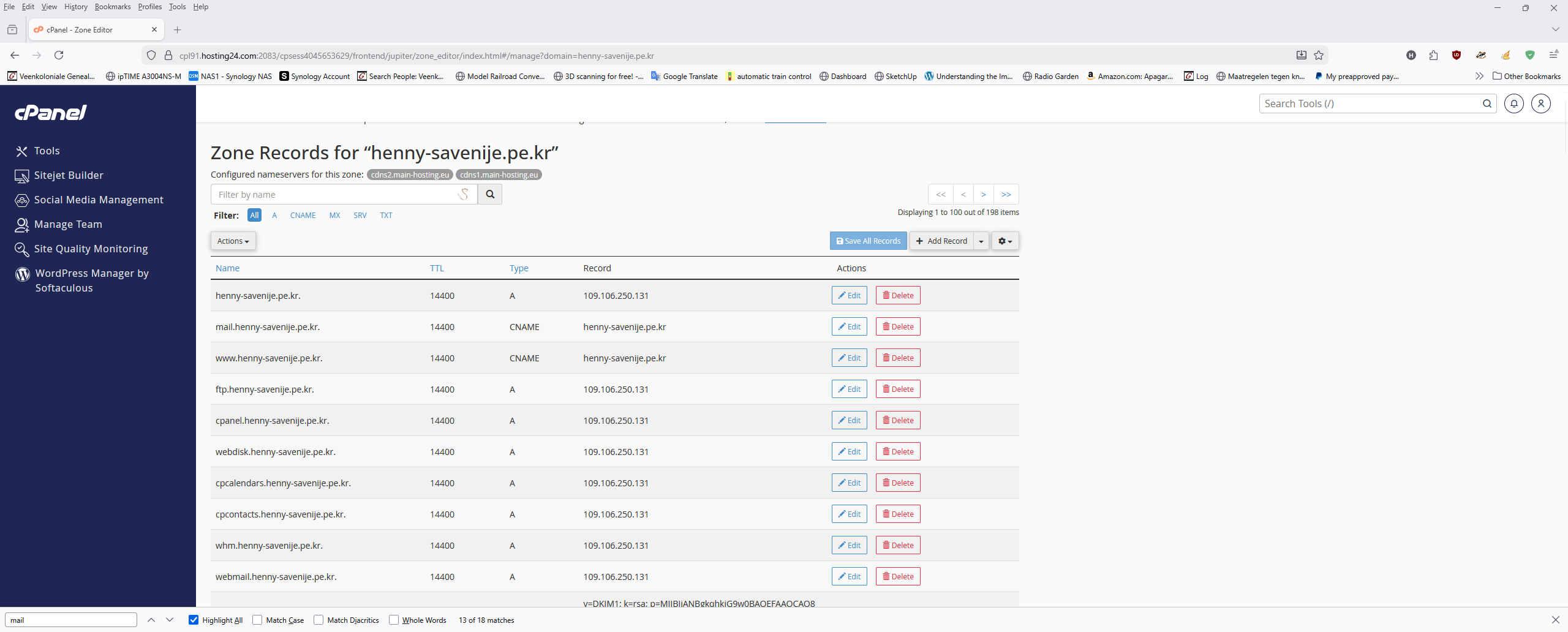
There's one other thing I noticed. Thunderbird assumes automatically that the server is IMAP while in Eudora it's POP, I wouldn't know how to change that
I wrote a long response that has not been posted. I do not know if it is being held for moderation. I will look for it on my computer later.
I'll try again.
What am I supposed to change or add in the attached image?
I do not know what, if anything, you should change in the zone records. I'm assuming, at least for now, that they are correct. But I would like to see your MX records. Would you please use either cPanel or hPanel to show your zone records (as you did in the screen image), select MX records, and either share them in a screen image or type them?
Do you have reason to believe that you should change something in your zone records?
Our task from the beginning has been to ensure that Thunderbird is using the correct information for your incoming and outgoing servers. David suggested sharing that information right away, and I have asked you for that information twice. Would you please share the following information?
INCOMING SERVER Look in account settings > Server Settings. Server type: Server name: Port: User name: Don't share. Just make sure that it is your full e-mail address. Connection security: Authentication method:
OUTGOING SERVER Look in account settings > click on account name > click on "Edit outgoing server". Server name: Port: Connection security: Authentiation method: User name: Don't share. Just make sure that it is your full e-mail address.
finally they managed to get me in
Who or what managed to get you into what?
Thunderbird assumes automatically that the server is IMAP
Are you saying that an IMAP account in Thunderbird is receiving and sending messages? That would be very good news.
I can help you set up a POP account in Thunderbird. Please don't try to change your IMAP account. You have to create a new account in Thunderbird, set settings, and save your IMAP messages. Then you can delete the IMAP account and use just the POP account.
Rick said: I do not know what, if anything, you should change in the zone records. I'm assuming, at least for now, that they are correct. But I would like to see your MX records. Would you please use either cPanel or hPanel to show your zone records (as you did in the screen image), select MX records, and either share them in a screen image or type them?
Do you have reason to believe that you should change something in your zone records?
Henny: No I don't but I get conflicting messages from the helpdesk
Rick: Our task from the beginning has been to ensure that Thunderbird is using the correct information for your incoming and outgoing servers. David suggested sharing that information right away, and I have asked you for that information twice. Henny: Sorry I might have missed that or misinterpreted it. Again, sorry for that.
Rick: Would you please share the following information?
INCOMING SERVER Look in account settings > Server Settings. Server type: Server name: Port: User name: Don't share. Just make sure that it is your full e-mail address. Connection security: Authentication method:
Henny: Take a look at the attached image
OUTGOING SERVER Look in account settings > click on account name > click on "Edit outgoing server". Server name: Port: Connection security: Authentiation method: User name: Don't share. Just make sure that it is your full e-mail address.
"Henny" finally they managed to get me in
Rick: Who or what managed to get you into what?
Henny: The helpdesk at hostinger managed to get me into my hPanel account (after more than a month)
Thunderbird assumes automatically that the server is IMAP
Rick: Are you saying that an IMAP account in Thunderbird is receiving and sending messages? That would be very good news.
Henny: No, Thunderbird automatically configures itself with IMAP as server settings. Still not able to receive messages while there is a whole bunch of them on the server
Rick: I can help you set up a POP account in Thunderbird. Please don't try to change your IMAP account. You have to create a new account in Thunderbird, set settings, and save your IMAP messages. Then you can delete the IMAP account and use just the POP account.
Henny: Well whatever works would be great,
Probably I give too much information but I don't care, have had the same email address already for the last 25 years, and never had any breach (My passwords are really complicated)
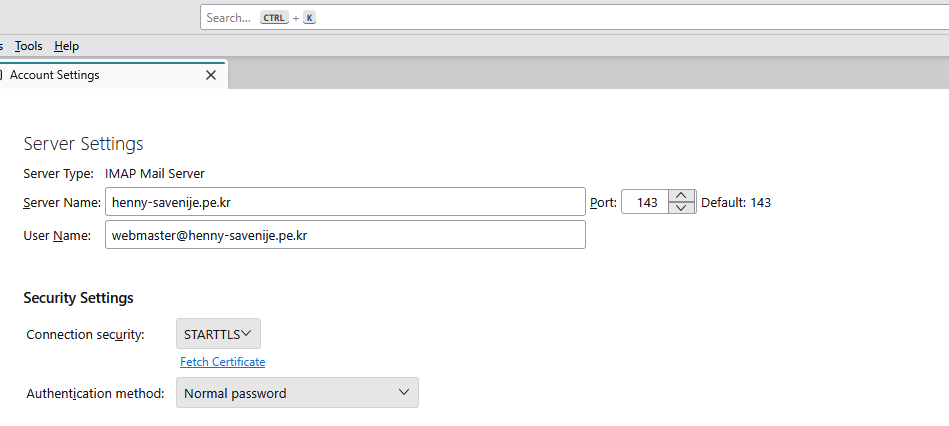
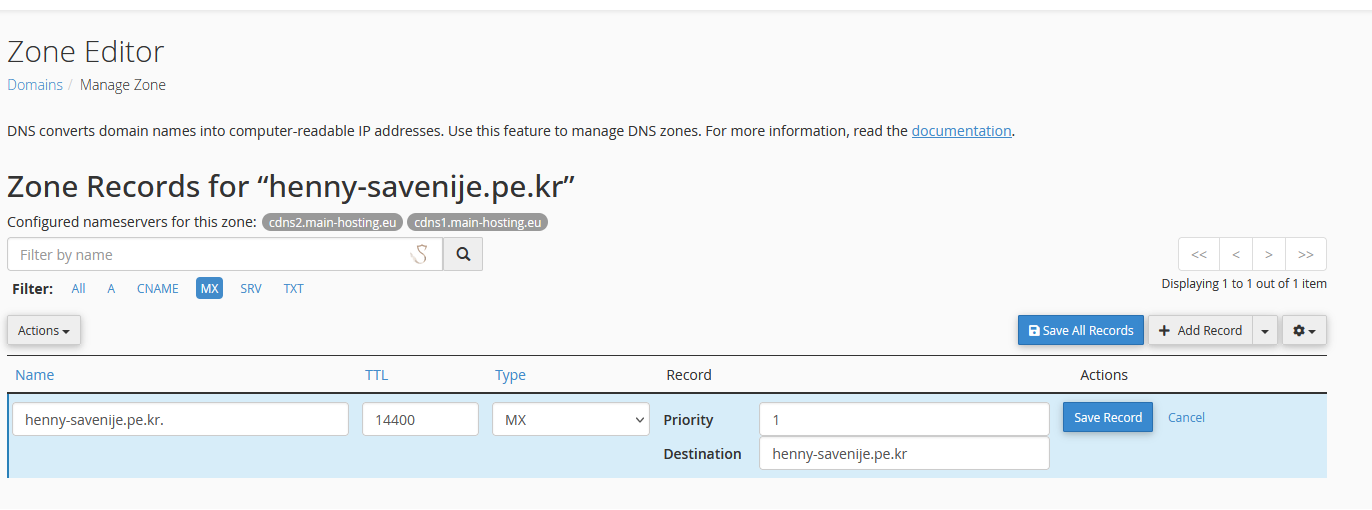
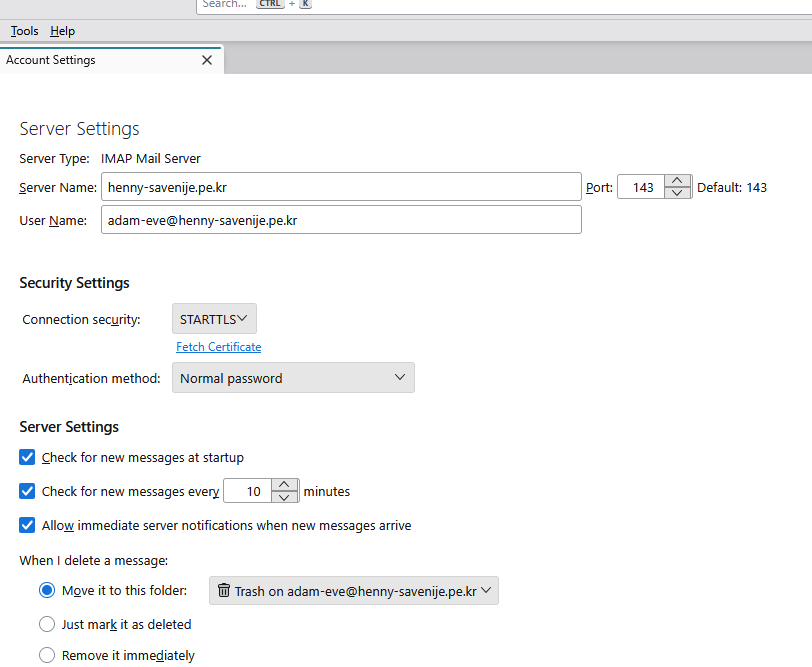
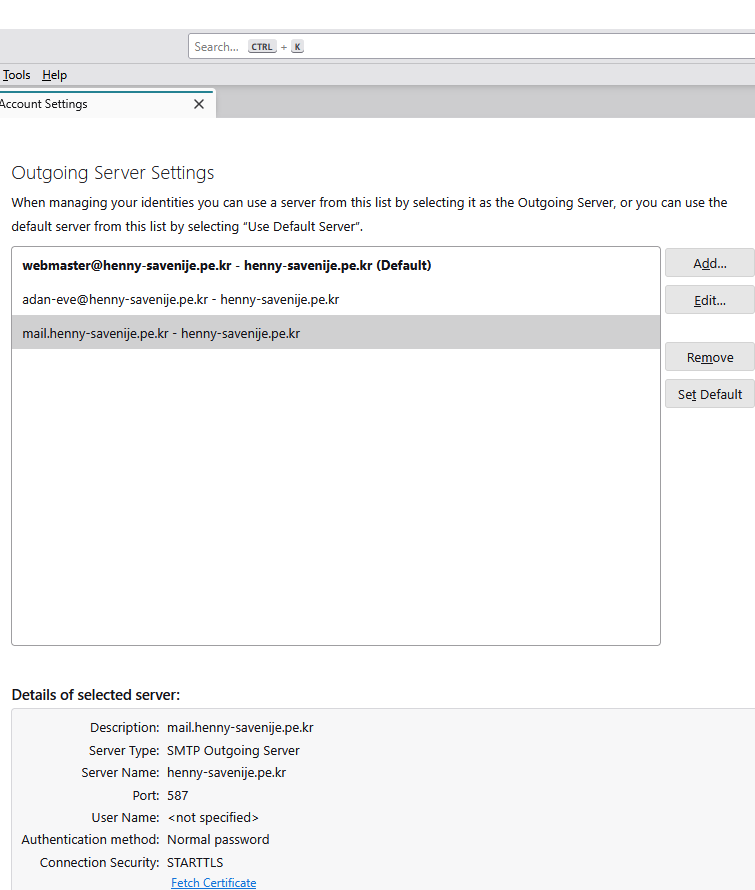
Alright, this is what hostinger says
Hello,
I’ve reviewed your account, and I can confirm that your nameserver, IP, and MX records are all correctly set up
based on your earlier messages:
Thunderbird is able to send emails successfully.
Eudora is still able to receive emails.
This indicates that Eudora’s POP3 connection is still active and successfully retrieving messages from the server. So, from the server side, mail is being delivered correctly, which aligns with the MX and nameserver settings being correct. If Eudora continues to use POP3, it will impact how Thunderbird displays incoming messages, even if Eudora is closed.
I understand this may not be the answer you were hoping for, but I want to assure you that your server is set up correctly.
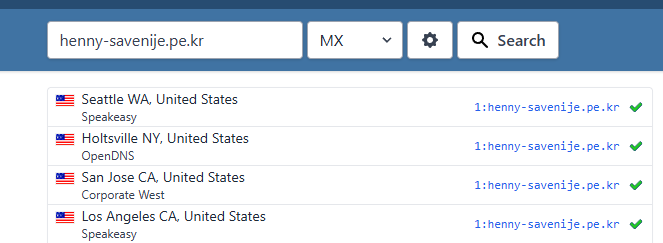
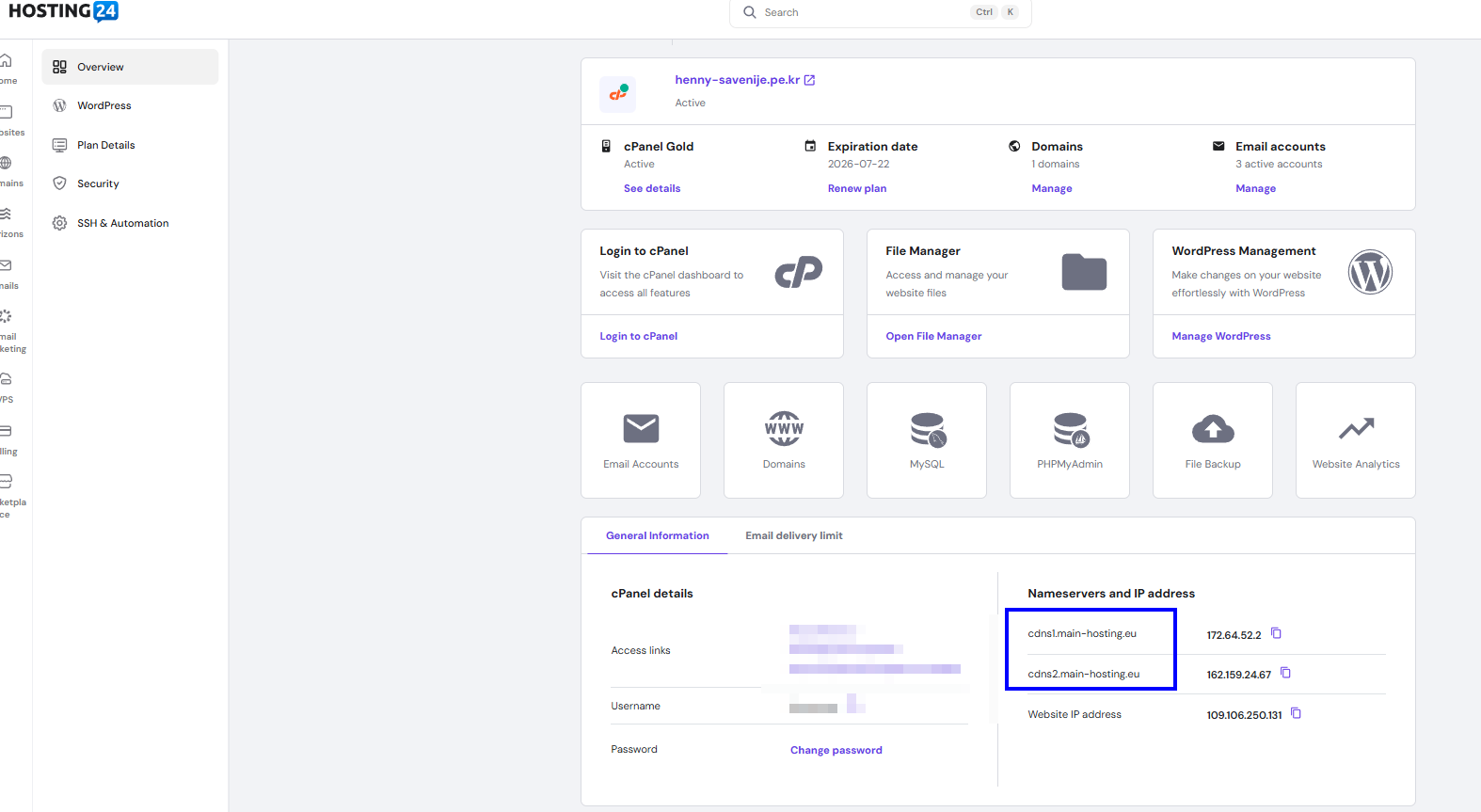
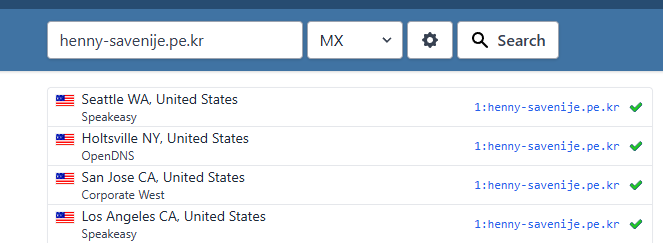
Hi Henny.
Thanks for all this information. I realize now that you did indeed share incoming server details in response to David's request early on. I had forgotten about that. I'm sorry that I made you do it again. Oh, man, now I also see that you posted outgoing server details on my request too. Double sorry.
I see two possible explanations for your not being able to receive messages in Thunderbird:
- Eudora is running at the same time as Thunderbird and you do not leave messages on the server after they are retrieved. So the POP account in Eudora fetches all the new messages first, and there is nothing left for Thunderbird to fetch. But you said that there are many messages on the server, and your settings leave mail on the server for one day, so this explanation seems wrong.
- Something is wrong in your incoming server settings. I believe that it is the port. Port 143 is used for unencrypted communication. You probably need port 993 instead. Would you please try that?
If that does not work, Hostinger should be able to review your settings now that they have authenticated you as the owner of the account.
I am hopeful about port 993.
You may also need to change connection security to SSL/TLS.
So:
- Switch to SSL/TLS and port 993.
- Close Eudora.
- Send yourself a message.
- Fetch new messages manually.
- See if the new message is received.
I did something more rigorous, I deleted both accounts and set them up again, automatically, and see the images, I also looked here [[Automatic Account Configuration|https://support.mozilla.org/en-US/kb/automatic-account-configuration]] Set Up Hostinger Email on Your Applications and Devices And I took a look here, and I noticed that you could also link your google account, which I did and now it becomes even more interesting (and yes, the port was set to 993 and connection security to ssl/tls)
I sent an email from my yahoo account (which I had to set up thanks to the hostinger helpdesk, since I had to use an email address which I had never used before to proof that it was really me 😒😒)
Thunderbird, doesn't download the messages, not even from the google account.
I took a look at webmail, which I can do now from hPanel, the messages are there
Finally I took a look at the firewall (microsoft windows 11) and tried again, still no joy.
I am really at a loss. I am out of ideas, well, I could try one more thing deleting the accounts again and try to set them up manually but i doubt if that would make any difference,
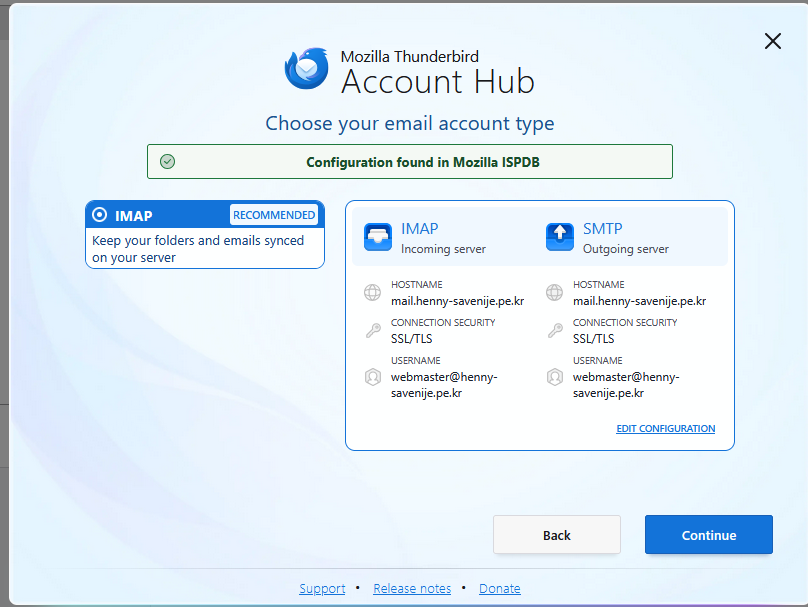
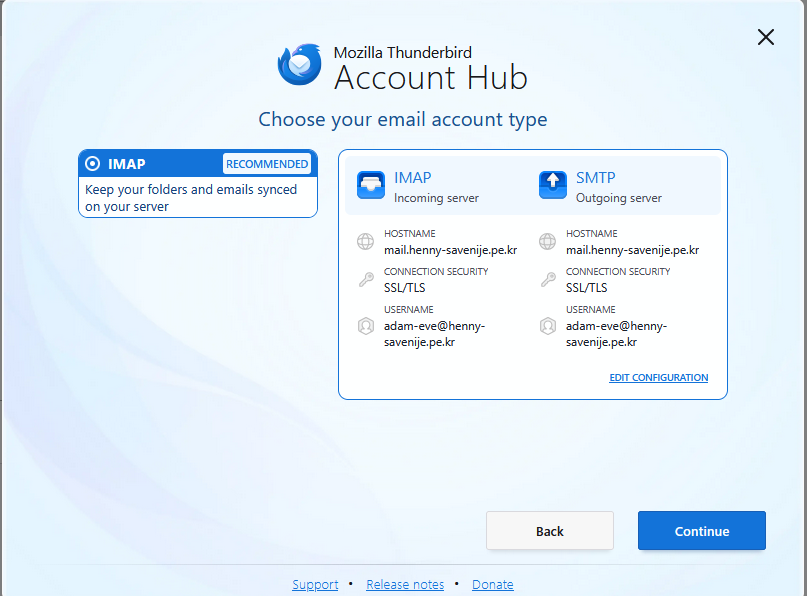

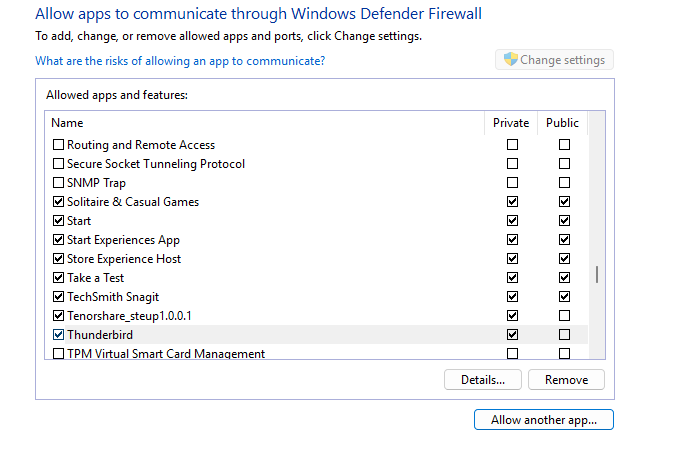
Darn.
Does an error message appear?
What happens when you click on “Fetch certificate”?
Have you confirmed all your server settings with Hostinger?
Let us try a general troubleshooting step.
Close Eudora.
Start Windows in safe mode with networking.
Start Thunderbird in troubleshooting mode (under Help menu).
Test sending and receiving.
No error messages, for a brief moment I saw in the google account 2 messages but then they were gone. If I click "Fetch Certificate" I get The certificate for mail.henny-savenije.pe.kr:993 appears to be valid. The certificate for imap.gmail.com:993 appears to be valid. etc,
Eudora has been closed the whole day.
So I was trying to restart windows with networking but that didn't seem to work I had no network. I have windows 11 on a computer which isn't supported by microsoft but I don't know if that matters, for the rest it works fine.
Again, if I test receiving (sending still works fine) I see at the bottom that it logs in, it says it's checking mail and that's it, but I think I have to sleep, it's nearing 1 AM and even though I am retired I have to get up and walk the dog (10 km) and do my daily routines
Links to instructions, in case they help:
Start Windows in safe mode with networking enabled https://support.microsoft.com/en-us/help/12376/windows-10-start-your-pc-in-safe-mode
Still In Windows safe mode, start Thunderbird in Troubleshoot Mode https://support.mozilla.org/en-US/kb/troubleshoot-mode-thunderbird
Do you use anti-virus software other than Microsoft's?
If you cannot start Windows in safe mode with networking, can you temporarily disable Defender?
Do you use any add-ons in Thunderbird?
The first link wasn't really helpful since those screens only show up if something really goes wrong with windows but I found another one and this time I was able to enter safe mode WITH networking, I did the trouble shooting mode, and still not fetching mail.
I don't use any other antivirus program when I am in safe mode, defender is automatically disabled (at least I couldn't get into it, it only show a blank window, so I assume it isn't working.
But also in "normal" mode, if I switch off defender, and switch to trouble shooting mode, nothing happens, isn't there an error log or something like that?
I do use add-ons but they are switched off in troubleshooting mode. (and most of them are dictionaries) but see the list, I could try to disable them all but in all honesty, I think the best thing to do is uninstall Thunderbird and reinstall it. (but then I will loose all my old imported mail, but I think I can live with that) I am not looking forward doing so though
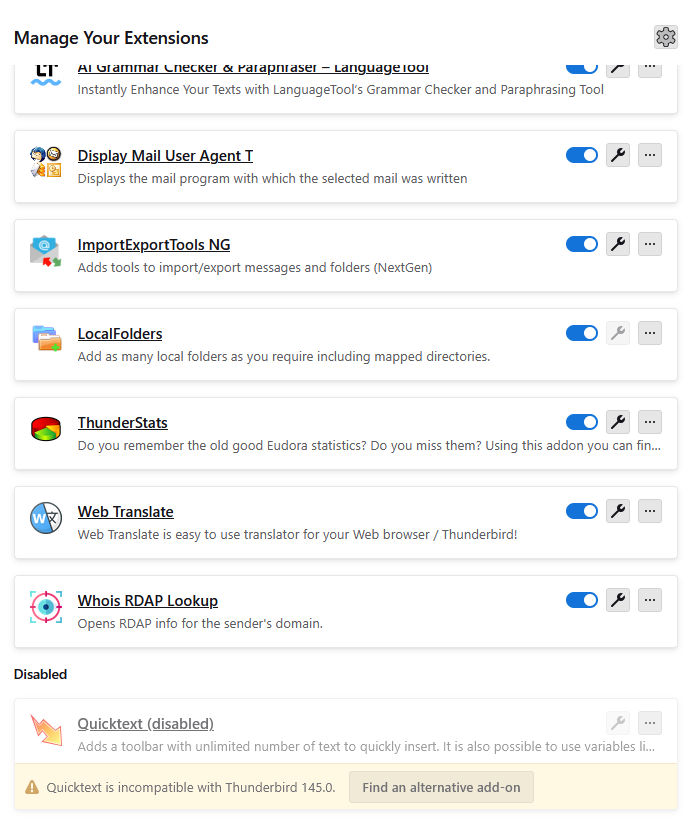
Great News!! On another computer and another location, I also installed Thunderbird and guess what? It downloaded all 563 messages in one go. Alright, it's a simple setup, no add-ons no filters nothing, only one email address, so probably that means that at home too, I have to make a new setup
henny said
The first link wasn't really helpful since those screens only show up if something really goes wrong with windows but I found another one and this time I was able to enter safe mode WITH networking, I did the trouble shooting mode, and still not fetching mail.
If you ran Thunderbird in troubleshooting mode when Windows was in safe mode with networking, and your account could still not receive messages, then we know that anti-virus software and Thunderbird add-ons are not causing the problem.
But also in "normal" mode, if I switch off defender, and switch to trouble shooting mode, nothing happens, isn't there an error log or something like that?
I am not aware of a general error log and I have not been able to find one.
I think the best thing to do is uninstall Thunderbird and reinstall it. (but then I will loose all my old imported mail, but I think I can live with that) I am not looking forward doing so though
It is unlikely that re-installing Thunderbird will help, but you could try it. Re-installing Thunderbird will not delete old imported mail because the application is separate from your data. Apparently, your old imported data is in local folders, right? That is why it survived your deletion of accounts earlier.
But make a back-up copy of your profile (or your whole drive) before continuing. It should be unnecesary, but it's good to do anyway.
What version of Thunderbird are you using now?
I am left with these ideas:
- Show the activity manager (tools menu) and note what it says when you try to retrieve messages.
- Confirm your MX records and incoming server settings with Hostinger. Maybe you've done this and I've overlooked it, but let's make sure. Reception problems are almost always a matter of settings.
- Set up a POP account in Thunderbird and see if it behaves differently from your IMAP account. You will have to make sure that you are using the right settings. Again, I would ask Hostinger for them because your configuration is different from what is common in my experience, so the settings that I found for you may not be the right ones. To set up a POP account, start the usual process for creating a new account, but, after entering your e-mail address and password, click on "configure manually".
- Try the settings that I found for both IMAP and POP accounts. Maybe you really should be using the standard settings. (If so, I cannot explain why the connection check with your current settings succeeds.)
- Give yourself credit for working this hard and patiently on the problem.
henny said
Great News!! On another computer and another location, I also installed Thunderbird and guess what? It downloaded all 563 messages in one go. Alright, it's a simple setup, no add-ons no filters nothing, only one email address, so probably that means that at home too, I have to make a new setup
Good!
I should have asked about filters. Could it be that your main/home installation of Thunderbird is receiving messages after all, but they are getting filtered immediately?
Have you set your status bar to be visible so you can see what happens when Thunderbird connects to the server? And, as mentioned earlier, you might show the activity manager too.
Making a "new set-up" mostly means creating a new profile. You could also re-install Thunderbird. See discussion above.
To create a new profile: Help menu > Troubleshooting information > Application basics > Profiles > click on "about:profiles" > click on "create new profile".
Then click on "launch profile in new browser" below your new profile and set up your account(s).
- What version of Thunderbird are you using now?
145.0 (64-bit)
- Show the activity manager (tools menu) and note what it says when you try to retrieve messages.
The current operation on 'Inbox' did not succeed. The mail server for account hennysavenije91@gmail.com responded: Could not parse command. But that seems only true for gmail.
- Give yourself credit for working this hard and patiently on the problem.
Patience is my middle name. I do so many things that other people exclaim: I would have given up. But give yourself credit too for the same reason
- I should have asked about filters. Could it be that your main/home installation of Thunderbird is receiving messages after all, but they are getting filtered immediately?
I checked that too, but no, there is nothing
- Have you set your status bar to be visible so you can see what happens when Thunderbird connects to the server? And, as mentioned earlier, you might show the activity manager too.
The activity manager is done, but I am not sure about the activity manager, is that the bar at the bottom of Thunderbird? If so, that is visible and tells me it's logging into the different accounts (sometimes, sometimes it just shows a blue line(?)
I will reinstall it, as you said, the mail should still be there, but I am not too worried about that since it's all old mail from Eudora
Chosen Solution
I reinstalled it but the result is the same, it has the same configuration as before, I uninstalled it again, and installed it on a different drive. THAT made it a new install and downloaded all the messages immediately