


Google Meet Sharing Screen

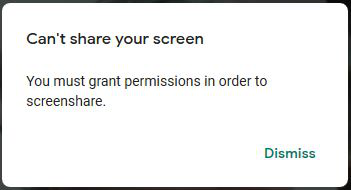
Just recently (Jan. 21st), I tried to share my screen while in a Google Meet and received the message, "You must grant permission in order to screenshare." I don't receive this message when I try it in Google Chrome. I've been able to share my screen in Google Meet when using Firefox in the past, but don't remember the last time I did. So, not sure when this issue really started. I would like to continue to use Firefox for this function, so any assistance is greatly appreciated.
All Replies (1)

Chosen Solution
Hi, you are being asked as a security measure: Share browser windows or your screen with sites you trust.
To change the setting; whilst on that site, click the padlock at the left end of the address bar, then click the arrow on the right (>), then More Information, then the Permissions tab.
If your question is resolved by this or another answer, please help other users by marking the best reply as Solved. Thank you!