


THANDERBIRD doesn't send Russian symbols.

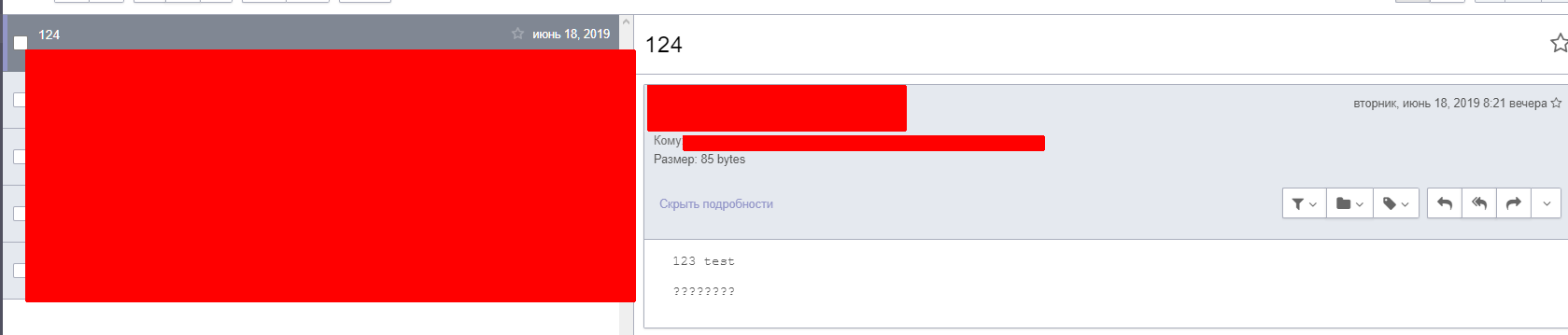
THANDERBIRD doesn't send Russian symbols. The recipient sees them as: "????????????" Charset output = UTF-8 How can I fix it? The topic with Russian characters is displayed correctly. If I send Email via browser, everything is fineю P.S. Sorry for my English.
Gekose oplossing
Hello nixon232,
Would you try this please :
Go to the Configuration Editor (Tools, Options, Advanced, General, Config Editor).
Scroll down to mail.strictly_mime
Click on it and change it from "false" to true.
'Hope that works …..
https://support.mozilla.org/en-US/kb/config-editor
Lees dié antwoord in konteks 👍 1All Replies (3)
Gekose oplossing
Hello nixon232,
Would you try this please :
Go to the Configuration Editor (Tools, Options, Advanced, General, Config Editor).
Scroll down to mail.strictly_mime
Click on it and change it from "false" to true.
'Hope that works …..
Thanks, it fix my problem