


Delay moving pop messages to or from 4 specific mailboxes (win10, v152). (debug process stuck at "Could not start browser toolbox. You need to enable it.") Cause: McAfee
It's very odd. Normally moving an email, say from the Inbox to the relevant year's archive, takes "no time at all".
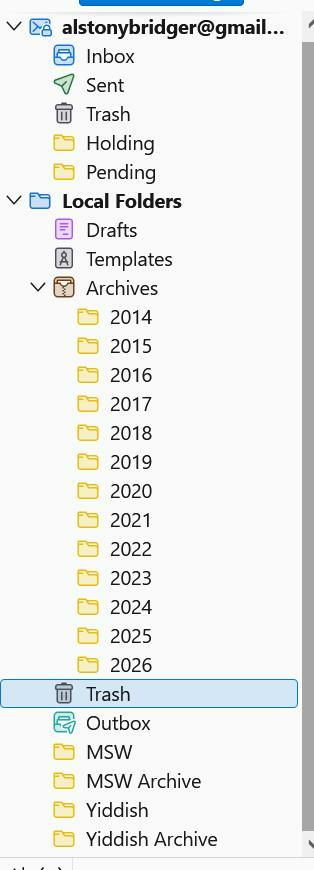
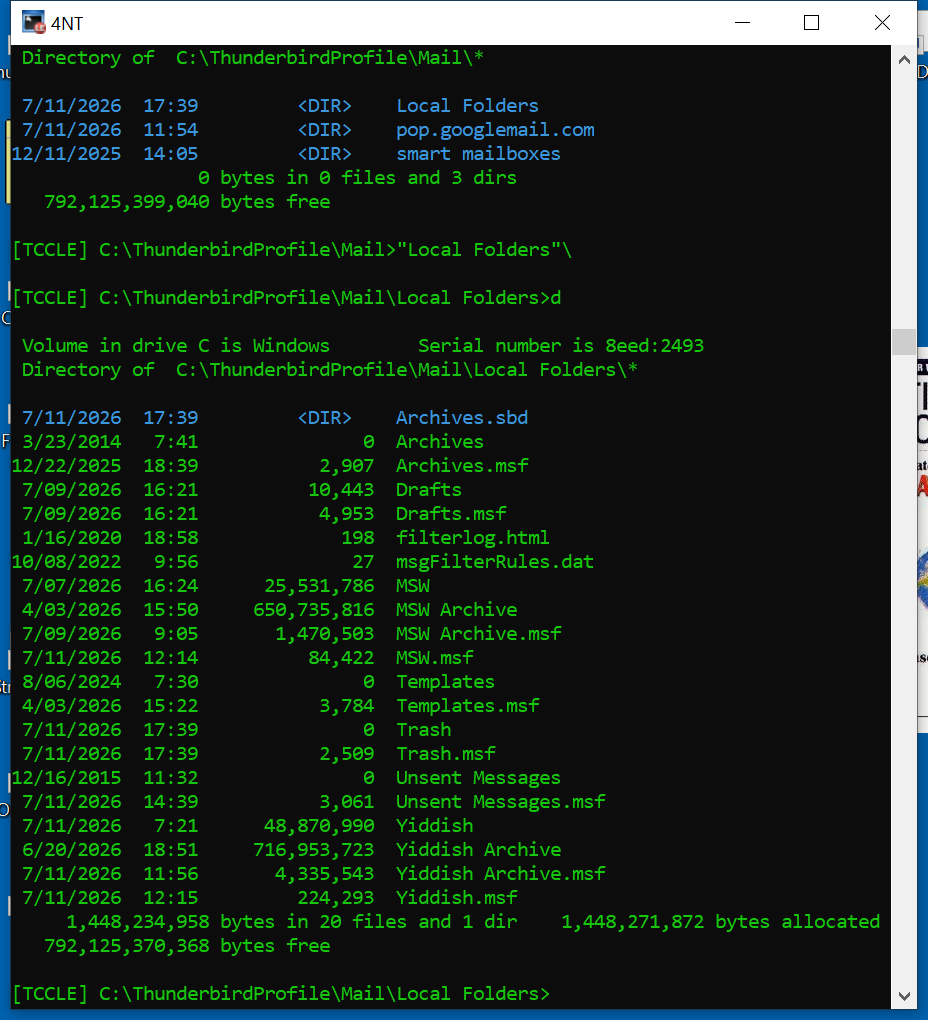
Which is true for all the mailboxes shown on the attached screenshot, EXCEPT for the four at the bottom. Moving even one message from Inbox to Yiddish can take ten seconds or longer (with the dreaded "Not Responding" occasionally). Moving something in the opposite direction is also screwy, only from those four.
I had thought that it was because they're rather large. This first started when there were just Yiddish and MSW, and I split off most of the earlier years into the archives shown. To no avail.
It's only an annoyance, but I'm puzzled about how such a thing could happen.
Also very slow tagging or untagging a message just in those mailboxes.
Moderator Notes:
- need a performance profile https://support.mozilla.org/en-US/kb/profiling-thunderbird-performance
Okulungisiwe ngu Wayne Mery
Isisombululo Esikhethiwe
That's interesting: with McAfee disabled, the slow mailboxes are no longer slow.
So why does McAfee pick on user-created mailboxes and not the ones "owned" by T'bird?
Do you still want a profile with McAfee disabled?
All Replies (66)
I thought of watching the Task Manager while moving a "slow message", but it doesn't seem to refresh fast enough to be interesting.
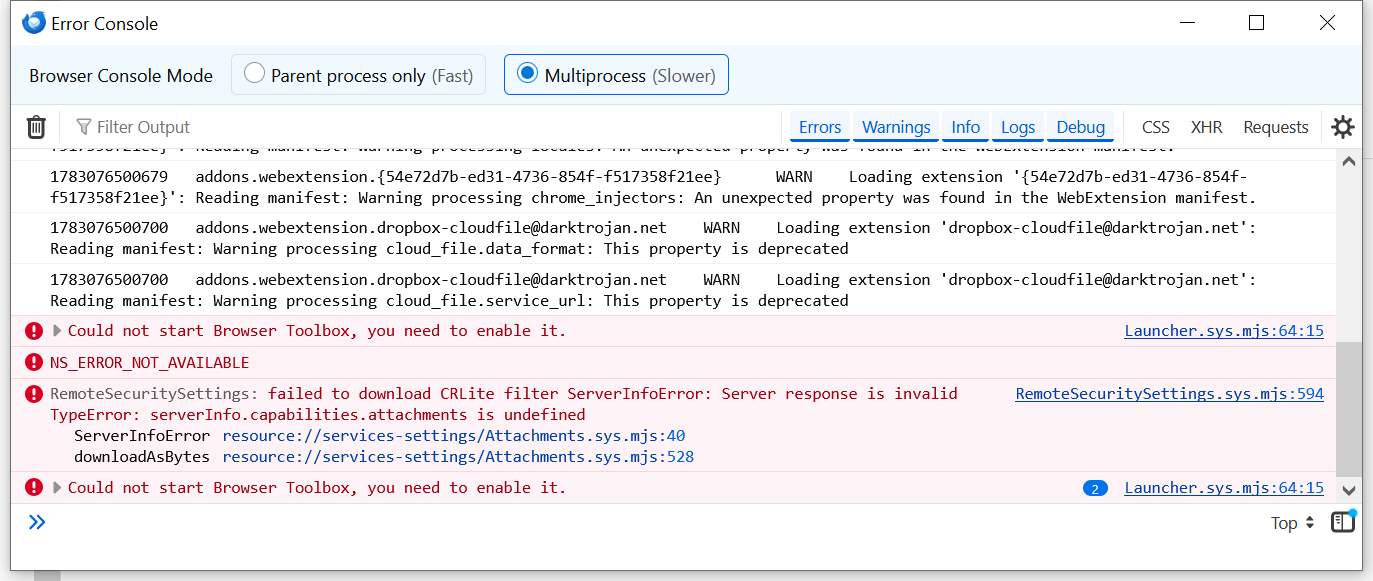
How does one enable it? See attached screenshot?
AlBridger said
How does one enable it? See attached screenshot?
Although not whatsoever guaranteed to be your problem, bugzilla.mozilla.org/show_bug.cgi?id=2050687 may be relevant.
AlBridger said
How does one enable it? See attached screenshot?
I'm attempting to find an answer - may take a couple days.
Thanks. I'm here for whatever.
The instructions I am reading in various places seem not quite accurate. Even at https://firefox-source-docs.mozilla.org/devtools-user/browser_toolbox/index.html
See my Browser Toolbox screen shot:
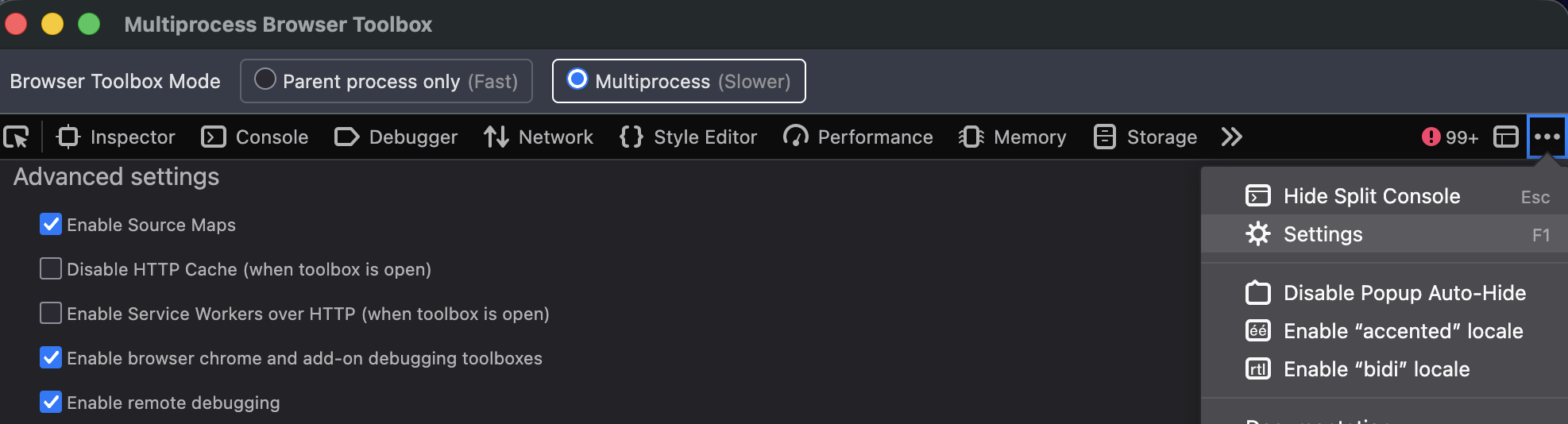
- click the three dots top right
- click gear
- scroll to Advanced and enable both browser chrome and remote debugging
Thanks -- this afternoon's effort.
There wasn't a screenshot.
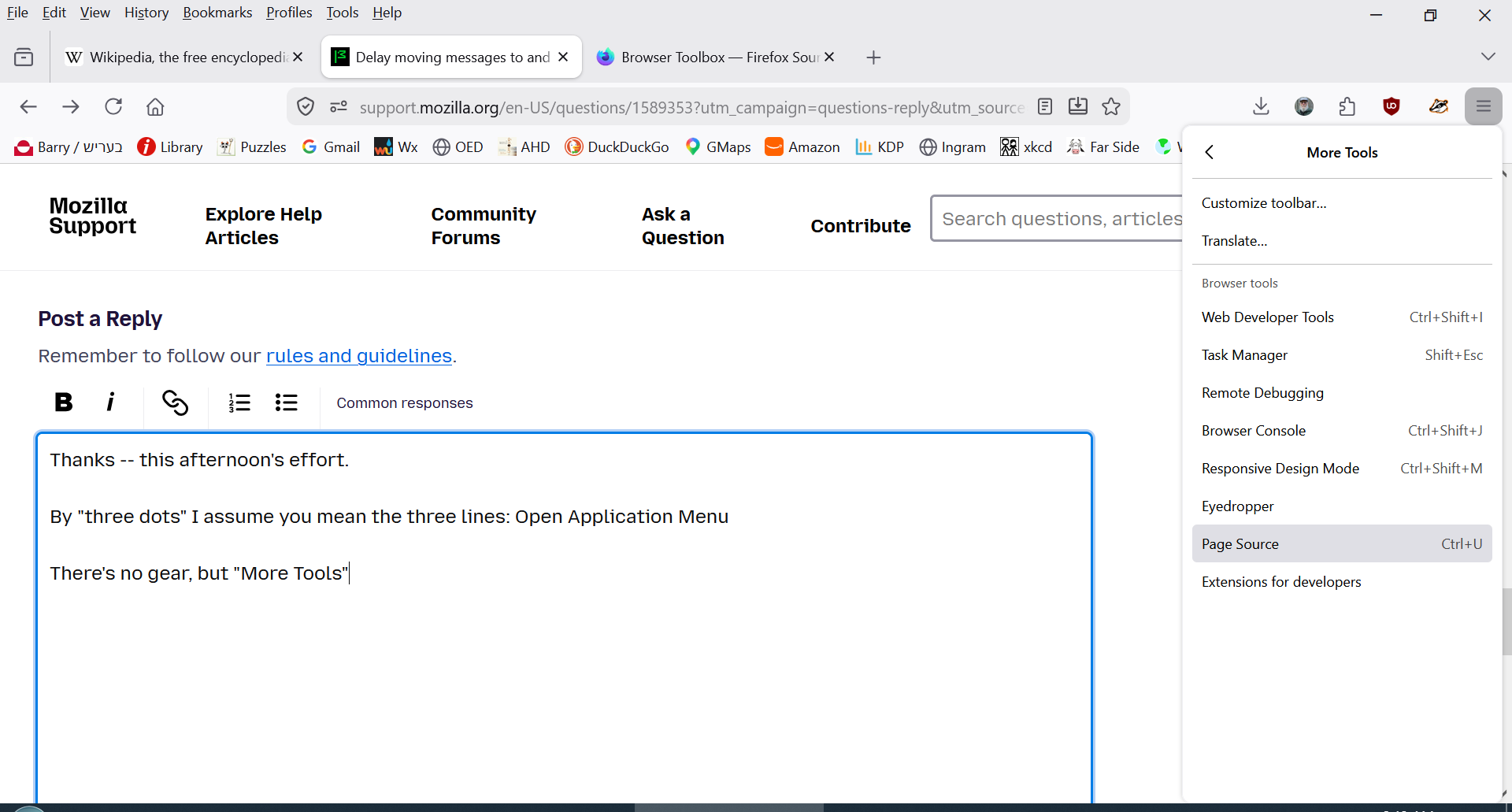
By "three dots" I assume you mean the three lines: Open Application Menu
There's no gear, but "More Tools", where there is "remote debugging" and "browser console" (not "browser chrome:).
And these are Firefox settings that will enable Thunderbird profiling?
Please let me know if this is correct and I'll jump in this afternoon.
Thanks. BG
Okulungisiwe ngu AlBridger
Literally three dots. The three lines is hambuger aka app menu.
Sorry, I forgot to add the screen shot I had made.
Hi --
I'm ever more confused. "I don't see no stinkin' three dots."
In Firefox or in Thunderbird? Screenshots attached.
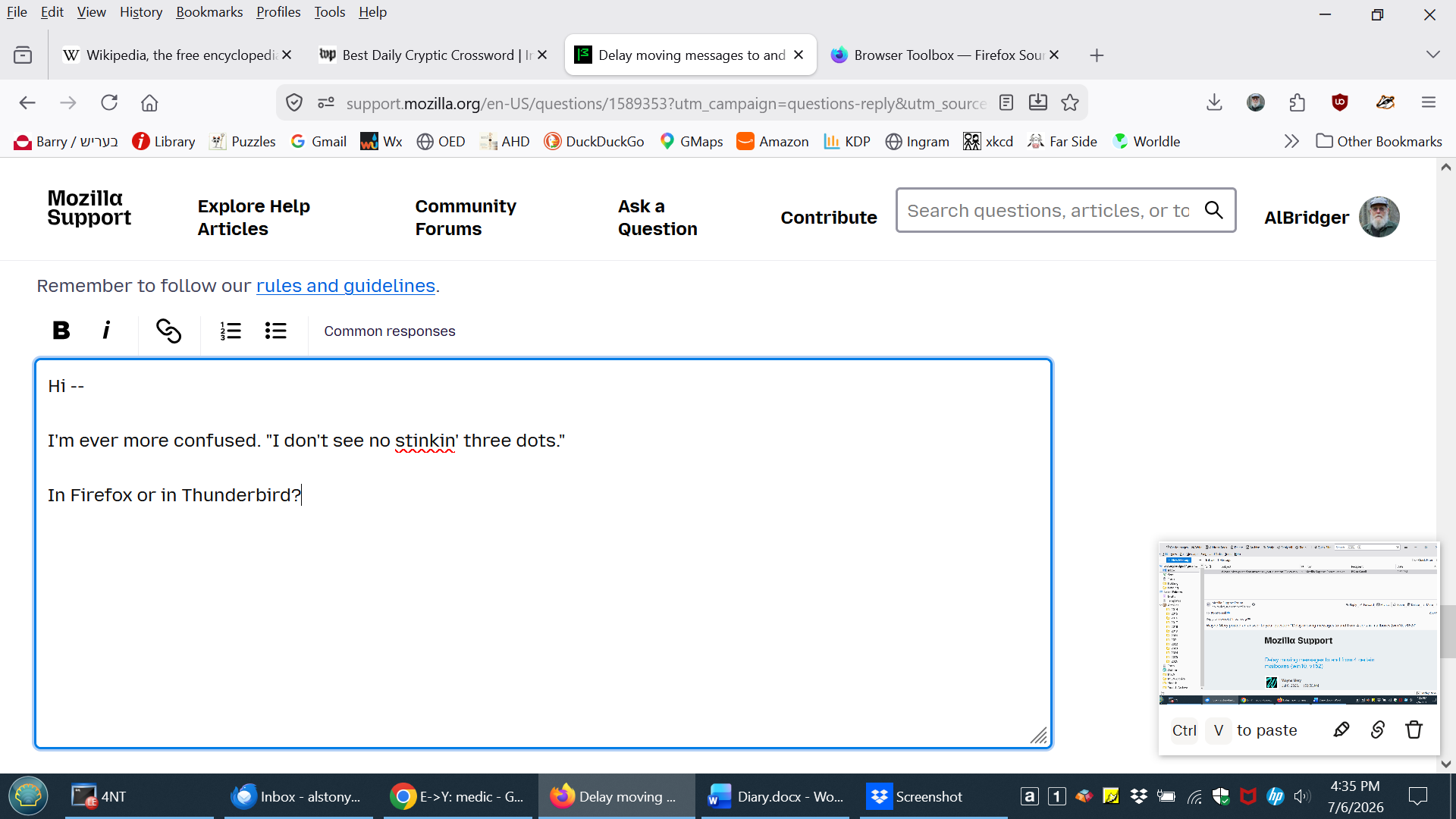
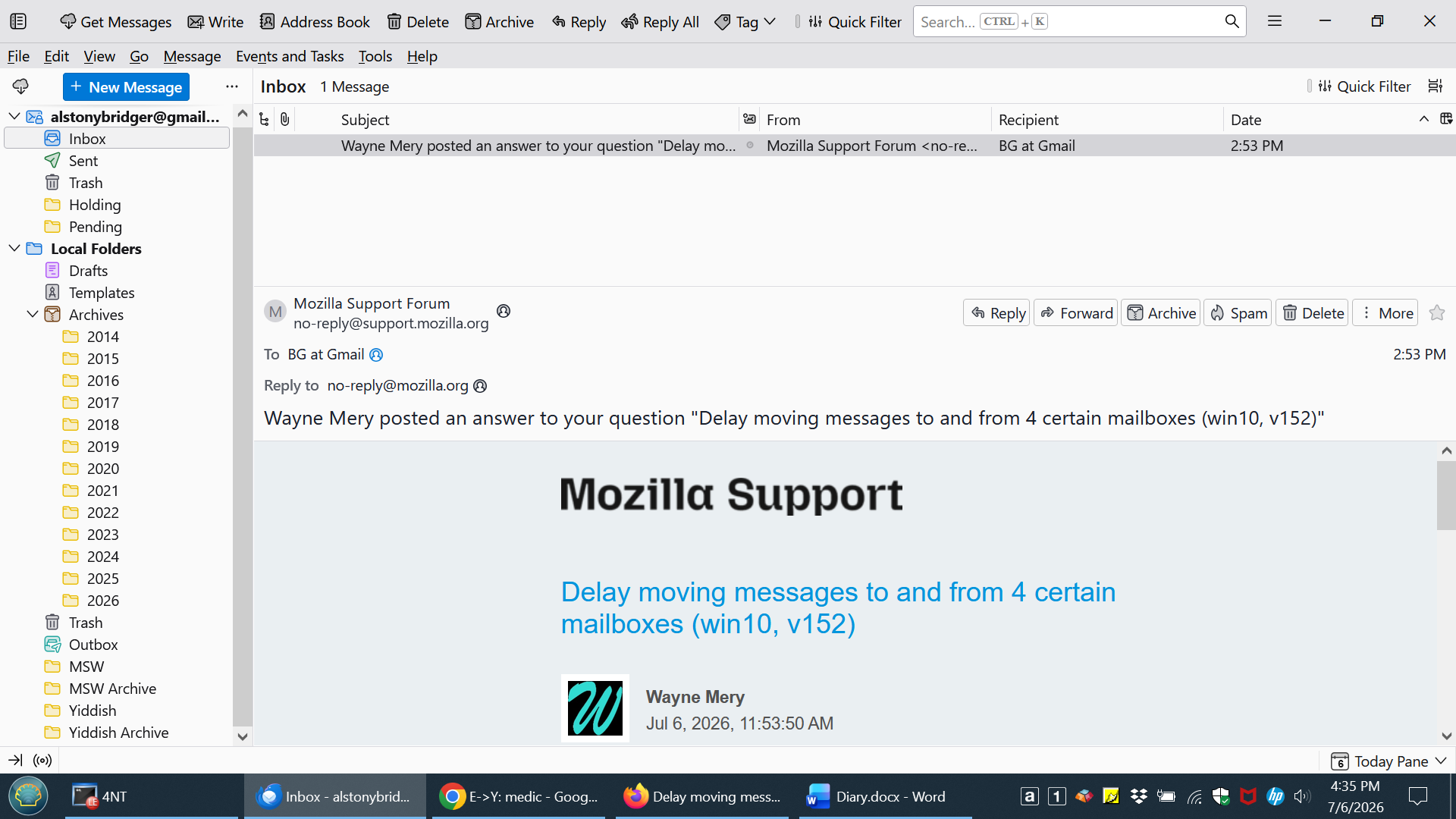
Sorry - the place where you will see three dots refers back to several postings ago, at the beginning steps of the performance profile. You must first do tools > Developer Tools.
Let's back up a bit.
Firefox or Thunderbird? There isn't any Developer Tools on the Firefox Tools menu, so Thunderbird.
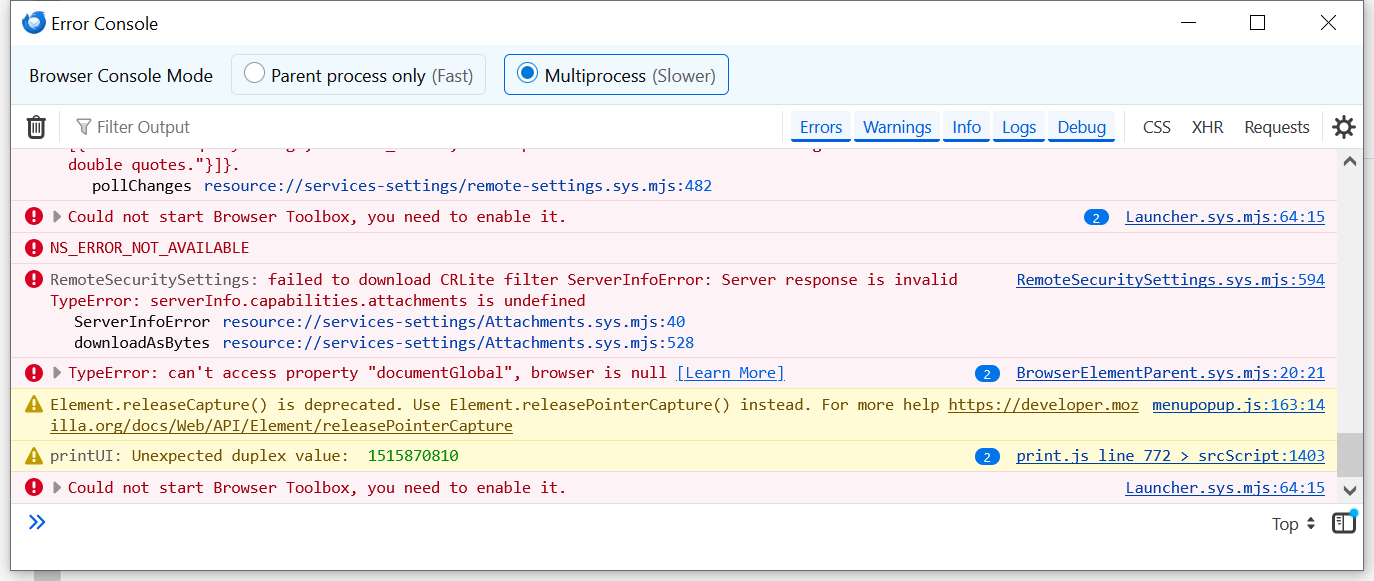
And in Tbird, there is such an item but that's the one that does nothing until something else is enabled.
Help,
As before, clicking on developer tools does nothing but raise an error message (see screenshot).
In your reply of 7/5/26, 7:58 PM, you were looking into ways of enabling browser chrome and remote debugging, but the instructions were incomplete. How does one get into the Browser Toolbox (where the much sought after three dots might be there to find). [And just out of curiosity, how does "chrome" come into this all?]
Any joy?
It's a strange bug. I created more mailboxes (AAAA and ZZZZ) and moving messages to and from these works properly (of course, they're much smaller than the troublesome ones, starting out empty). But the original four (MSW, MSW Archives, Yiddish, Yiddish Archives) still suck.
I await foida woid.
I created another mailbox, MSWx, like MSW.
It took over seven minutes to COPY all 108 messages from MSW to MSWx.
I then moved one message from Pending to MSWx, which took 7.2 seconds, and undoing the move took 6.4 seconds.
One wonders what's (not) going on.
===
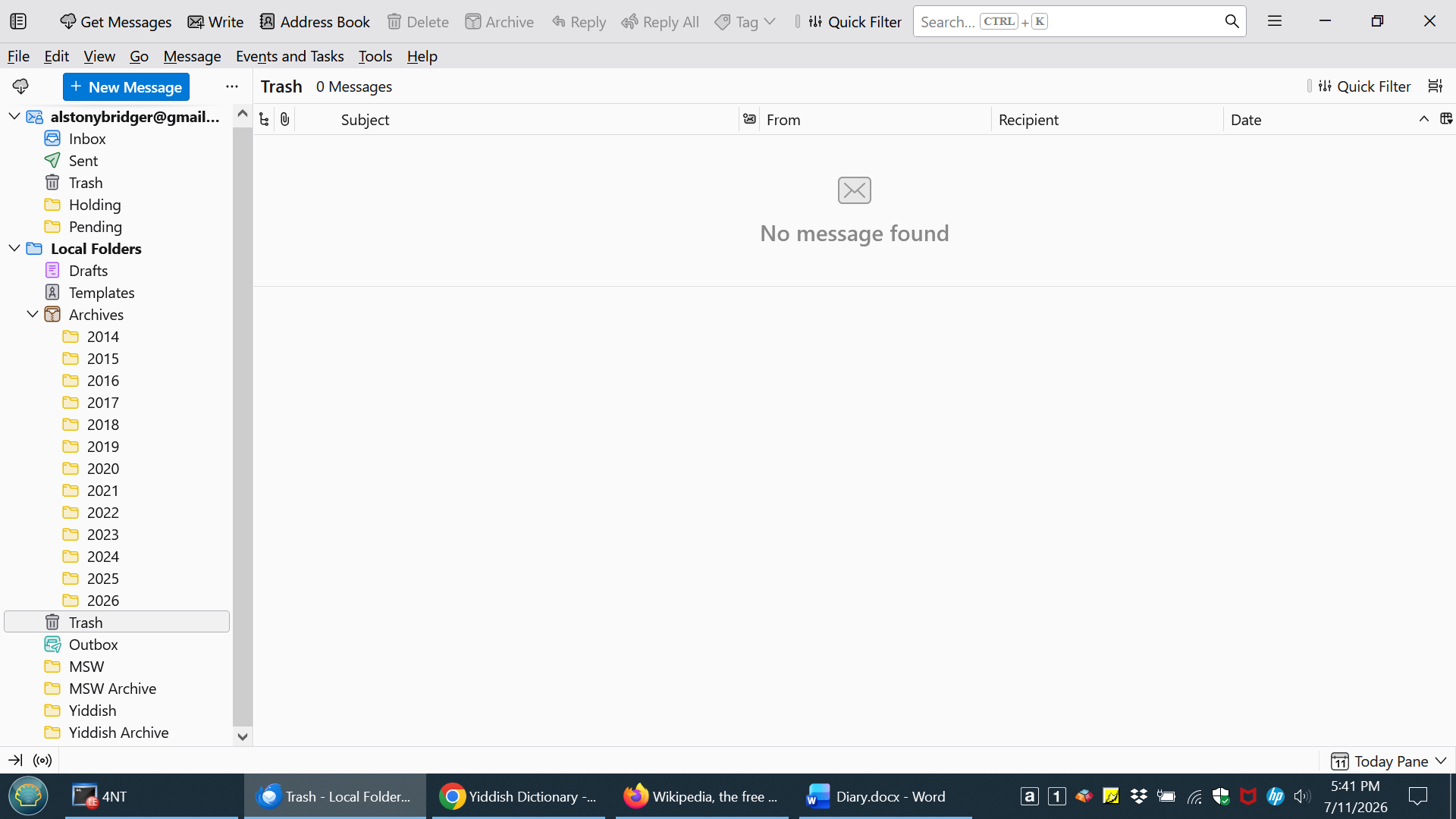
Later: I created a foo mailbox in the Archives tree (see attached screenshots), and moving messages to and from that go at full speed. So what's special about the files in "Local Folders" (but not its sub-directory).
Okulungisiwe ngu AlBridger
AlBridger said
I created another mailbox, MSWx, like MSW. It took over seven minutes to COPY all 108 messages from MSW to MSWx. I then moved one message from Pending to MSWx, which took 7.2 seconds, and undoing the move took 6.4 seconds. One wonders what's (not) going on.===
Later: I created a foo mailbox in the Archives tree (see attached screenshots), and moving messages to and from that go at full speed. So what's special about the files in "Local Folders" (but not its sub-directory).
So copying to Local Folders\X is fast but copying to Local Folders\X\Y is slow?
Vice-versa, if I understand you. See the earlier attachments.
The Archives (including the test mailbox I created there) are in the subdirectory ...\Mail\Local Folders\Archives.sbd. Moving things to there and back happens "instantly".
The troublesome mailboxes are in ...\Mail\Local Folders, the parent directory of the archives subdirectory. These take up to 10-12 seconds to move a message.
Speaking just for myself, I ain't got a clue.
===========
What's happening with whatever it takes to enable this? "I think the next best step is to get a performance profile https://support.mozilla.org/en-US/kb/profiling-thunderbird-performance"
Okulungisiwe ngu AlBridger
Any joy?
FWIW, I'll be away with only limited email from 7/22-31.
Sorry nothing new for now. Catch up when you get back.
No one knows how to enable the Thunderbird performance profiler?
I'm re-connected to the Interwebs.
Any joy?