


Voice input not supported in Firefox for Google Translate
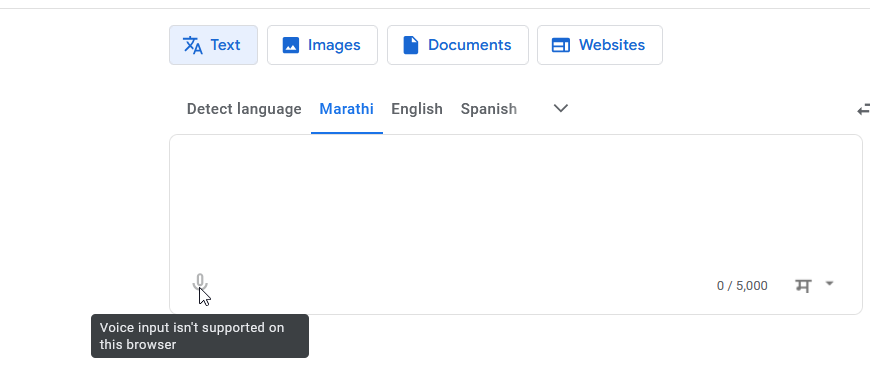
I am a Firefox user for the last 20 years. I frequently use Google Translate, and I depend on the voice-to-text feature. However, when I try to use it in Firefox, I get the message: “Voice input is not supported on this browser.”
Because of this, I am being forced to switch to Google Chrome, which I don’t really want to do. Is there any workaround, add-on, or upcoming plan to bring proper voice input support to Firefox?
All Replies (3)
Thats not Firefor issue
Here says <<If you get an error message that says "Voice input isn’t supported on this browser," try to use a different browser. Chrome is the only browser that’s fully supported.>> https://support.google.com/translate/answer/6142468?hl=en#zippy=%2Cvoice-input-isnt-supported-on-this-browser
So you can use Windows Key + H shortcut. This will activate Windows Voice Typing, which works in any text field.
Try it, maybe will work for you.
George Kitsoukakis said
Thats not Firefor issue Here says <<If you get an error message that says "Voice input isn’t supported on this browser," try to use a different browser. Chrome is the only browser that’s fully supported.>> https://support.google.com/translate/answer/6142468?hl=en#zippy=%2Cvoice-input-isnt-supported-on-this-browser So you can use Windows Key + H shortcut. This will activate Windows Voice Typing, which works in any text field. Try it, maybe will work for you.
Thanks I tried it, but it is not supporting local languages